EasyManua.ls Logo

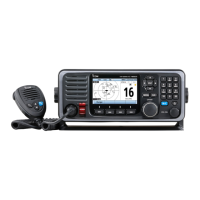
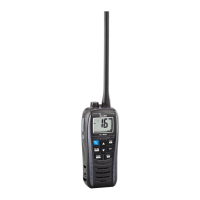
Icom IC-M604 - Service Manual

Icom IC-M604
50 pages
Print Icon
To Next Page IconTo Next Page
Loading...
S-14306MZ-C1
Aug. 2006
SERVICE
MANUAL
VHF MARINE TRANSCEVER
iC-m604

Other manuals for Icom IC-M604

Questions and Answers

  • K
    Kristie AndersonAug 20, 2025
    How to fix Icom IC-M604 Transceiver voice scrambler if it is not operational?
    • C
      Christine HayesAug 20, 2025
      If the voice scrambler on your Icom Transceiver is not operational, first turn the optional voice scrambler ON. If the issue persists, reset the scramble code.
  • J
    John PerryAug 22, 2025
    What to do if the Icom Transceiver distress call cannot be transmitted?
    • E
      Ernest GrahamAug 22, 2025
      If the distress call cannot be transmitted, it might be because the MMSI (DSC self ID) code is not programmed. Program the MMSI (DSC self ID) code to resolve this issue.
  • D
    Devin WellsAug 25, 2025
    What to do if no sound comes from the Icom IC-M604 Transceiver speaker?
    • N
      nicolenewmanAug 25, 2025
      If no sound is coming from the speaker, consider the following possibilities: * The squelch level may be too high: set [SQL] to the threshold point. * The volume level may be too low: set [VOL] to a suitable level. * The speaker may have been exposed to water: drain water from the speaker. * The internal speaker may be turned OFF: turn the internal speaker ON in set mode.
  • A
    Alexander HarveyAug 26, 2025
    What to do if the Icom Transceiver receive signal cannot be understood?
    • A
      Ashley FlowersAug 26, 2025
      If the receive signal cannot be understood, the optional voice scrambler may be turned OFF, so turn it ON. Alternatively, the scramble code may not be set correctly, so reset the scramble code.
  • M
    Mark AguilarAug 28, 2025
    Why is the Icom IC-M604 transmitting impossible, or high power cannot be selected?
    • N
      nicholas56Aug 28, 2025
      If transmitting is impossible, or high power cannot be selected, it could be because some channels are programmed for low power or receive only due to regulations, so change channels. Alternatively, the output power might be set to low, so push [H/L] to select high power.
  • V
    veronicawoodAug 30, 2025
    How to improve the Icom IC-M604 sensitivity?
    • M
      michellebaxterAug 30, 2025
      If the sensitivity is low, the attenuator may be activated. Push [6• LO/DX] after pushing [F] to turn the function OFF.
  • L
    Logan MendozaSep 1, 2025
    Why does the Icom IC-M604 scan not start?
    • L
      Lynn CobbSep 1, 2025
      If the scan does not start, the TAG channel may not be programmed. Set the desired channels as TAG channels.
  • B
    Bradley StewartSep 3, 2025
    Why are there no beep sounds on my Icom Transceiver?
    • H
      hmullenSep 3, 2025
      If there are no beep sounds, it could be because the beep tones are turned OFF, so turn the beep tone ON in Set mode. Another possibility is that the squelch is open, so set [SQL] to the threshold point.
  • R
    reillyderrickSep 5, 2025
    What to do if the Icom IC-M604 Transceiver volume is too low?
    • C
      cgrahamSep 5, 2025
      If the volume level on your Icom Transceiver is too low, there might be several reasons: * The squelch level may be too high: Set the SQL to the threshold point. * The volume level may be too low: Set the VOL to a suitable level. * The speaker may have been exposed to water: Drain water from the speaker. * The internal speaker may be turned OFF: Turn the internal speaker ON in set mode.
  • J
    Jason MaloneSep 7, 2025
    How to turn on beep tones on Icom IC-M604?
    • C
      cfriedmanSep 7, 2025
      If you are not hearing beep tones on your Icom Transceiver, it could be due to a couple of reasons. First, the beep tones may be turned OFF, in which case you should turn the beep tone ON in Set mode. Second, the squelch may be open, so you should set the SQL to the threshold point.

Summary

Introduction and Safety

Danger Warnings

Critical safety warnings for connecting power and handling the transceiver.

Specifications

General Specifications

Covers frequency coverage, mode, power supply, temperature, dimensions, and weight.

Transmitter Specifications

Details output power, modulation, frequency deviation, stability, and emissions.

Receiver Specifications

Details receive system, IF, sensitivity, selectivity, and audio output.

VHF Marine Channel List

Inside Views

IC-M604 Main and Logic Units

Identifies major components and boards within the main and logic units.

HM-157 Optional Product Views

Shows top and bottom views of the HM-157 microphone's internal components.

Disassembly Instructions

Opening the Transceiver Case

Step-by-step guide for safely opening the transceiver casing.

Removing Major Units

Instructions for detaching the Logic Unit, Main Unit, and AF Unit.

Circuit Description

Receiver Circuits

Explains antenna switching, RF amplification, and mixer/IF stages.

Transmitter Circuits

Details microphone amplifier, modulation, pre-drive, and power amplifier circuits.

PLL Circuits

Describes Phase-Locked Loop operation for frequency synthesis.

DSC Circuits

Covers ATIS/DSC modulation and related signal processing.

Logic Circuits

Explains the CPU, system clock, and reset functions.

Power Supply Circuits

Details voltage lines and regulators within the main unit.

Port Allocations

Describes pin assignments for expander ICs on AF and other units.

Adjustment Procedures

Preparation and Test Equipment

Lists required test equipment and connection setup for adjustments.

PLL Adjustments

Procedure for adjusting PLL lock voltage for TX and RX.

Receiver Sensitivity Adjustments

Steps for setting receiver sensitivity for different channels.

Parts List

IC-M604 Replacement Units and Front Unit Parts

Lists replacement parts for the IC-M604 and its front unit.

Logic Unit Parts

Lists components for the logic board.

AF Unit Parts

Lists components for the audio frequency unit.

Main Unit Parts

Lists components for the main circuit board.

Accessories Parts

Lists parts for optional accessories.

Mechanical Parts

IC-M604 Chassis and Front Unit Parts

Lists chassis and front unit mechanical components for the IC-M604.

IC-M604 Logic, AF, and Connect Unit Parts

Lists mechanical parts for logic, AF, and connect units.

HM-126 RB;RG and HM-157 Mechanical Parts

Lists mechanical components for the HM-126RB/RG and HM-157 accessories.

Semiconductor Information

Transistors and FETs

Displays symbols and common types for transistors and FETs used.

Diodes

Displays symbols and common types for diodes used in the device.

Board Layouts

VR, SQL, Dial, and Connect Unit Layouts

Top and bottom views showing component placement on VR, SQL, Dial, and Connect units.

Logic Unit Layouts

Top and bottom views illustrating component placement on the logic board.

Main Unit Layouts

Top and bottom views showing component placement on the main unit's PCB.

AF Unit Layouts

Top and bottom views illustrating component placement on the AF unit's PCB.

Microphone Layouts

Top and bottom views of HM-126RB/RG and HM-157 microphone PCBs.

Block Diagram

Wiring Diagram

Voltage Diagrams

Logic Unit Voltage Diagram

Shows voltage distribution and levels on the logic unit.

Main Unit Voltage Diagram

Illustrates voltage distribution and levels on the main unit.

AF Unit Voltage Diagram

Shows voltage distribution and levels on the AF unit.

Microphone Voltage Diagrams

Displays voltage diagrams for HM-126RB/RG and HM-157 microphones.

Icom IC-M604 Specifications

General IconGeneral
BrandIcom
ModelIC-M604
CategoryTransceiver
LanguageEnglish

Related product manuals