13
6
BASIC OPERATIONS
■ Selecting a channel
NOTE: Before using the transceiver for the rst time, the battery pack must be fully
charged for optimum life and operation. To avoid damage to the transceiver, turn OFF
the transceiver before charging.
D Regular Channel
You can select a channel by pushing [▲] or [▼].
D Channel 16
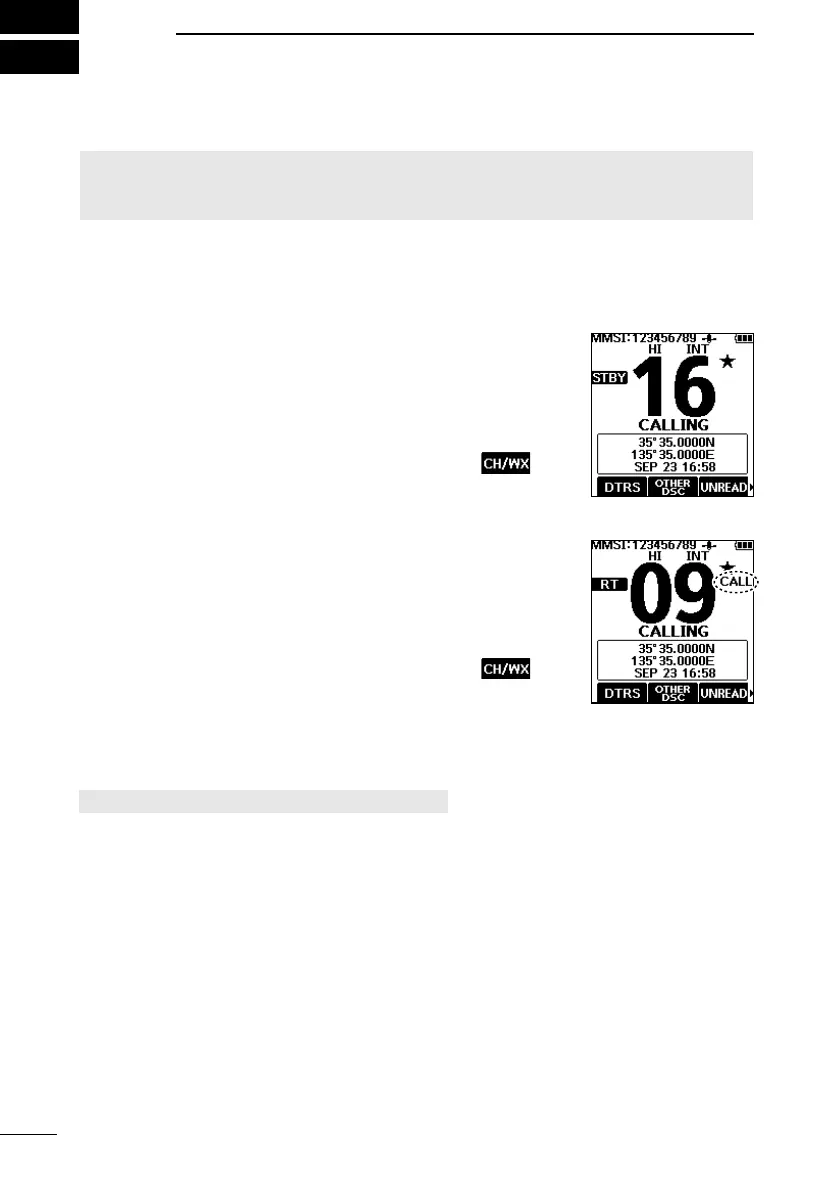
Channel 16 is the distress and safety channel. It is used to
establish the initial contact with a station and for emergency
communications. Channel 16 is monitored during both
Dualwatch and Tri-watch. While in the standby mode, you must
monitor Channel 16.
z Push [16/C] to select Channel 16.
L To return to the previously selected channel, push .
D Call channel
Each Channel Group has separate leisure-use Call channels.
The Call channel is monitored during Tri-watch. The Call
channels can be selected and used to store your most often
used channel in each Channel Group, for quick recall.
L See page 15 for details on setting the Call channel.
z Hold down [16/C] for 1 second to select the Call channel.
• The Call channel number and “CALL” are displayed.
L To return to the previously selected channel, push
.
D Selecting a Channel Group
Channel Groups are preset into your transceiver. You can select
the Channel Group between USA, International, and Canadian,
depending on the transceiver version.
[MENU] > Settings > Radio > Channel Group
1. Push [MENU].
• The Menu screen is displayed.
2. Push [▲] or [▼] to select “Settings,” and then push [ENT].
• The “Settings” screen is displayed.
3. Push [▲] or [▼] to select “Radio,” and then push [ENT].
• The “Radio” screen is displayed.
4. Push [▲] or [▼] to select “Channel Group,” and then push
[ENT].
• The “Channel Group” screen is displayed.
5. Push [▲] or [▼] to select the Channel Group, and then
push [ENT].
• The transceiver returns to the previous screen.
L The selected Channel Group’s icon is displayed on the
operating screen.



 To Next Page