EasyManua.ls Logo

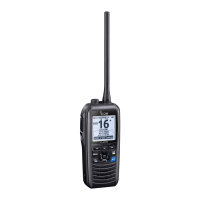
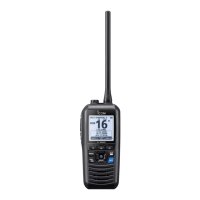
Icom IC-M91D - User Manual

Icom IC-M91D
108 pages
Print Icon
To Next Page IconTo Next Page
Loading...
INSTRUCTION MANUAL
iM91D
iM92D
VHF MARINE TRANSCEIVER
This device complies with Part 15 of the FCC
Rules. Operation is subject to the condition that
this device does not cause harmful interference.
CLEAR

Table of Contents

Other manuals for Icom IC-M91D

Questions and Answers

  • T
    Travis ArroyoJul 31, 2025
    Why is there little or no sound coming from my Icom Transceiver speaker?
    • M
      Mallory WallJul 31, 2025
      The lack of sound from your Icom Transceiver speaker could be due to several reasons. The squelch level might be set too high, in which case you should adjust the squelch to the threshold point. Alternatively, the volume level may be set too low; increase the volume to a suitable level. If the speaker has been exposed to water, use the AquaQuake function to remove it. Also, check the [SP/MIC] connector for water and dry it if necessary.
  • M
    Michelle StoneAug 5, 2025
    What to do if my Icom IC-M91D Transceiver is not transmitting?
    • B
      Brandon FosterAug 5, 2025
      If your Icom Transceiver is not transmitting, it could be due to several reasons. Some channels may be programmed for low power or receive only due to regulations, so try changing channels. The battery might be exhausted and requires recharging. Alternatively, verify that the battery voltage is correct, in case it is overcharged. Also, check if the output power is set to low; push [HI/LO] to select high power.
  • R
    Ryan CarrAug 9, 2025
    How to fix an Icom Transceiver that does not turn on?
    • B
      Brandon SantanaAug 9, 2025
      If your Icom Transceiver does not turn on, it could be due to an exhausted or over discharged battery. Recharge the battery pack to resolve this. Another possibility is that the battery pack is not correctly attached. Ensure that the battery pack is correctly attached.
  • J
    Jennifer MillerAug 15, 2025
    What to do if scan does not start on Icom Transceiver?
    • K
      Kimberly DawsonAug 15, 2025
      If the scan function does not start on your Icom Transceiver, it is possible that favorite channels are not programmed. Set the desired channels as Favorite channels to resolve this issue.
  • J
    Jamie TrujilloAug 20, 2025
    Why do Icom IC-M91D distress calls cannot be transmitted?
    • P
      Paige LawrenceAug 20, 2025
      Distress calls cannot be transmitted because the MMSI (DSC self ID) code is not programmed. Program the MMSI (DSC self ID) code.
  • S
    Shelby SanchezAug 25, 2025
    How to turn on beeps on Icom Transceiver?
    • T
      Tammy BrewerAug 26, 2025
      If you are not hearing any beeps on your Icom Transceiver, the beep tones are likely turned OFF. You can turn the beep tones ON in the CONFIGURATION menu.

Summary

Emergency Procedures

Distress Call via Channel 16

Outlines the step-by-step procedure for making a distress call on Channel 16.

Distress Call via Digital Selective Calling (Ch 70)

Details the procedure for initiating a distress call using the DSC function on Channel 70.

Panel Description - Controls

Front, Top, Side, and Rear Panels Overview

Identifies and describes the main external components and their locations on the transceiver.

Key Control Functions

Details the purpose and operation of key controls like PTT, Menu, Navigation, Volume/Squelch, and Power.

Panel Description - More Controls

Channel and Clear;Lock Keys

Explains the function of the Channel 16 key, Enter key, Clear/Lock key, and channel select keys.

Softkeys Introduction

Introduces the softkeys and their role in navigating menu options and functions.

Panel Description - Softkey Functions

Softkey Function Details

Describes specific functions assignable to softkeys, such as Scan, Dualwatch, and Backlight.

Panel Description - Display Indicators

Function Display Indicators

Explains various icons and indicators on the LCD, including Busy, Power, and Channel Group.

Navigation and Log Softkey Functions

Describes the softkey functions for navigation, compass, and accessing call logs.

Panel Description - Additional Icons

Additional Display Icons Explained

Details icons like Duplex, Favorite Channel, Mail, GPS, Switch, Lock, and Channel Name Field.

Panel Description - Advanced Display Features

Position, Scan, and Battery Indicators

Explains indicators for GPS position, scan status, and battery level on the LCD.

Softkey Functionality Overview

Provides a summary of how softkey functions are assigned and selected.

Preparation - MMSI Code Programming

MMSI Code Programming Procedure

Guides users through the process of programming the Maritime Mobile Service Identity (MMSI) code.

Basic Operation - Channel Selection

Basic Operation - Transmitting and Receiving

Scan Operation - Scan Types

Scan Operation - Scan Setup

Dualwatch and Tri-watch

DSC Operation - Address IDs

Programming Individual DSC IDs

Guides users on programming specific DSC addresses for individual calls.

DSC Operation - Group IDs and Deletion

Programming Group DSC IDs

Details the procedure for programming DSC addresses for group calls.

Deleting DSC IDs

Explains how to remove programmed Individual or Group DSC IDs.

DSC Operation - Position and Time Input

Manual Position and Time Input

Guides users on manually entering ship position (latitude/longitude) and UTC time.

DSC Operation - Distress Calls

Simple Distress Call Procedure

Outlines the basic steps for initiating a distress call.

Regular Distress Call Procedure

Provides detailed steps for making a distress call, including selecting the nature of distress.

DSC Operation - Distress Call Management

Transmitting Distress Calls

Explains how to transmit distress calls and manage repeat calls and acknowledgments.

DSC Operation - Various Call Types

Transmitting Individual Calls

Guides users on sending DSC signals to specific individual stations.

DSC Operation - Group and All Ships Calls

Transmitting Group Calls

Details the process of sending DSC signals to a specific group of stations.

Transmitting All Ships Calls

Explains how to broadcast DSC messages to all ships within range.

DSC Operation - Specific Call Types

Distress Cancel Call Procedure

Provides steps to cancel a distress call transmission before or after acknowledgment.

Transmitting Position Request Calls

Guides users on requesting position information from other vessels.

DSC Operation - Position and Test Calls

Transmitting Position Report Calls

Explains how to send your own position information to a specific ship.

Transmitting Test Calls

Details the procedure for performing test transmissions on DSC channels.

DSC Operation - Call Acknowledgements

Transmitting Individual Acknowledgements

Covers sending acknowledgements (Able to Comply, Unable to Comply) for individual calls.

Transmitting Group Acknowledgements

Describes how to acknowledge group calls.

DSC Operation - Acknowledgement Options

Transmitting Test Acknowledgements

Explains how to acknowledge received test calls.

Transmitting Position Replies

Guides users on replying to received position requests.

DSC Operation - Reply Procedures

Transmitting Polling Replies

Details how to reply to polling requests received from other vessels.

Transmitting Position Report Replies

Explains how to reply to received position report requests.

DSC Operation - Received Call Logs

DSC Operation - Transmitted Call Logs

DSC Operation - Settings

DSC Operation - Channel Management

DSC Operation - Alarm and Squelch

DSC Operation - Tests and Watch Functions

Other Functions - Man OverBoard (MOB)

Other Functions - Waypoints

Other Functions - Waypoint Management

Other Functions - Waypoint Editing

Other Functions - Navigation

Other Functions - Compass and GPS

Battery Charging - Cautions

Battery Charging - Usage Guidelines

Battery Charging - Chargers

Battery Charging - Optional Chargers

Optional Speaker-Microphone

Troubleshooting

Specifications and Options - General

Specifications and Options - Receiver

Specifications and Options - Additional Specs

Specifications and Options - Accessories

Safety Training Information - RF Exposure

RF Exposure Guidelines

Explains FCC limits and guidelines for human exposure to RF energy during radio use.

Safety Training Information - Best Practices

Safety Training Information - Interference

Icom IC-M91D Specifications

General IconGeneral
BrandIcom
ModelIC-M91D
CategoryTransceiver
LanguageEnglish

Related product manuals