63
8
DSC OPERATION
ew
e
Receiving a Test Acknowledgement Call D
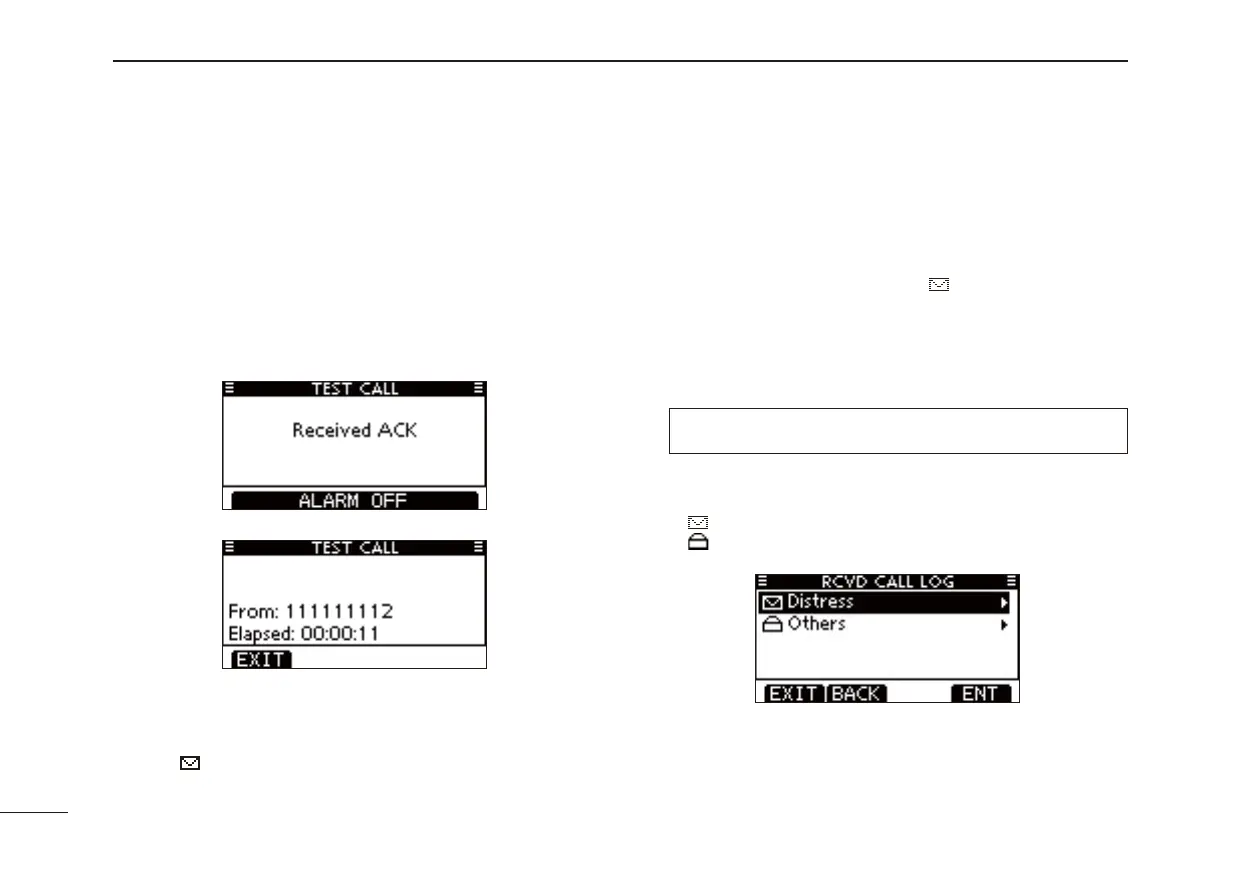
When a Test Acknowledgement Call is received:
The alarm sounds for 2 minutes. ➥
“RCVD TEST ACK” pops up. The LCD backlight blinks for ➥
2 minutes.
Push [ALARM OFF] to stop the alarm and the blinking q
backlight.
• If [ALARM OFF] is not pushed within 2 minutes, the next screen
may appear, depending on the received Category.
Push a softkey to select your desired action. w
[EXIT]
➥ Push to return to the normal operating mode.
• The transceiver exits the DSC mode.
• “ ” continues to blink and the Call is stored in the Received
Call Log.
Received Call log ■
The transceiver automatically stores up to 50 distress mes-
sages and 50 other messages, and they can be used as a
supplement to your logbook.
• While in the normal operating mode, “ ” blinks in the upper right
corner of the LCD when there is an unread message.
Distress message D
Push [LOG] to enter “RCVD CALL LOG” in the DSC CALLS q
menu, or you can enter it through the Menu screen.
❮MENU❯ ➪ ❮DSC Calls❯ ➪ ❮Received Call Log❯
(Push [MENU])
(Push
[Y]/[Z]
, then push [ENTER].)
Push [ w ] or [] to select “Distress,” then push [ENTER].
• The Distress messages are stored in “Distress.”
• “ ” appears when there are unread messages.
• “ ” appears when there are no unread messages.
• No icon appears when there are no messages.



 To Next Page