13
5
BASIC OPERATION
Call channel programming ■
You can program the call channel with your most often-used
channels in each channel group for quick recall.
Select the q
desired U.S.A., Canada or International chan-
nel group
to be programmed. (p. 12)
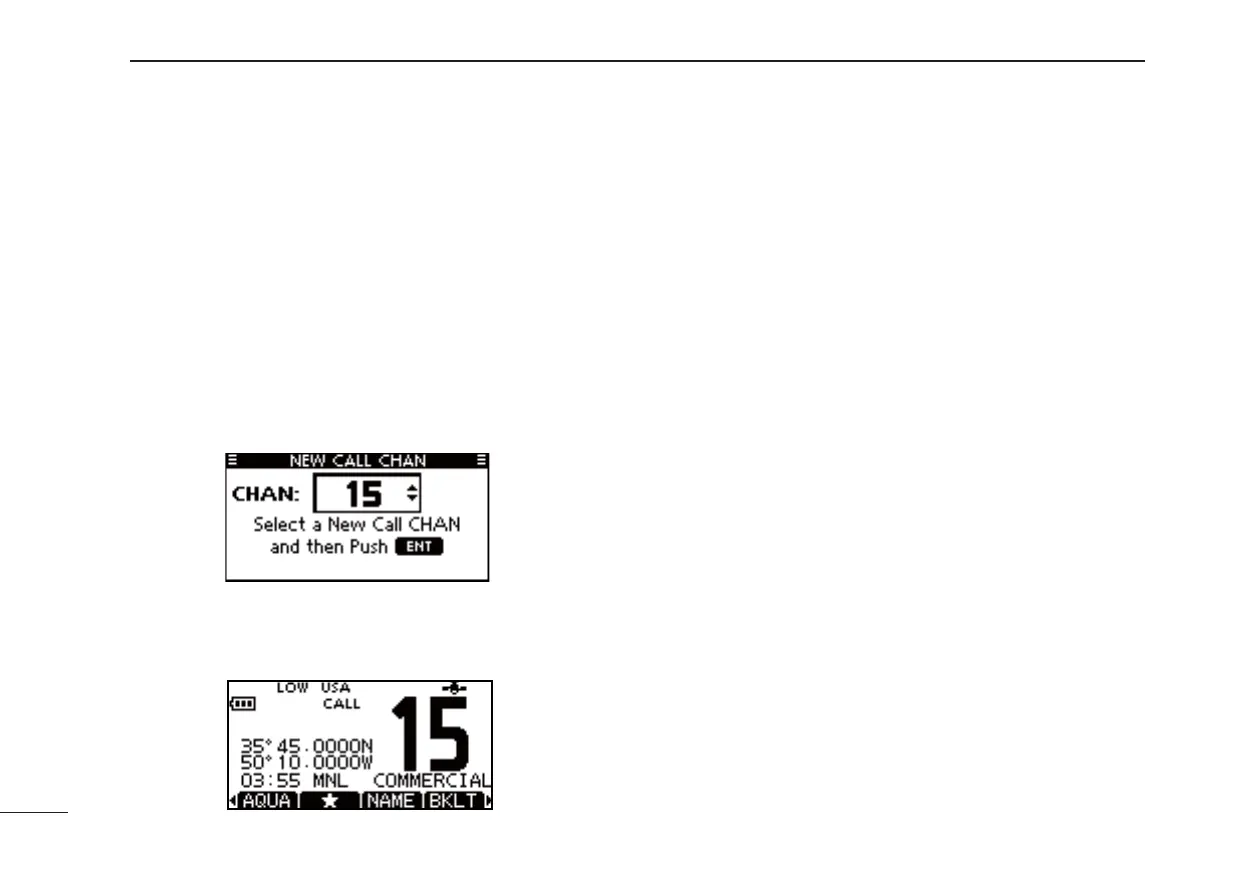
Hold down [16/C] for 1 second to select the call channel of w
the selected channel group.
• “CALL” and call channel number are displayed.
Hold down [16/C] again for 3 seconds until long beep stops e
with two short beeps.
• The channel programming mode screen is displayed.
r Push [Y](CH)/[Z](CH) to select the desired channel.
t Push [ENTER] to program the selected channel as the call
channel.
•
The display automatically returns to the normal operating mode.
Adjusting the volume level ■
The volume level can be adjusted with [VOL/SQL] and [
∫
]/
[
√
]/[Ω]/[≈] keys.
q
Push [VOL/SQL] once to enter the volume adjustment
mode, then adjust the volume level with
[∫]/[√] or [Ω]/[≈].
•The transceiver has 20 volume levels and OFF.
•
If no key operation is performed for 5 seconds, the transceiver
sets the selected level, and returns to the normal mode.
w
Push [ENTER] to set, and exit the volume adjustment mode.
• Push [CLEAR] to cancel.
Adjusting the squelch level ■
The squelch level can be adjusted with [VOL/SQL] and [
∫
]/
[
√
]/[Ω]/[≈] keys.
In order to receive signals properly, as well as for the scan
to function effectively, the squelch must be adjusted to its
proper level.
Push [VOL/SQL] twice to enter the squelch adjustment q
mode, then adjust the squelch level with [∫]/[√] or [Ω]/[≈].
• The transceiver has 11 squelch levels: OPEN is completely
open, 10 is tight squelch and 1 is loose squelch.
•
If no key operation is performed for 5 seconds, the transceiver
sets the selected level, and returns to the normal mode.
w
Push [ENTER] to set, and exit the squelch adjustment mode.
• Push [CLEAR] to cancel.



 To Next Page