37
8
DSC OPERATION
ew
e
Transmitting a Position Report Call D
Transmit a Position Report Call when you want to announce
your own position to a specifi c ship.
Enter “POSITION REPORT” in the DSC CALLS menu. q
❮MENU❯ ➪ ❮DSC Calls❯ ➪ ❮Position Report❯
(Push [MENU])
(Push
[Y]/[Z]
, then push [ENTER].)
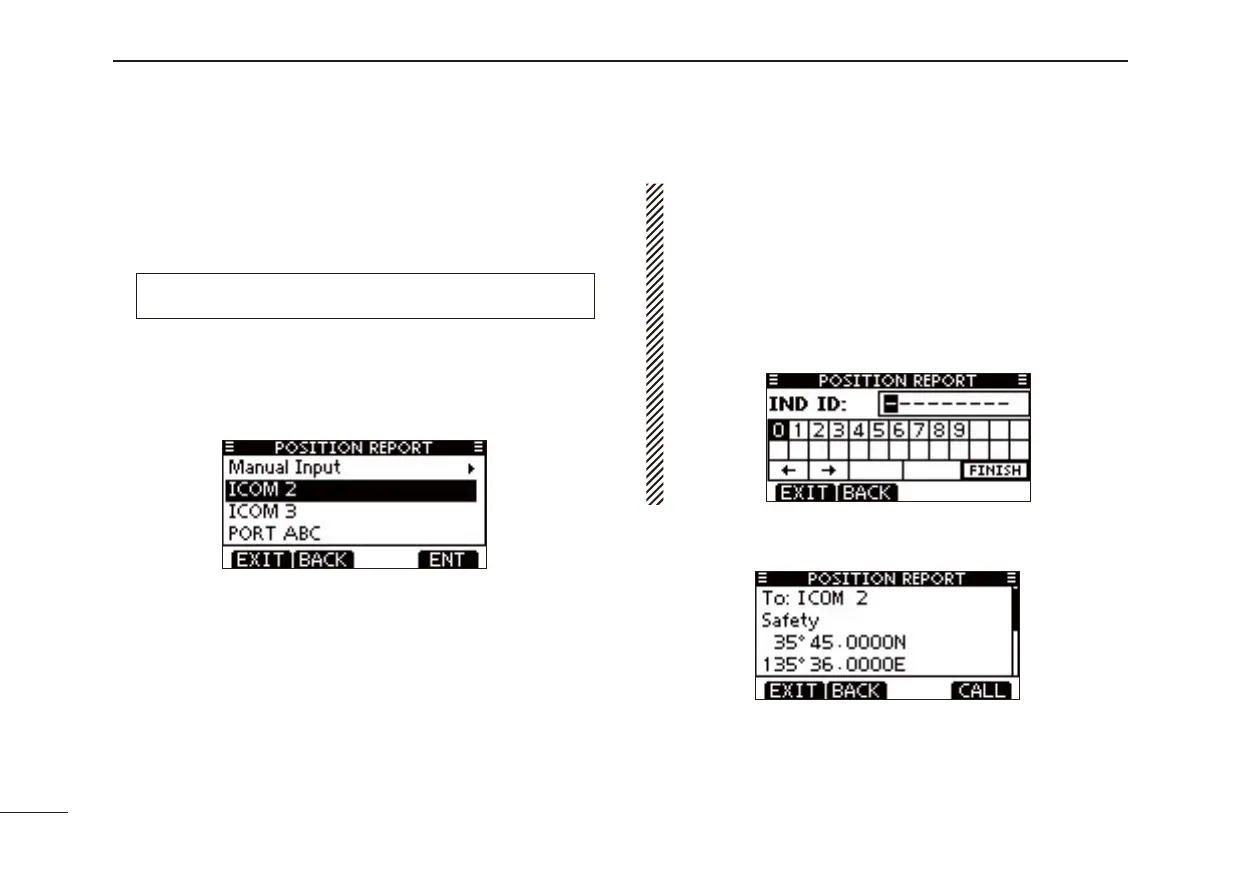
Select the desired preprogrammed individual address, or w
“Manual Input,” using [Y]/[Z], then push [ENTER].
• The ID code for the Individual call can be set fi rst. (p. 20)
• When “Manual Input” is selected, set a desired 9 digit MMSI ID
code for the individual you wish to call.
About Manual Inputting:
Enter a desired individual ID in the following way:
• Select a desired number using [Ω]/[≈].
• Push [ENTER] to set it.
• To move the cursor, select either arrow, “←” or “→,” then push
[ENTER].
• The fi rst digit is specifi ed as ‘0’ for a Group ID. If a Group ID is
entered, an error beep sounds after pushing [FINISH].
• The fi rst two digits are ‘0’ for any coast station ID.
A confi rmation screen appears. e
• Confi rm the call contents.



 To Next Page