19
7
SCAN OPERATION
■ Scan types
You can nd ongoing communication by scanning the Favorite channels.
Before starting a scan:
• Set the channels that you want to scan as Favorite channels. (p. 20)
L Only the Favorite channels are scanned.
• Set the scan type to “Priority Scan” or “Normal Scan” on the Set mode setting. (p. 66)
[MENU] > Settings > Radio > Scan Type
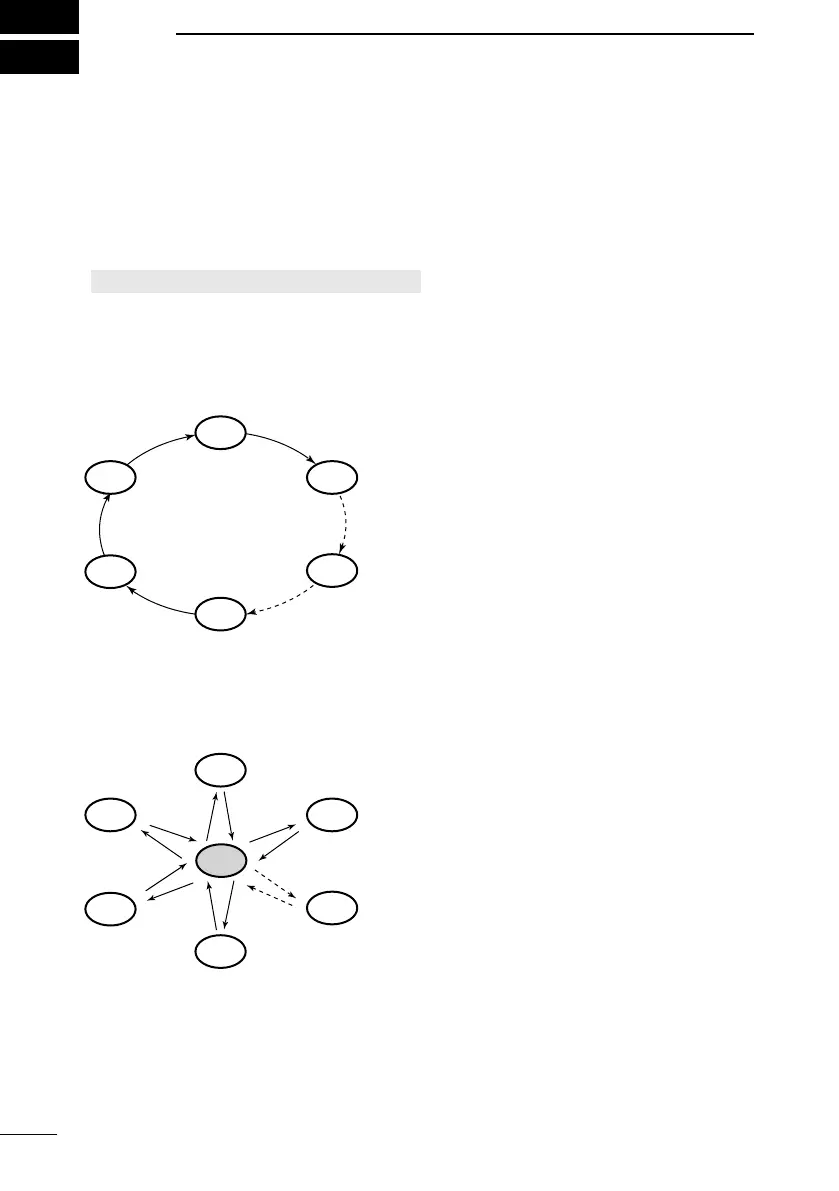
Normal Scan
Sequentially searches through all Favorite channels. Channel 16 is not scanned unless it
is set as a Favorite channel.
*
When the Weather Alert function is ON, the
previously selected Weather channel is also
scanned.
CH 04
CH 02
CH 03
WX*
CH 01
CH 05
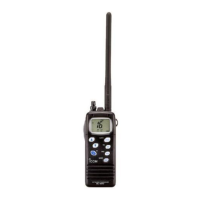
Priority Scan
Sequentially searches through all Favorite channels, while also periodically checking
Channel 16.
*
When the Weather Alert function is ON, the
previously selected Weather channel is also
scanned.
CH 16
CH 04
CH 02
CH 03
WX*
CH 01
CH 05
When a signal is received:
On Channel 16: The scan pauses until the signal disappears.
On a channel other than Channel 16: The scan switches to Dualwatch until the
signal disappears.



 To Next Page