EasyManua.ls Logo

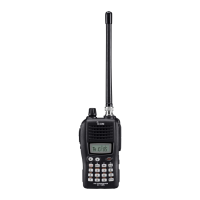
Icom IC-Q7A - User Manual

Icom IC-Q7A
43 pages
Print Icon
To Next Page IconTo Next Page
Loading...
INSTRUCTION MANUAL
This device complies with Part 15 of the FCC rules. Operation is sub-
ject to the following two conditions: (1) This device may not cause
harmful interference, and (2) this device must accept any interference
received, including interference that may cause undesired operation.
iQ7A
iQ7E
DUAL BAND FM TRANSCEIVER

Table of Contents

Other manuals for Icom IC-Q7A

Questions and Answers

  • R
    Roy CameronJul 29, 2025
    How to fix Icom IC-Q7A Transceiver frequency when it cannot be set?
    • A
      Austin WareJul 29, 2025
      If you cannot set the frequency on your Icom Transceiver, the lock function may be activated. Push [FUNC] + [(CALL)LOCK] to cancel the function. Alternatively, channel indication mode may be selected; turn the channel indication mode OFF in set mode.
  • B
    Bethany WallaceAug 2, 2025
    How to fix Icom Transceiver when no power comes on?
    • M
      Michael WilliamsAug 2, 2025
      If your Icom Transceiver does not power on, the batteries may be exhausted. Replace them. Also, verify that the battery polarity is correct.
  • J
    jimmy31Aug 6, 2025
    Why is transmitting impossible on my Icom IC-Q7A Transceiver?
    • J
      jonescindyAug 6, 2025
      If transmitting is impossible on your Icom Transceiver, the batteries may be exhausted. Replace the batteries. Also, check if a frequency outside of the 144/400 MHz amateur band is set; if so, reset the frequency inside the 144/400 MHz amateur band.
  • T
    Tabitha WilsonAug 11, 2025
    What to do if no sound comes from the Icom Transceiver speaker?
    • A
      Alyssa WilliamsAug 11, 2025
      If no sound is coming from the speaker of your Icom Transceiver, first check that the volume level is not too low by pushing [VOLY] to a suitable level. Also, if using tone squelch, a different tone may be selected. Check the tone using tone scan.
  • K
    kennethwilsonAug 15, 2025
    What to do if desired set mode item cannot be selected on Icom IC-Q7A?
    • A
      Angela SanfordAug 15, 2025
      If the desired set mode item cannot be selected on your Icom Transceiver, it may be in expanded set mode. Turn the expanded set mode ON. Also, some set mode items can be selected from VFO or memory mode only. Enter set mode from the appropriate operating mode.
  • P
    Penny AndersonAug 19, 2025
    Why does my Icom Transceiver make no beeps?
    • B
      Brendan ScottAug 19, 2025
      If no beeps sound on your Icom Transceiver, the beep tones may be turned OFF. Turn beep tones ON in set mode.
  • J
    Jeremy ColeAug 25, 2025
    What to do if dial select step cannot be used on Icom IC-Q7A Transceiver?
    • N
      Nancy ClarkAug 25, 2025
      If the dial select step cannot be used on your Icom Transceiver, the RIT function may be activated. Push [FUNC] + [BAND] to cancel the function.

Summary

Safety Cautions and Warnings

General Safety and Operating Precautions

Important safety warnings and operating precautions for safe and proper use of the transceiver.

Frequency and Channel Setting

Frequency and Channel Adjustments

Setting a Frequency

How to set a desired frequency in VFO mode using the tuning dial.

Basic Operation: Receiving and Transmitting

Receiving and Transmitting Steps

Steps for turning on, setting volume/squelch, and communicating via PTT.

Memory and Call Channels

Programming During Selection

Storing frequencies and data directly while in VFO mode.

Scan Operation Overview

Scan Operation: Scan Modes

Full;Band;Programmed Scan

Performing scans across entire bands, selected bands, or programmed ranges.

Scan Operation: Scan Edges

Selecting Scan Edges

Defining the start and end points for programmed scans.

Scan Operation: Frequency Skip

Frequency Skip Function

Programming unwanted frequencies to be skipped during scans.

Priority Watch Overview

Priority Watch Operation

Priority Watch Setup and Activation

How to set up and activate priority watch for monitoring specific channels.

Repeater Operation Basics

General Repeater Usage

Setting receive frequency, shift direction, and subaudible tones for repeater access.

Setting Duplex Direction

Configuring the transmit frequency shift for repeater communication.

Repeater Operation: Tones

Subaudible (Repeater) Tones

Setting and enabling subaudible tones for repeater access.

Repeater Operation: Specific Tones and Offset

Offset Frequency Setting

Configuring the transmit frequency offset for repeater operation.

Repeater Operation: Auto Function

Auto Repeater Function (U.S.A. only)

Automatic activation of repeater settings based on frequency range.

Subaudible Tone Operation

Tone Squelch Operation

Using tone squelch to receive signals with a matching subaudible tone.

Subaudible Tone Features

Pocket Beep Operation

Using subaudible tones as a pager to be alerted of calls.

Tone Scan Function

Detecting subaudible tone frequencies for repeater access.

Troubleshooting Guide

Common Problems and Solutions

Troubleshooting guide for common issues like no power, no sound, or transmission problems.

Technical Specifications

General Specifications

Details on frequency coverage, modes, memory channels, temperature, and power requirements.

Transmitter Specifications

Information on modulation, output power, and spurious emissions.

Technical Specifications: Receiver

Receiver Specifications

Details on receive system, intermediate frequencies, selectivity, and sensitivity.

Icom IC-Q7A Specifications

General IconGeneral
BrandIcom
ModelIC-Q7A
CategoryTransceiver
LanguageEnglish

Related product manuals