MVS6000
3-16
MVS6000 System Level Manual/1.0/Dec-2001
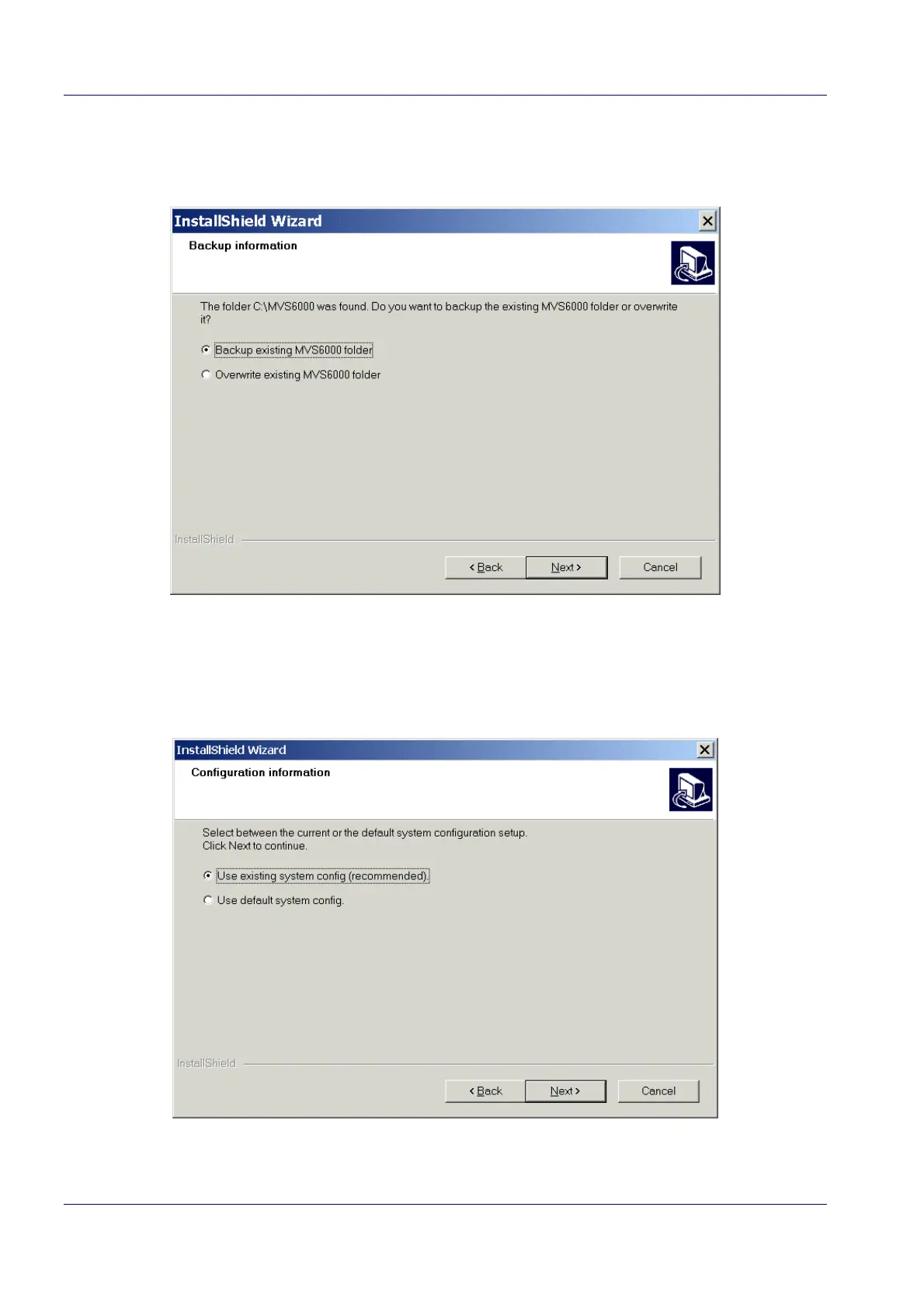
2. Click Next to continue the wizard.
The wizard asks you to backup or to overwrite the existing MVS6000 folder.
3. Select the option you want (backup/overwrite)
4. Click Next.
The Wizard asks you if you want the default or the existing system configuration.
5. Select the radio button Use existing system config (recommended).


 To Next Page