Software
MVS6000 System Level Manual/1.0/Dec-2001 3-17
6. Click Next.
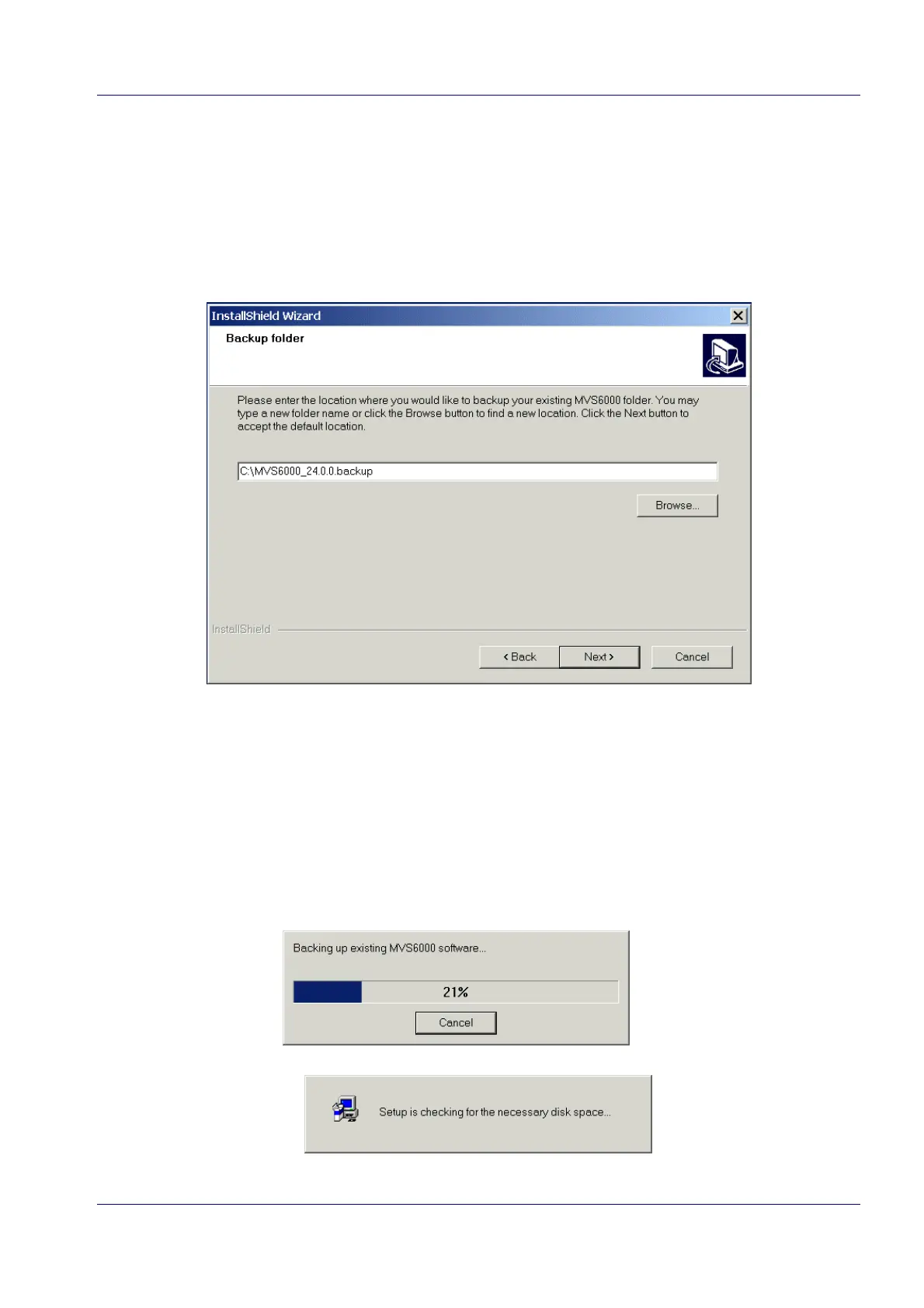
· When you selected the option Overwrite existing MVS6000 folder in step 3, the installation
procedure continues with the message Setup is checking for the necessary disk space in
step 8.
· When you selected the option Backup existing MVS6000 folder, the wizard continues:
7. Enter a backup folder.
8. Click Next.
Note: When the backup folder already exists you get the message that the folder already
exists. If you click Yes, the folder will be overwritten, if you click No, the backup folder
page of the wizard is re-displayed and you can specify another location.
The following messages are displayed:


 To Next Page