Tools and Troubleshooting
MVS6000 System Level Manual/1.0/Dec-2001 6-15
Very Slow Inspection Times
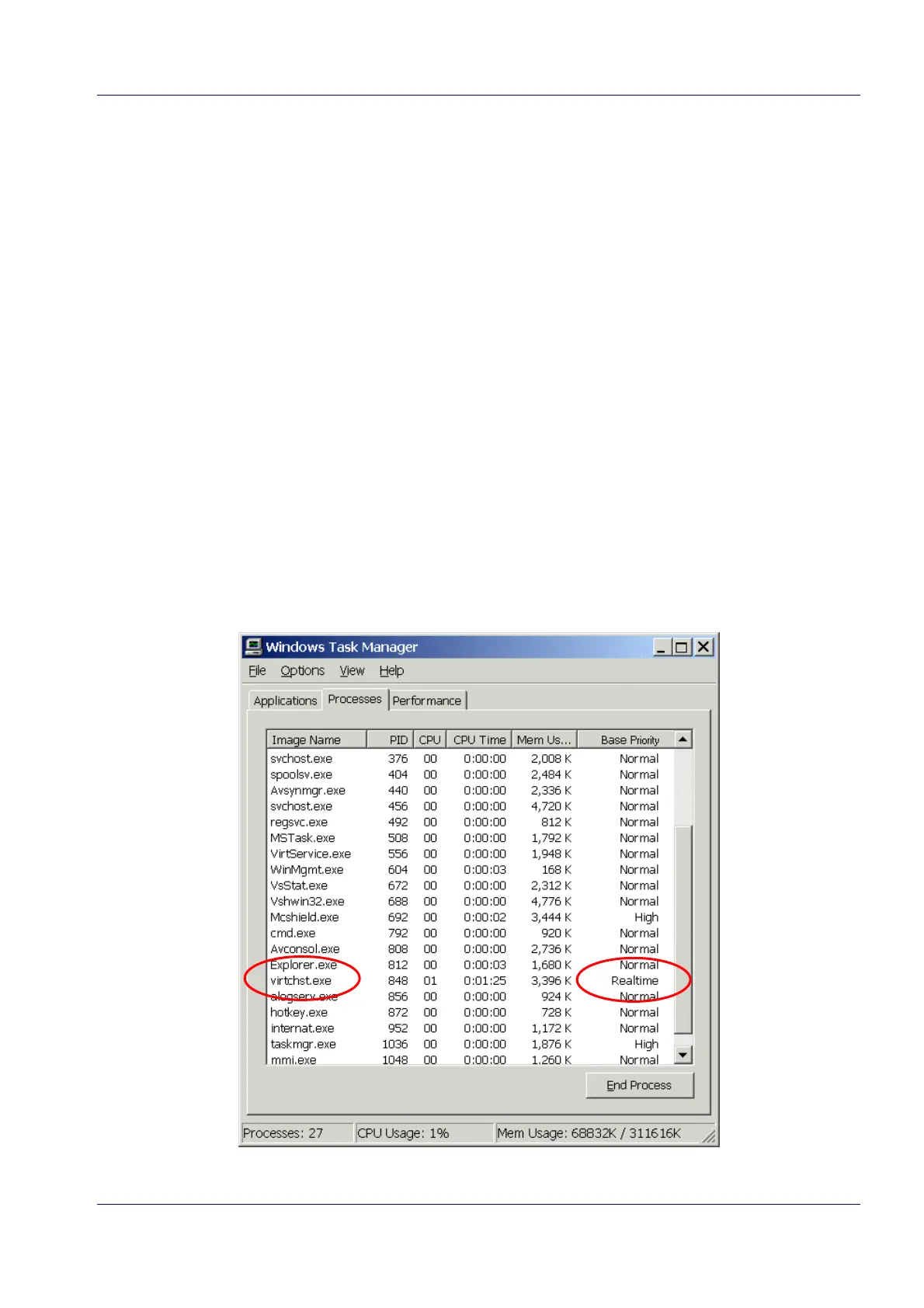
When the inspection times are abnormally slow, check if Virtchst.exe is in realtime priority.
When the boards are manually booted virtchst.exe is probably not in realtime priority.
How can you check and change this?
1. When MMI is running, press CTRL+ALT+DEL to open Windows Security.
2. Click Task Manager… to open the Windows Task Manager.
3. Select the Processes tab.
4. Choose View> Select Columns… in the menu.
The Select Columns dialog box opens.
5. Switch on the Base Priority check box.
6. Click OK.
The Base priority column is added to the list on the Processes tab.
7. Look for Virtchst.exe in the list and check if you find Realtime in the Base Priority column.


 To Next Page