MVS6000
6-16
MVS6000 System Level Manual/1.0/Dec-2001
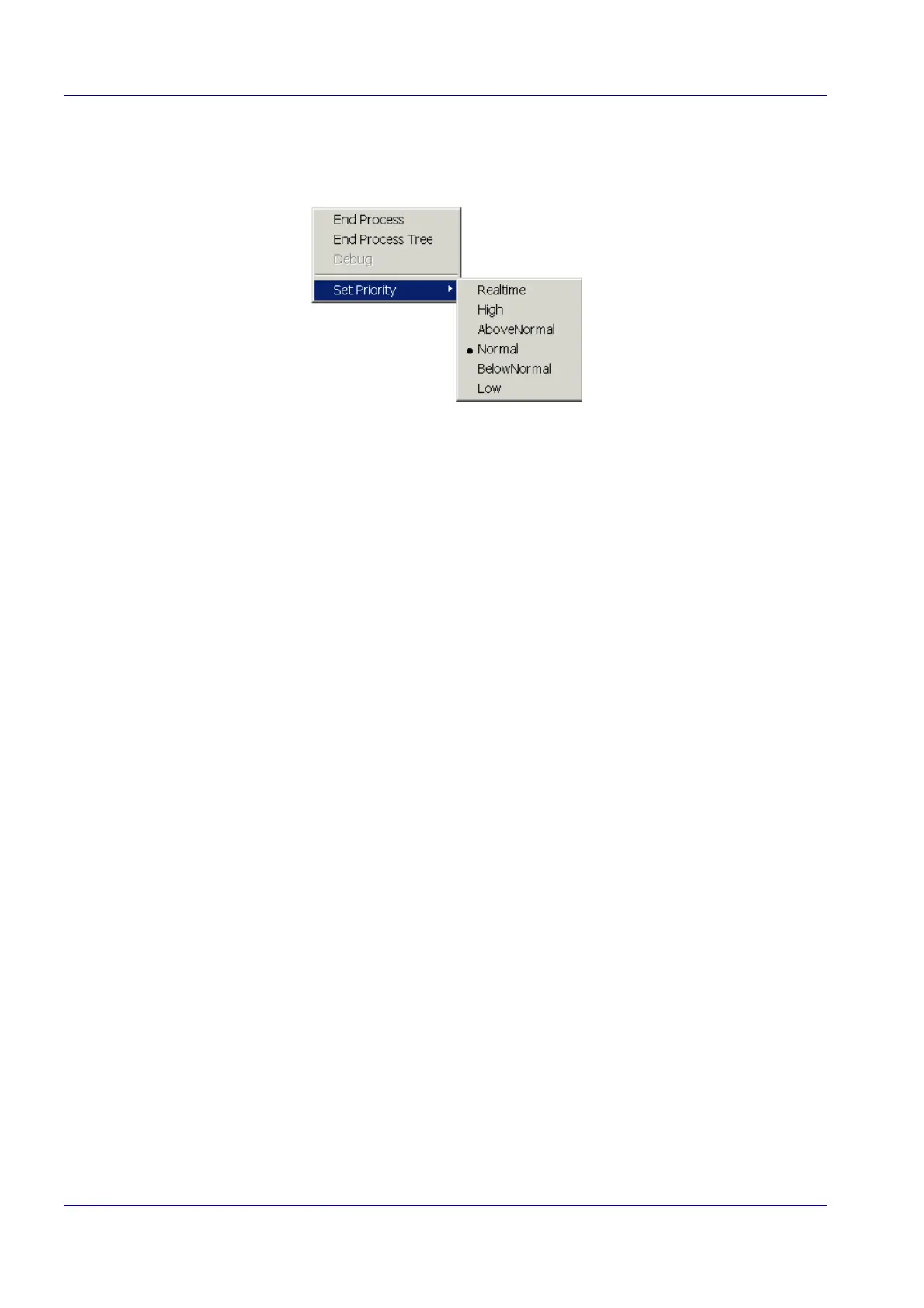
8. If the Base Priority is Normal, click with the right mouse button on Normal.
The following menu pops-up.
9. Instead of Normal, switch on Realtime in the Set Priority.
10. Close the Task Manager.
This will speed-up the inspection time.
Slow Mouse Movement
This is a known bug, which will be solved in the coming release. Meanwhile use another zoom
factor.
Hang-up of MMI
Make sure that the correct mode is selected for the ADIMEC MX12 camera, otherwise the MMI will
hang.


 To Next Page