LanTEK III 161809 Iss 2
User Manual Page41
10. Press Enter to save the information entered. Escape allows you to exit the menu
without making changes.
11. Use Arrow keys in Select Menu to navigate to option Link Models and confirm
with Enter.
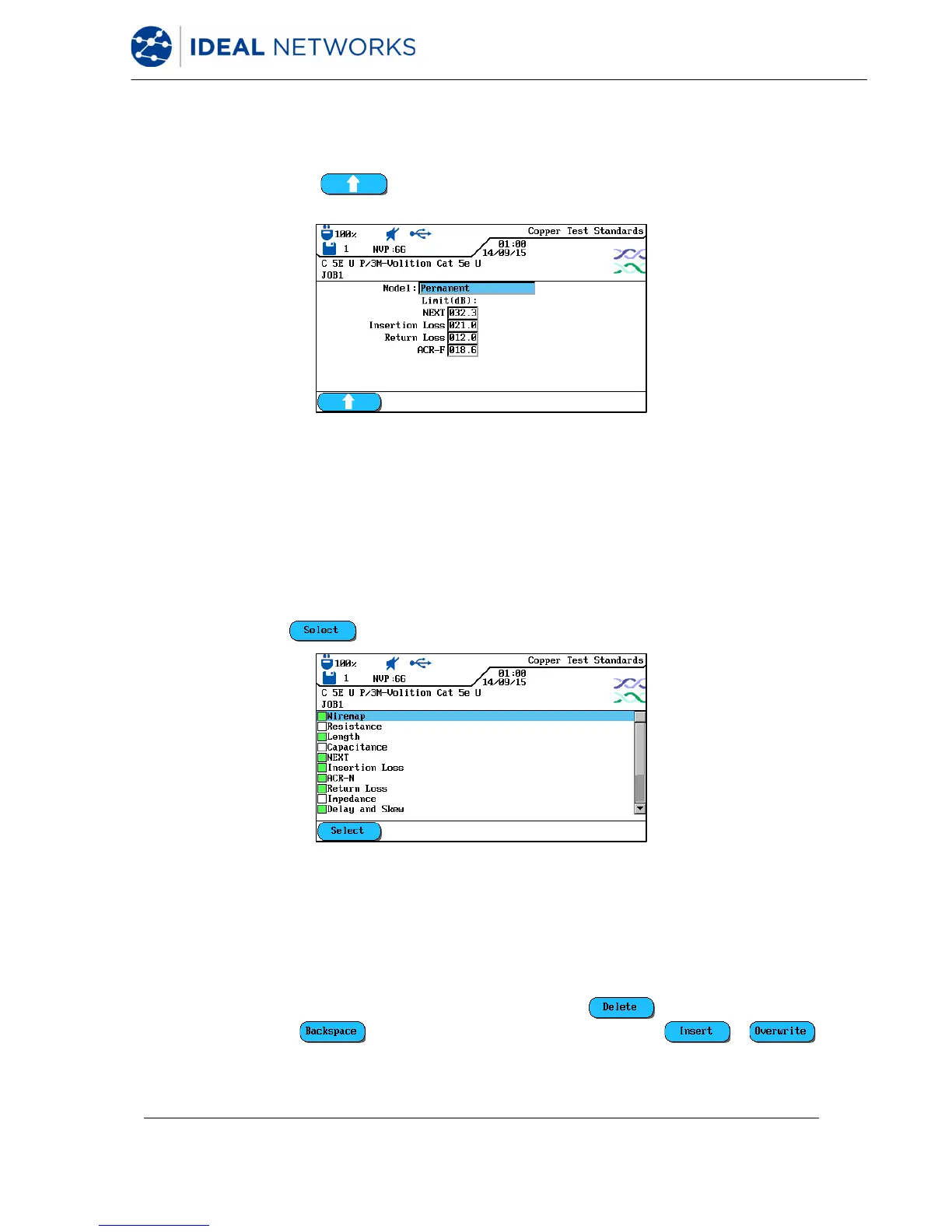
12. Use soft key to select the link model Perm, Basic, Channel, EIA, Flat
Rate, Ignore or Skip.
Fig. 45 Link Models
13. Use Arrow Keys to navigate to the individual boxes and use Alphanumeric Keys
to assign the values for NEXT, Insertion Loss, Return Loss and ACR-F (ELFEXT).
14. Press Enter to save the information entered. Escape allows you to exit the menu
without making changes.
15. Use Arrow keys in Select Menu to navigate to option Select Autotest and
confirm with Enter.
16. Prepare the desired measuring modes for the Autotest by using Arrow Keys to
navigate to the desired measuring modes. Enable or disable your selection with
soft key . An enabled measuring mode is indicated by the green box.
Fig. 46 Select Autotests
17. Press Enter to save the information entered. Escape allows you to exit the menu
without making changes.
18. Use Arrow keys in Select Menu to navigate to option Custom Name/NVP and
confirm with Enter.
19. Use Alphanumeric Keys to assign a name for the created cable type.
20. Make corrections to entries by using the soft keys (delete at cursor
position), (delete characters to the left of cursor), /
(insert alphanumeric characters at cursor position / overwrite highlighted entry).


 To Next Page
 Loading...

