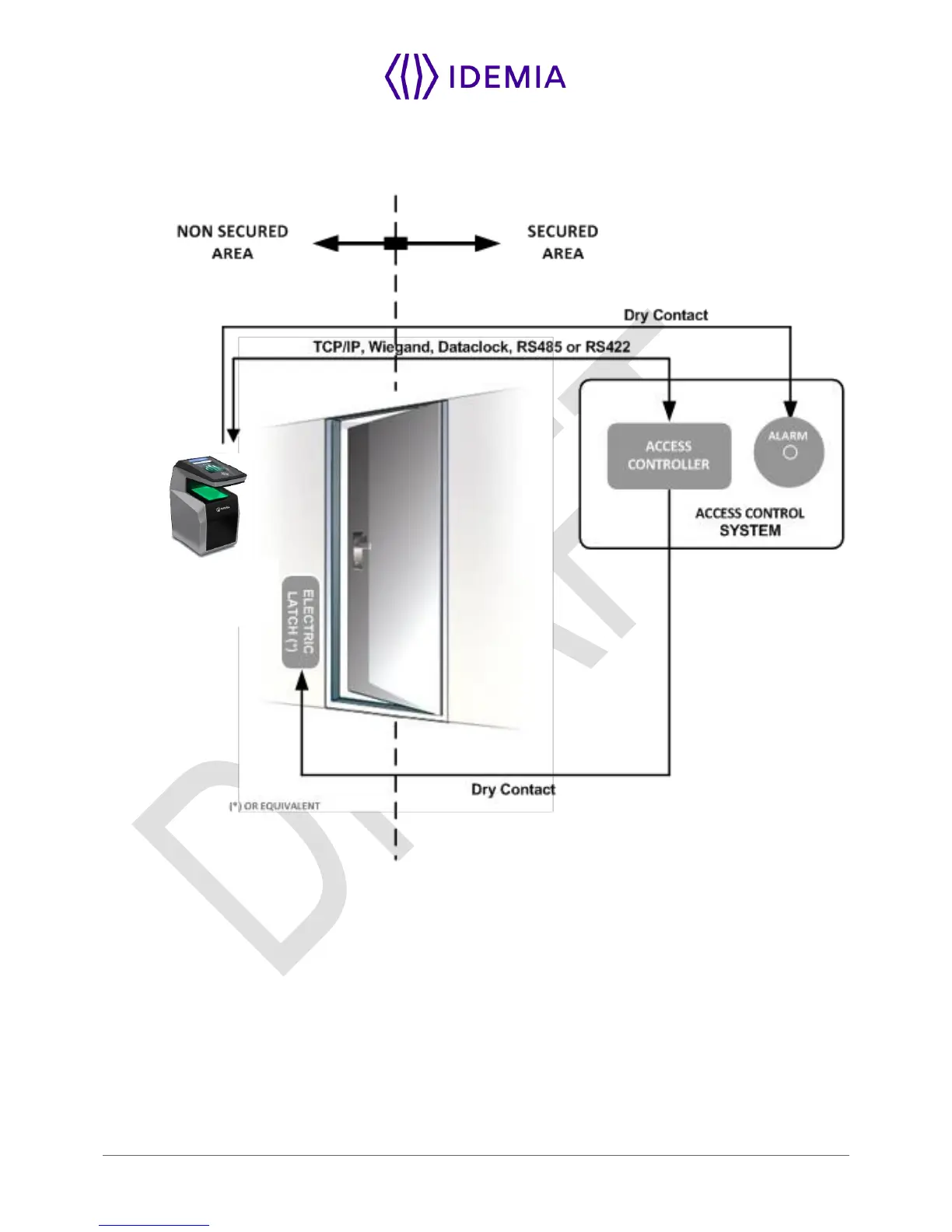
To secure properly an access, Idemia recommends installing the MorphoWave Compact terminal as a part
of the typical Access Control environment described in the figure below.
Figure: Implementation Recommendations
This environment comprises:
The MorphoWave Compact terminal itself
Its role is to perform one-to-many biometric identification or one-to-one biometric verification, i.e. to identify
the individual who is presenting his finger on the terminal sensor by comparing his biometric data with the
references previously stored in the terminal database (in the form of biometric templates) or to verify his
identity using the reference stored in a contactless card presented to the terminal.
An Access Controller (3rd party product)
The Controller is the element which controls the access rights of the individuals to the secured area. For
that reason, it must be located in the secured area.


 To Next Page