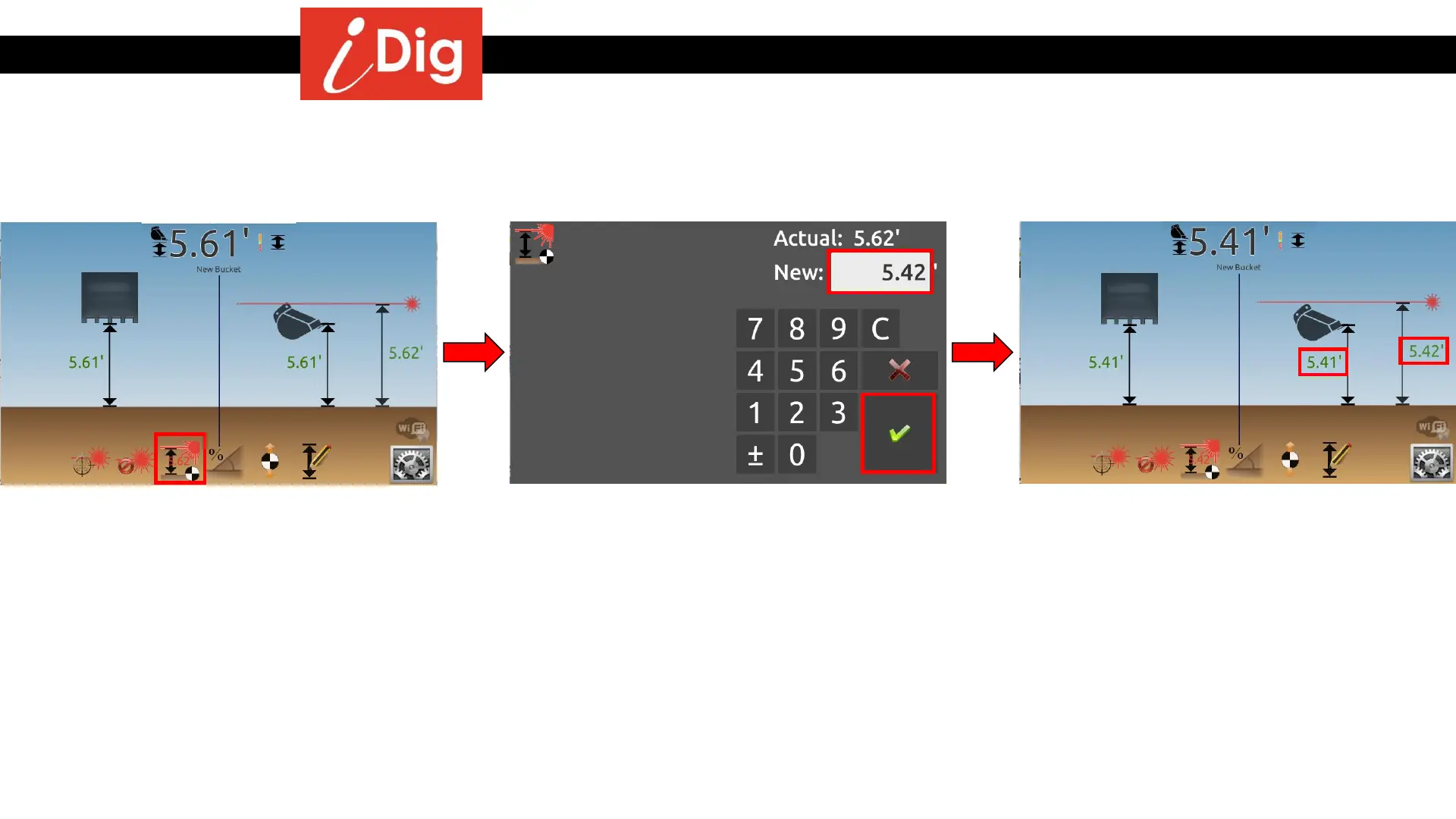
Changing the Elevation working with a rotating laser
100
• Method 2: Directly changing the Laser Height
• Click on “Set Laser Height”.
• Enter a new Laser Height that is .20’
LOWER than the current height (5.62’ >
5.42’).
• Click on the green check mark to validate.
• The Bucket Height reference and the Laser
Height decreased by .20’.



 To Next Page