Changing the Elevation working with a rotating laser
101
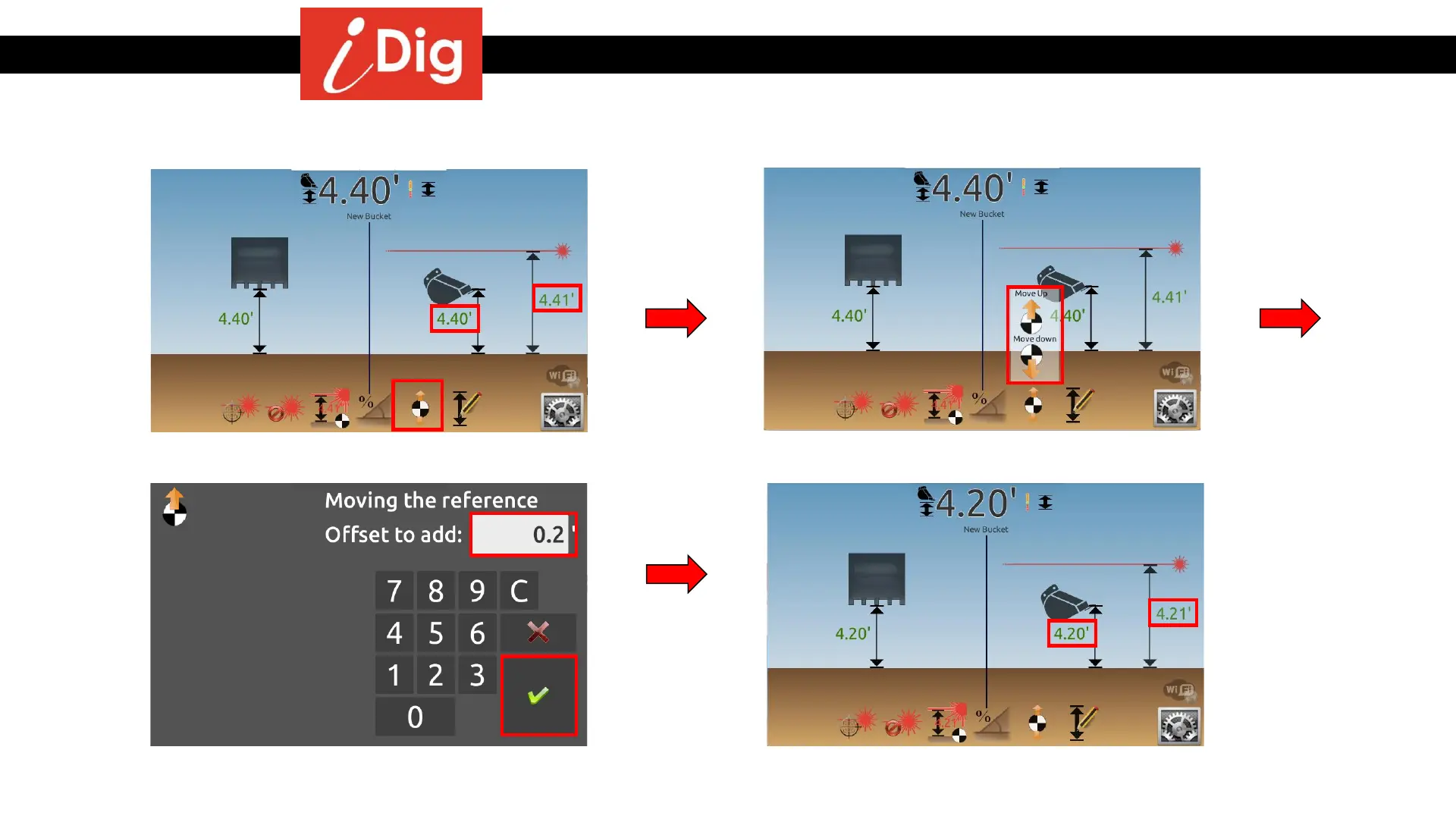
Method 3: Dial in an offset
• Click on the “Move the Reference” button.
• Click on the “Move Up” or “Move Down”
button.
• The Bucket Height and Laser Height have
both decreased by .20’.
• Enter the desired offset, in this case .20’.
• Click on the green check mark to validate.



 To Next Page