Using the Dozer Function
116
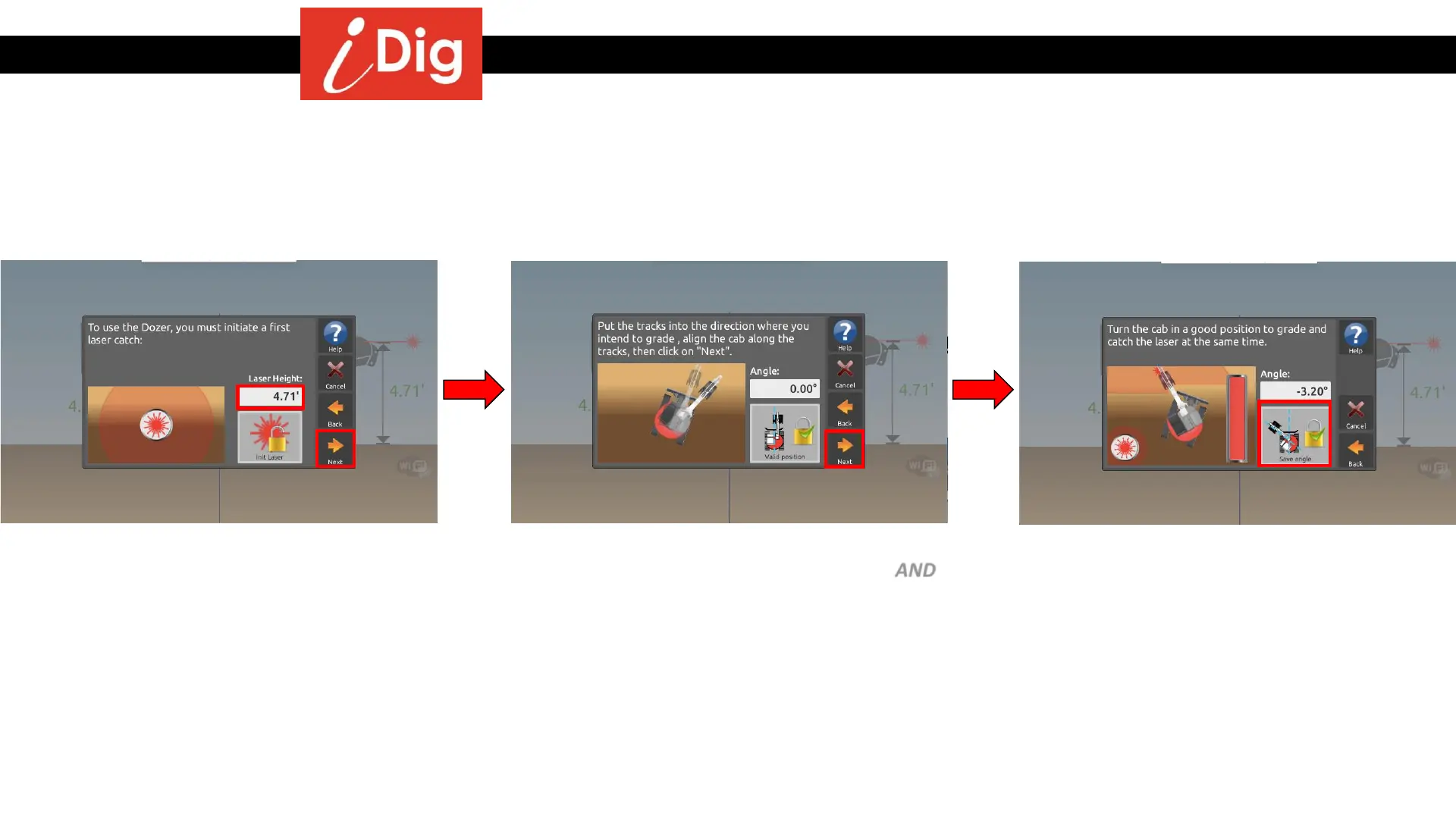
• Once the laser catch has been achieved,
this screen will show you the calculated
Laser Height.
• Click on “Next”.
• Align the tracks of the machine in the
direction in which you intend to grade AND
align the cab parallel to the tracks.
• Click on “Next”.
• Turn the cab of the machine so that you
are in your preferred orientation when you
grade with your blade and then catch the
laser beam.
• Click on “Save Angle”.



 To Next Page