Basic Settings – Sensor Settings
140
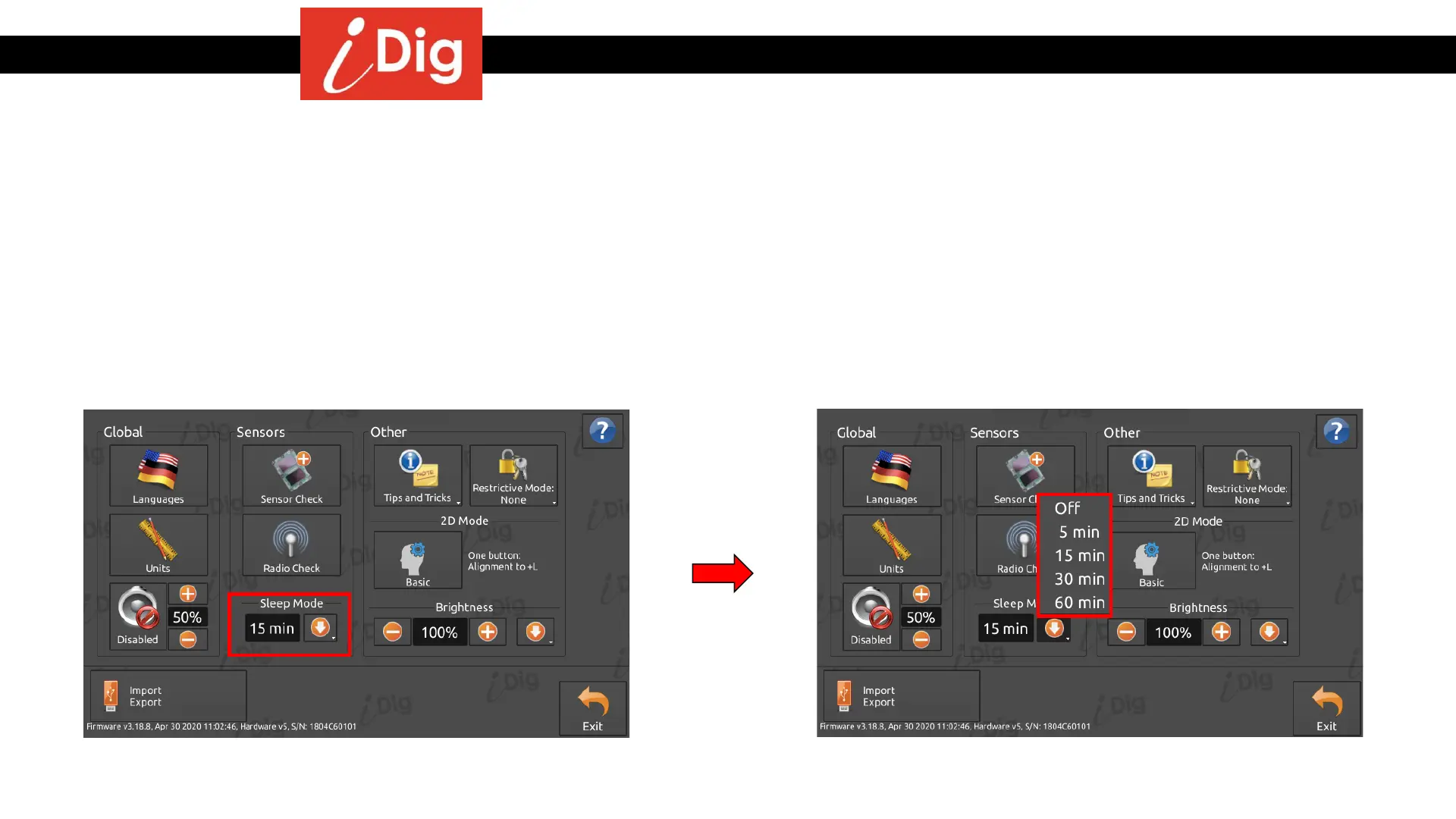
Sleep Mode
• This feature allows the system to shut down when the machine is inactive or idling for the specified amount of time. Similar to the screen saver on your home
computer, the splash screen will appear on the control box and the sensors will power down once the selected amount of time has expired. This allows the
sensors to significantly improve their battery life.
• The default system value for Sleep Mode is 15 minutes. You can change this value by clicking on the arrow and then selecting the desired amount of time
before the system goes to Sleep Mode.
• Once in Sleep Mode, touch the Control Box screen and the system will “wake up” and resume where you left off.



 To Next Page