Basic Settings – Sensor Settings
139
Radio Check
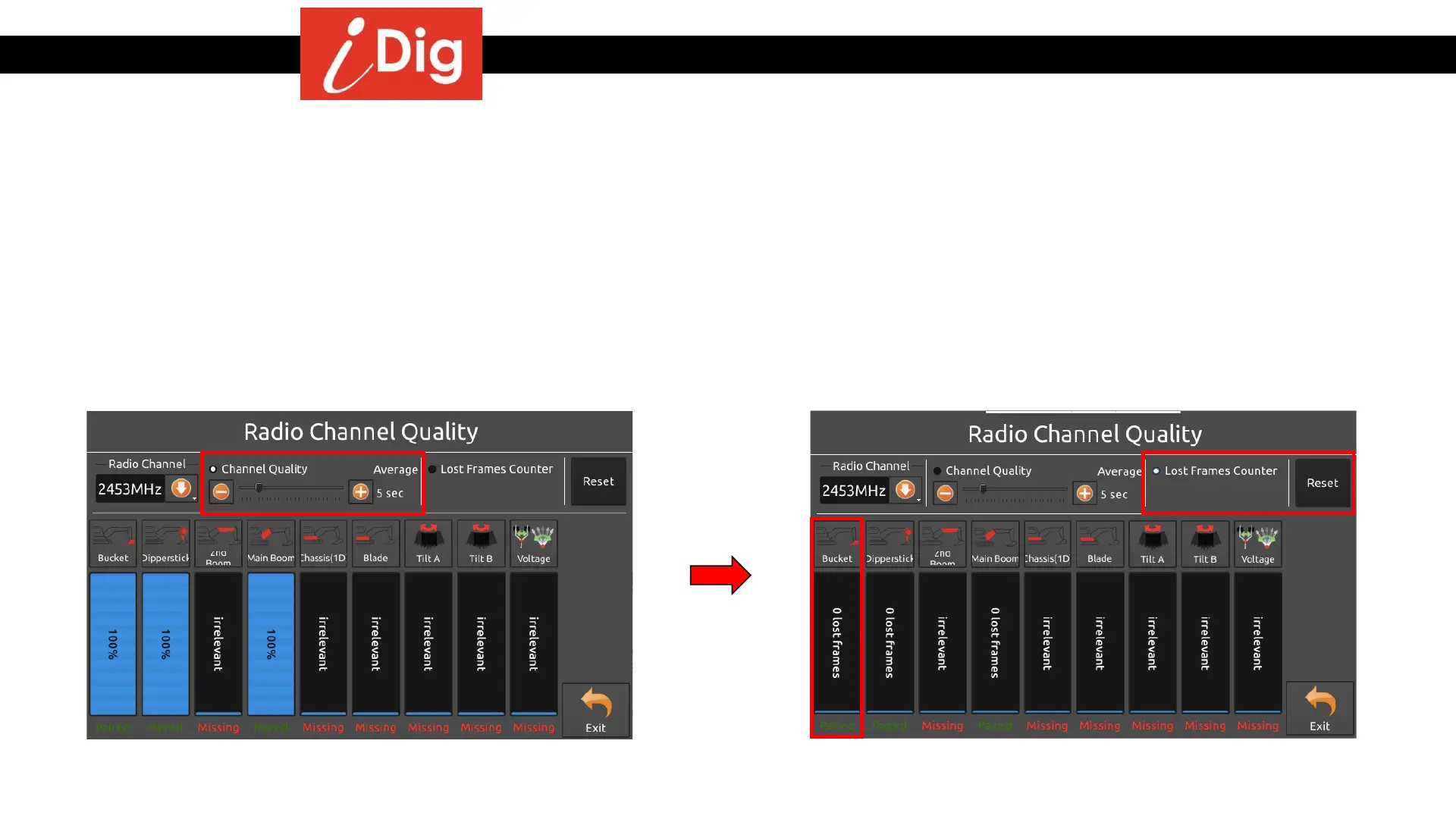
• Channel Quality – The sensors send information to the system 10 times per second (10Hz). If during one (1) second, two (2) information frames get lost then
the system only received eight frames of information during that one second. This means that 80% of the information was received and is what the system will
indicate as the “Channel Quality” for that specific sensor in that specific second. The default value for the system is five (5) seconds, so the system takes the
number of frames lost and averages them over the five (5) seconds.
• Lost Frames Counter – This shows you the actual number of information frames that were lost during that particular five (5) second time frame. The below
example shows 0 frames lost for the Bucket sensor. Pressing the “Reset” button will change all values to zero (0).
• The result of a decreasing Radio Quality isn’t a weaker signal, but that less information arrives for the system which results in a slower update rate on the
screen.



 To Next Page