Basic Settings – Sensor Settings
138
Radio Check
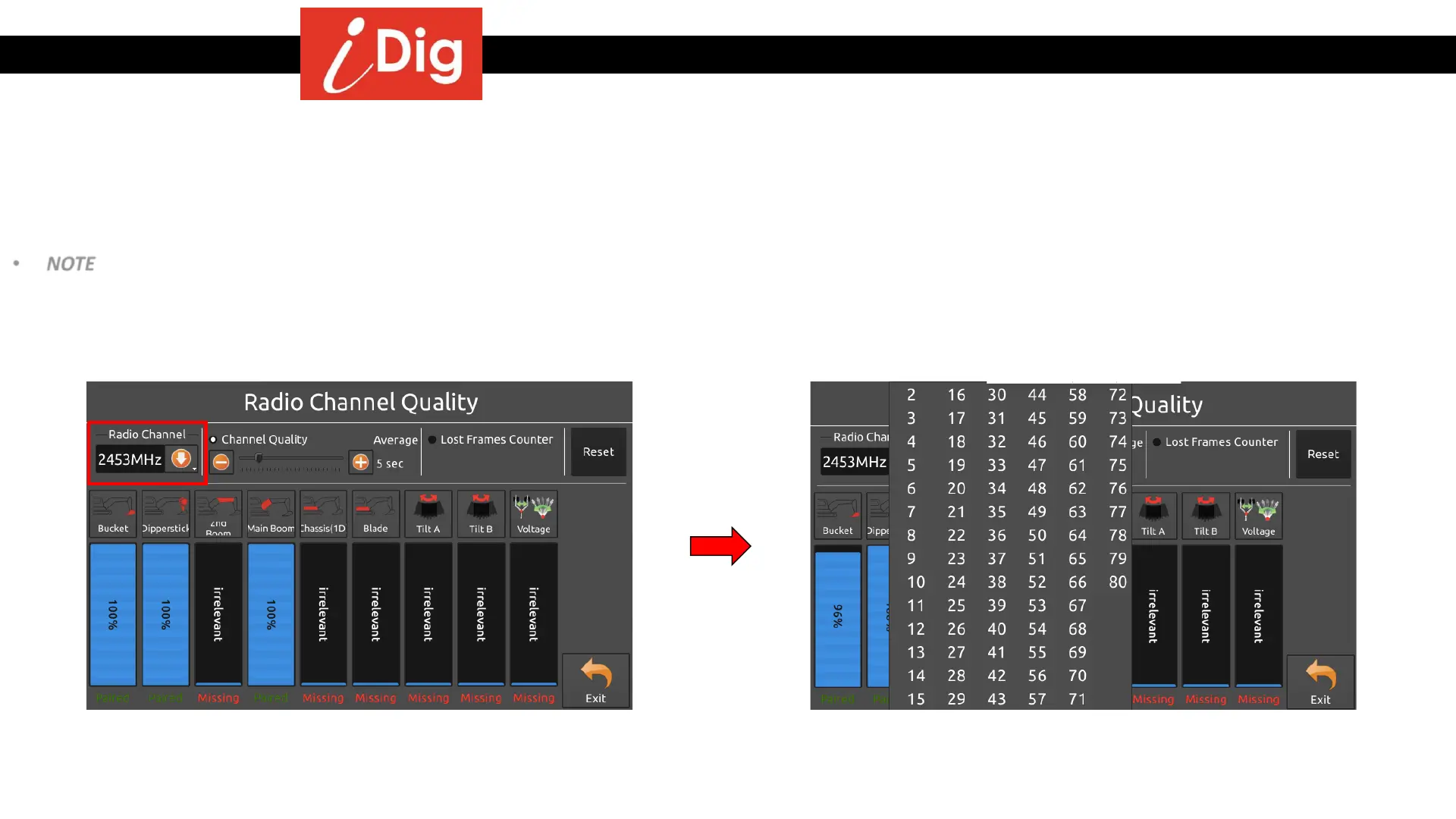
• Radio Channel – The system’s default radio channel is determined from the serial number of the Control Box. Depending on the job site, the assigned frequency
may be to crowded so the system can’t communicate with the sensors. In this case, click on the radio channel button and select another channel from the 80
that are available.
• NOTE – if you change the radio channel it is strongly recommended to do so with the sensors attached to the machine, otherwise they won’t follow the
channel change. If the channel change is performed while one or more sensors are not attached, you will lose communication with them. Refer to the earlier
section on how to re-pair a sensor to the system.



 To Next Page