Basic Settings – Pairing a New Sensor
137
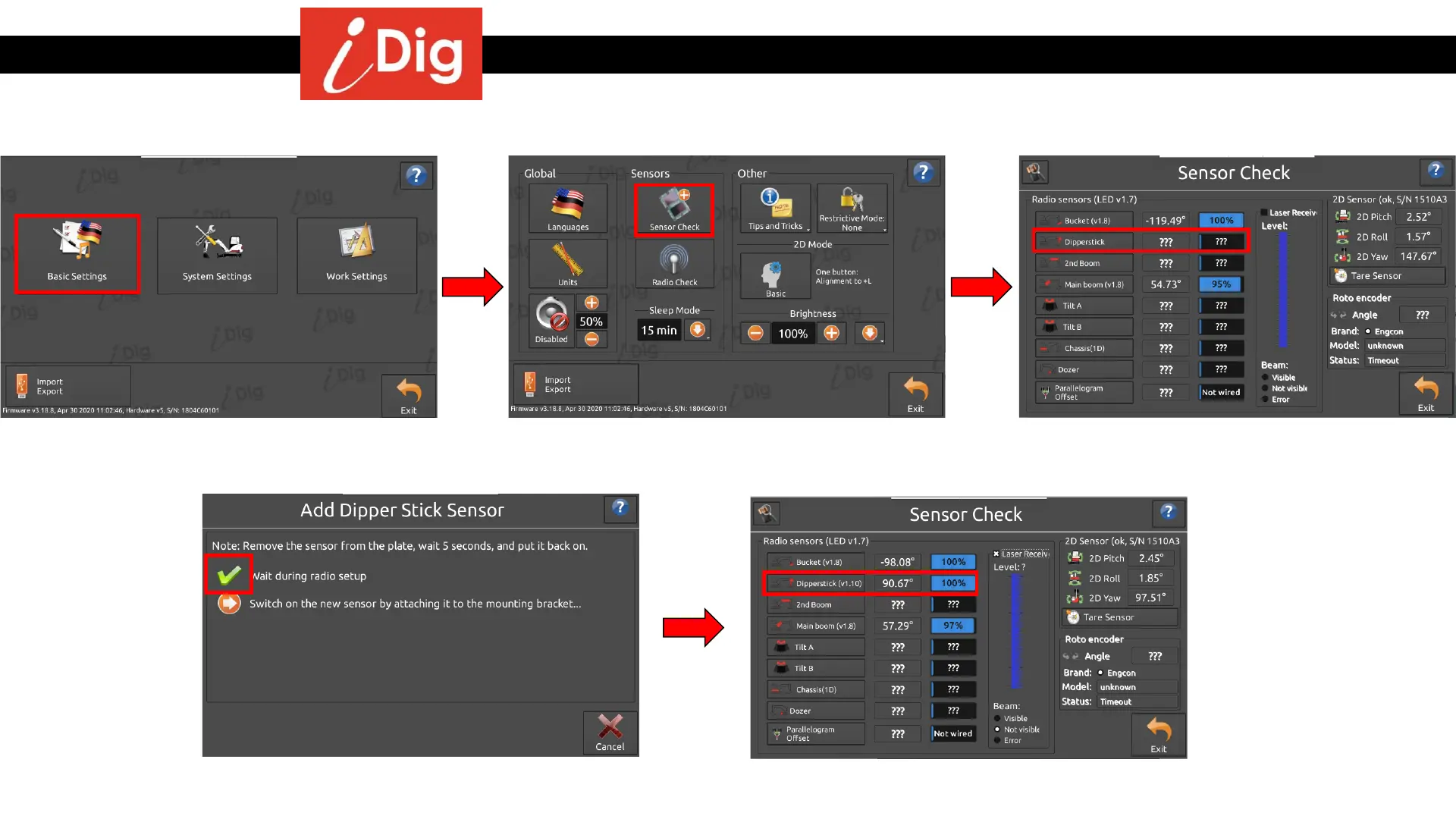
Method 2: Working from the Basic Settings menu
• From the Main Screen click on the GearBox
symbol and select “Basic Settings”.
• Click on “Sensor Check”.
• Click on the sensor that is missing /
damaged, in this case it is the “Dipperstick”.
• The new sensor is now paired to the
system.
• After the green check mark appears attach
the new sensor.



 To Next Page