Basic Settings – Pairing a New Sensor
136
Method 1: Working from the Main Screen
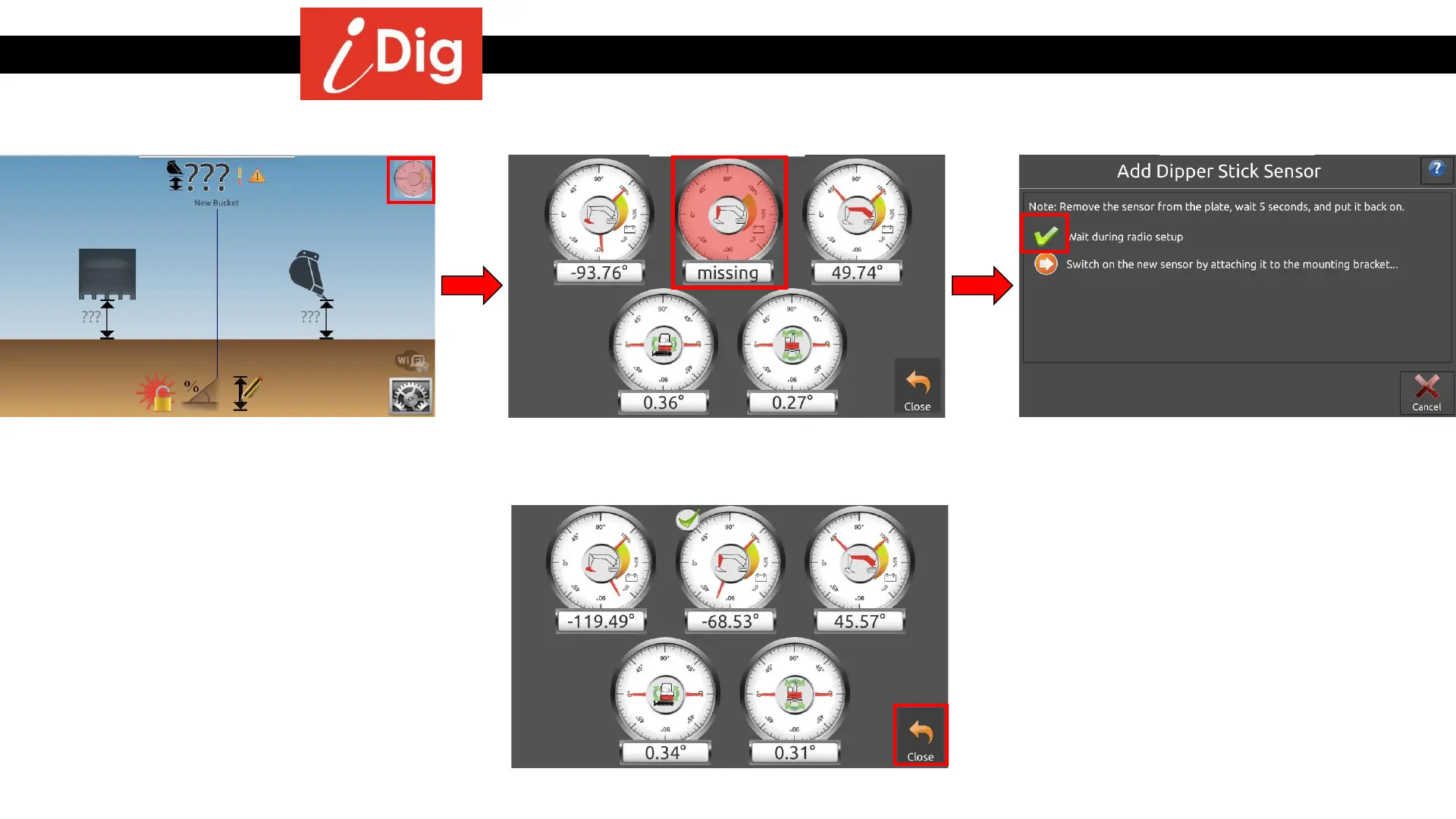
• If a sensor is lost or damaged a red sensor
gauge will appear on the screen. Click on
the symbol.
• This screen shows which sensor is not
working. To pair a new sensor press and
hold the red sensor gauge.
• After the green check mark appears, attach
the new sensor. A series of green check
marks will appear programming the new
sensor to the system.
• Click on the close button and get back to work.



 To Next Page