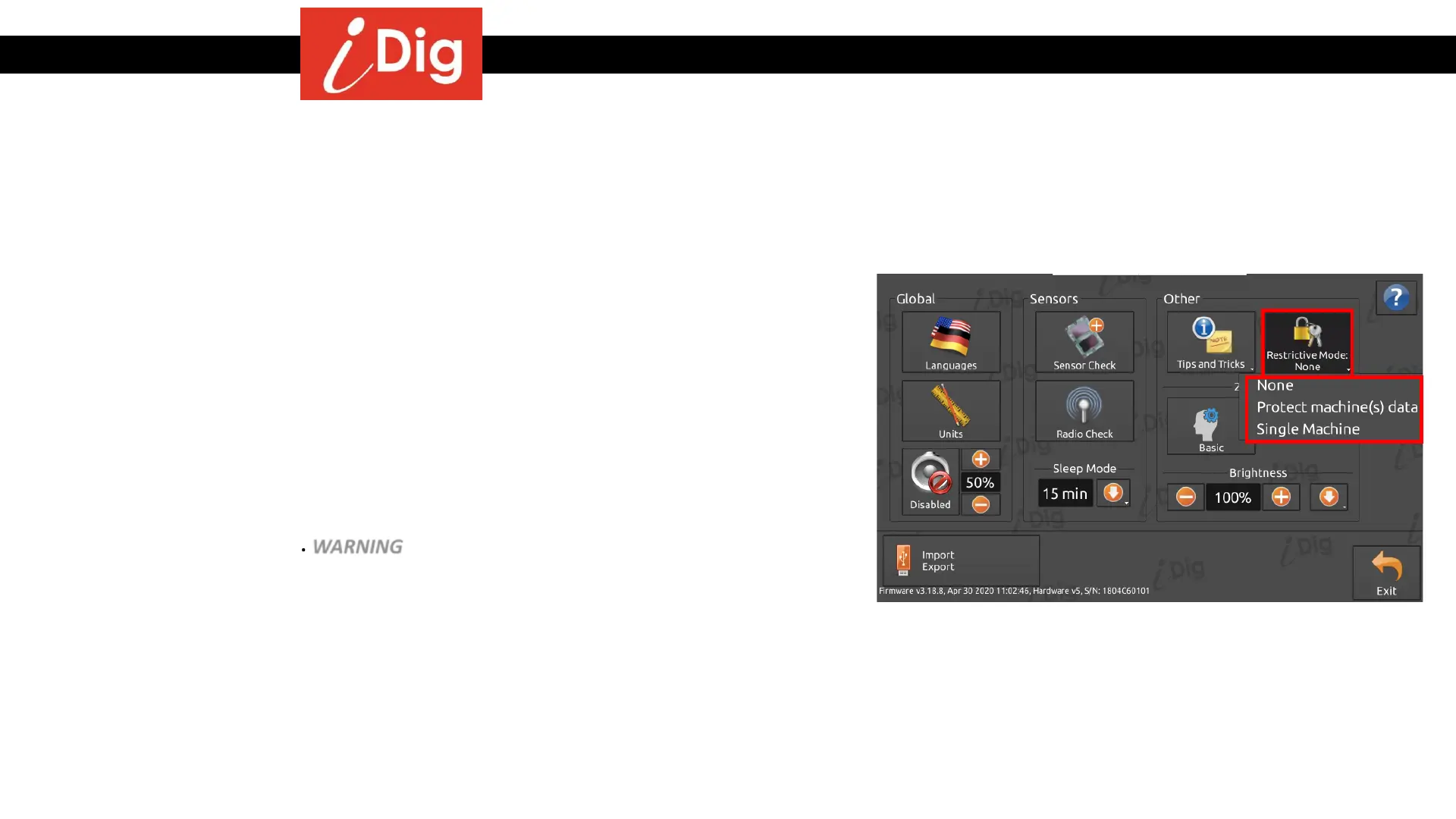
Basic Settings – Other
142
Restrictive Mode
• You can password protect your machine data by using this function. This will
prevent someone for inadvertently changing the system parameters and taking
the machine out of calibration. Press the Restrictive Mode button to access the
various options:
• None – The system is not locked. You may add, edit and delete machines.
The system will check if sensors have remained in place at every system
start-up. If confirmed, it automatically loads the last machine used.
• Protect machine(s) data – You will initially be required to enter a four digit
password and then to reconfirm it. The system will then lock access to the
Machine Parameter section, but it will still be possible to change between
machines and buckets. WARNING – Do not lose your password. It will take
several days to unlock the system if you do.
• Single Machine – The last machine used will be automatically loaded at
each start up without the possibility to change the machine. The System
Settings are not available.



 To Next Page