Installation Procedures – Bucket Calibration
Manual Bucket Calibration
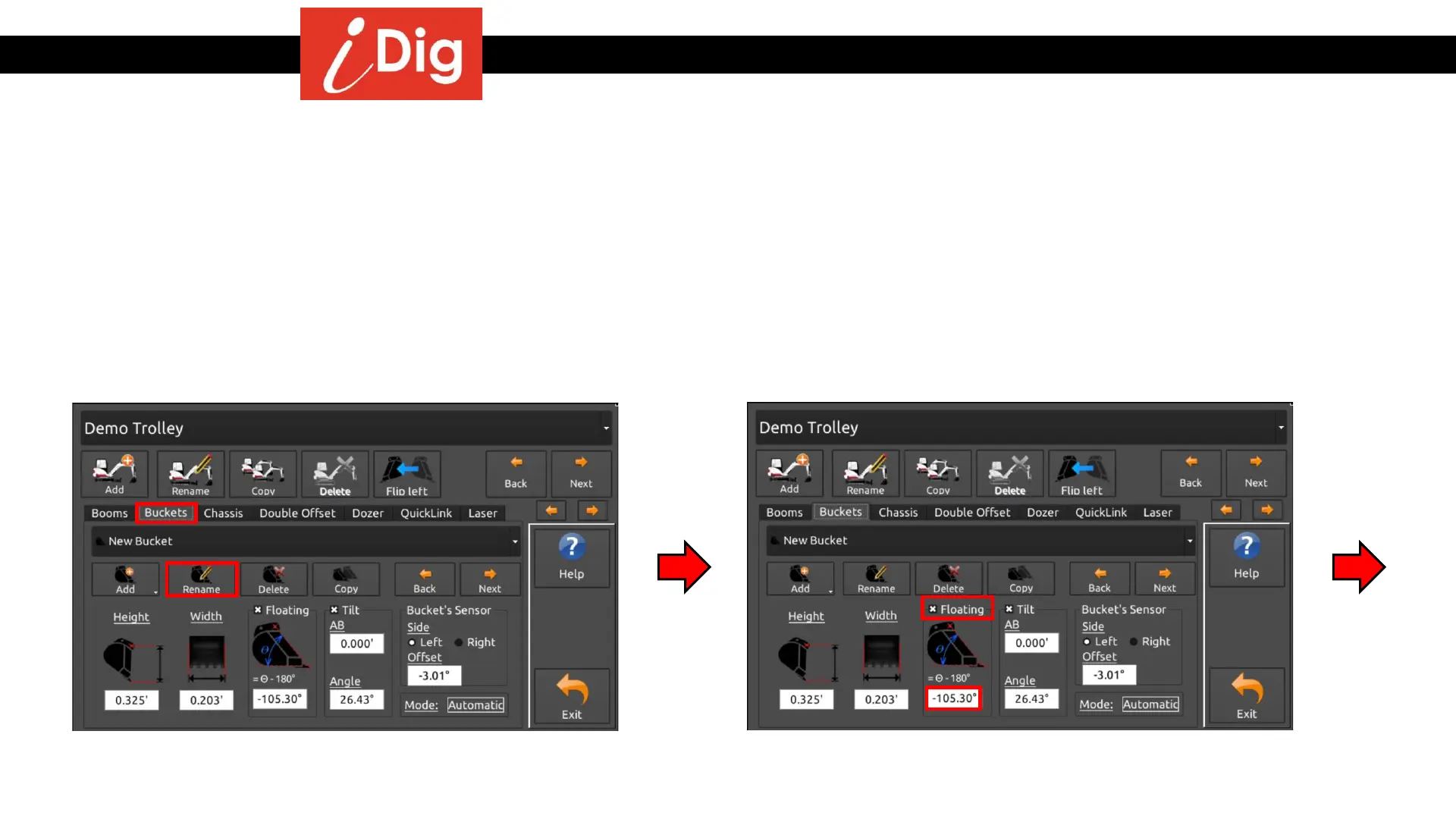
• To rename your bucket press the “Rename” button and
type in your alpha numeric name.
• To change the bucket name and to activate the Floating position of the bucket:
• Press the Gearbox icon on the main screen.
• System Settings >
• Select or Edit Machine >
• Select the correct machine and press Edit Machine Parameters >
• Select the Bucket Tab
• Touch the word “Floating” to place a check mark in the
box. Touch the angle box to proceed to the next screen.
26



 To Next Page