Installation Procedures – Bucket Calibration
Automatic Bucket Calibration - Dog Bone
• You will require a stable point on which to place the tip/edge of the bucket.
• This point needs to be high enough so that you can open and close the bucket as much as possible.
• The point needs to not move, deflect of change position when the bucket is placed on it.
• Be careful with curved dog bones since they are extremely difficult to calibrate depending upon where the sensor is placed.
Ideally you should weld a plate onto the dog bone so that the center of the Sensor is in line with the two pivot pins that
connect to the dog bone.
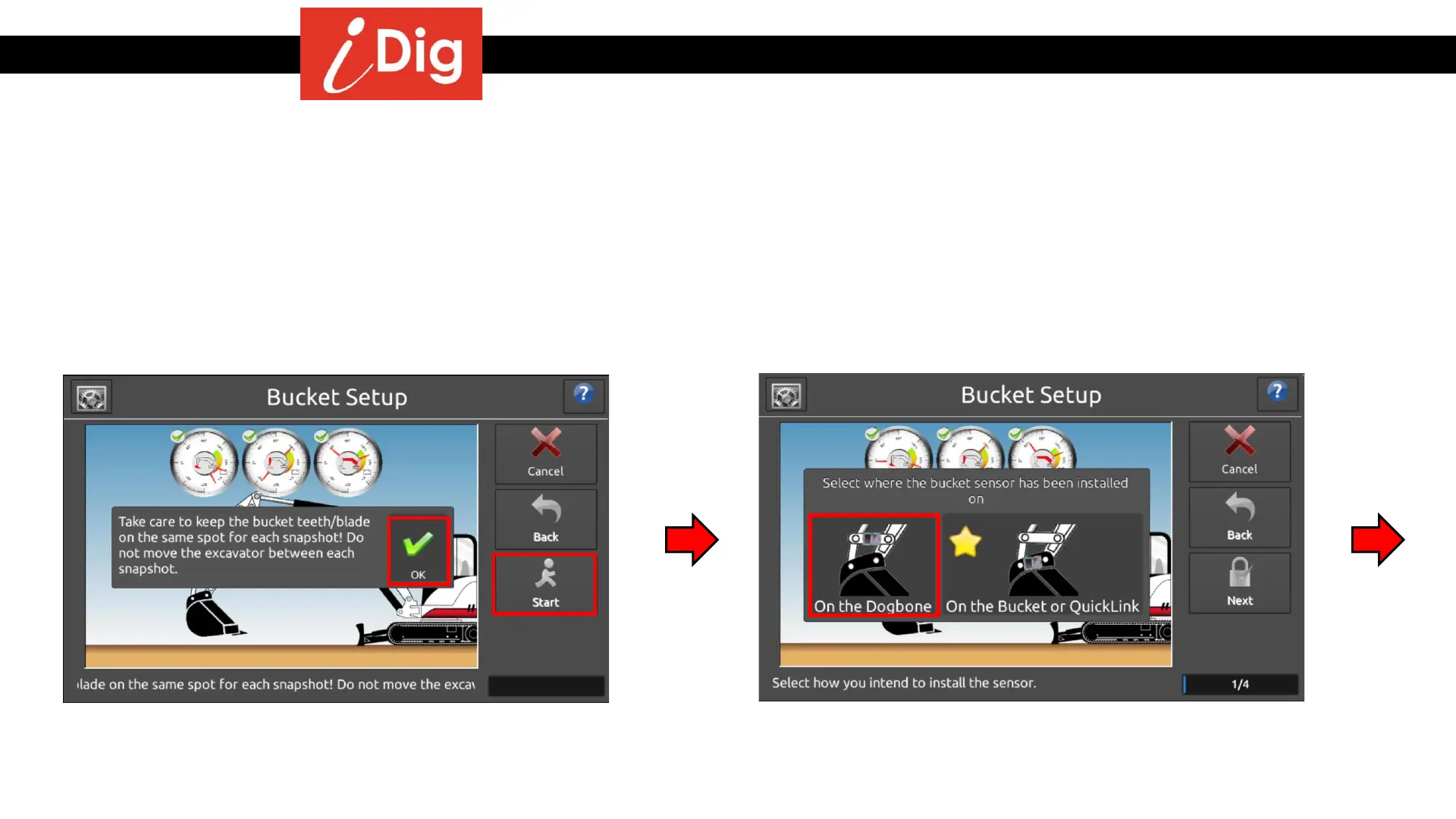
• The pop-up screen will remind you to take care when
placing the tip/edge of the bucket to keep on the
EXACT same point during the calibration process.
Press “OK” and then “Start”.
• Select “On the Dog Bone” to commence the
automatic calibration process.
28



 To Next Page