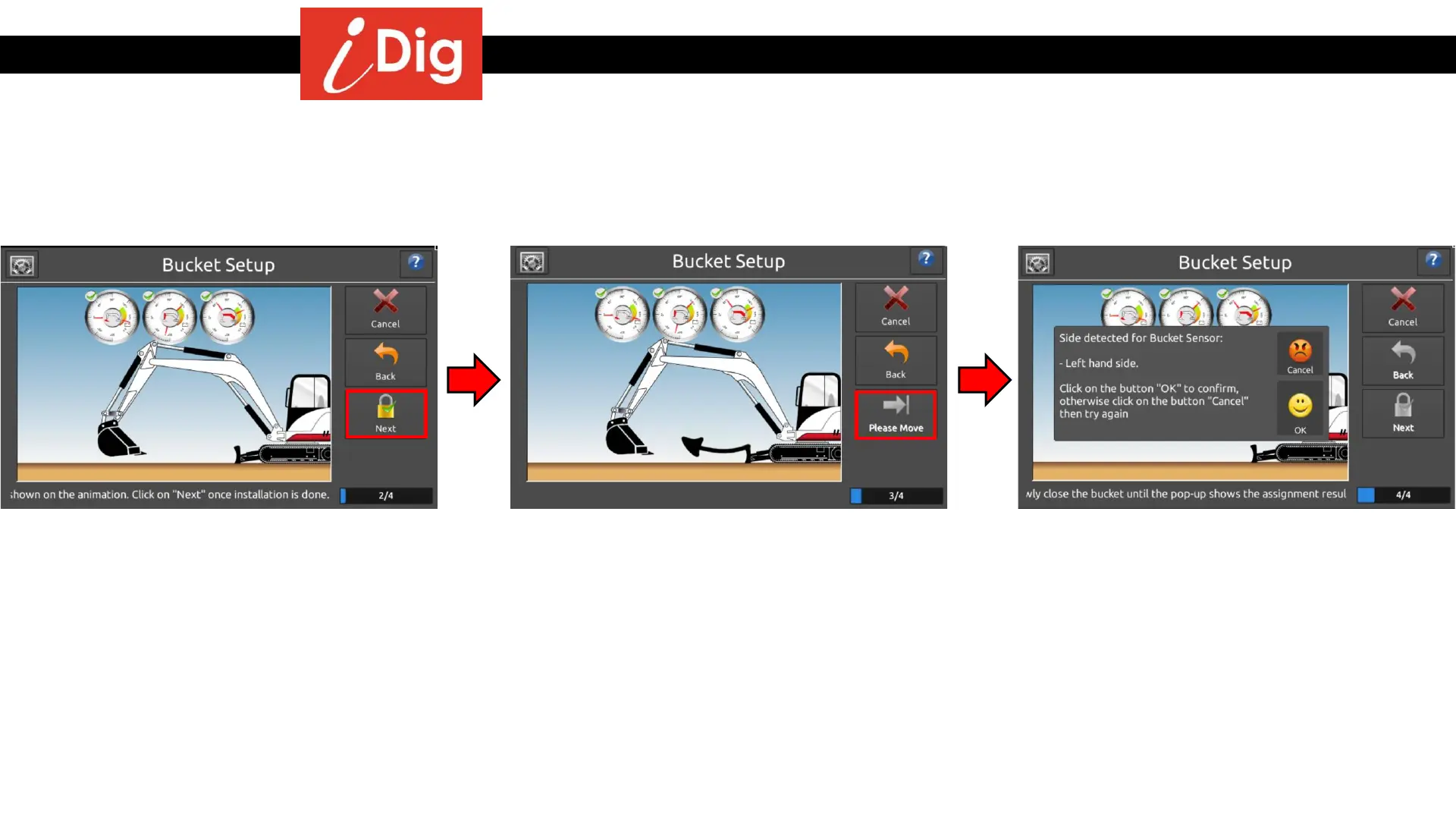
Installation Procedures – Bucket Calibration
Automatic Bucket Calibration - Dog Bone
• Once the Sensor is in position press
“Next”
• The system needs to detect which side of
the bucket the Sensor is installed. Raise
the dipper stick high enough off the
ground so that you can open the bucket.
Press “Next”
• Slowly close the bucket until the pop-up
screen appears. If the correct side is
determined, Press “OK” to confirm and
continue. Otherwise press “Cancel” and
repeat the process.
29



 To Next Page