Installation Procedures – Bucket Calibration
Automatic Bucket Calibration - Dog Bone
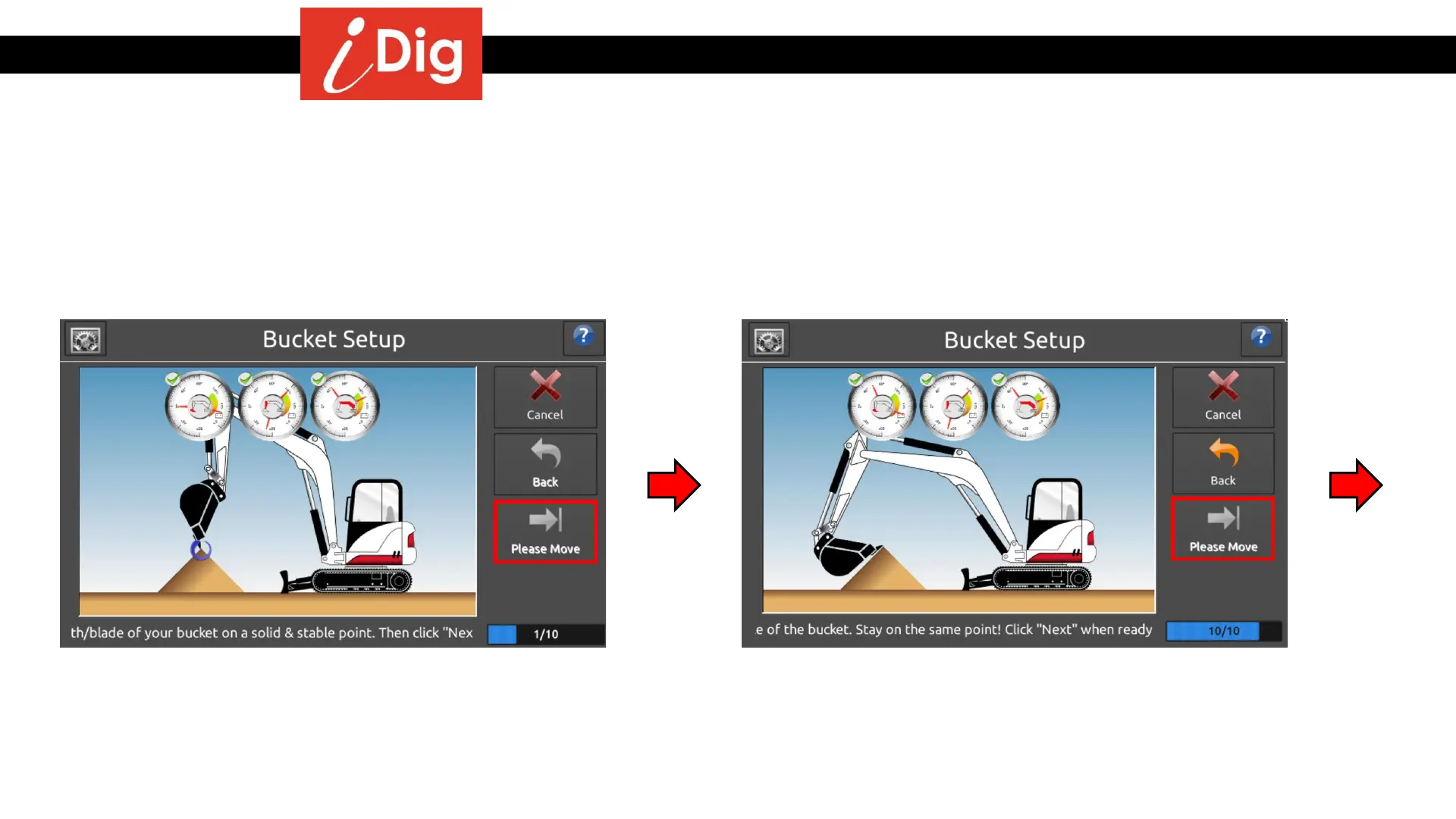
The automatic calibration of the bucket requires the bucket to be placed on the EXACT same point while incrementally
changing the angle of the bucket. There are ten steps to this process. Note the counter on the bottom right hand side of the
screen. It will show you the progress you are making.
• Fully open the bucket and place the tip/edge of the
bucket on a point. Press “Next”.
• Repeat this process 10 times, incrementally changing
the angle of the bucket and placing it back on the
EXACT point each time. On the 10
th
and final point the
bucket should be as closed as possible, so that the
bucket tip still touches the reference spot. Press “Next”.
30



 To Next Page