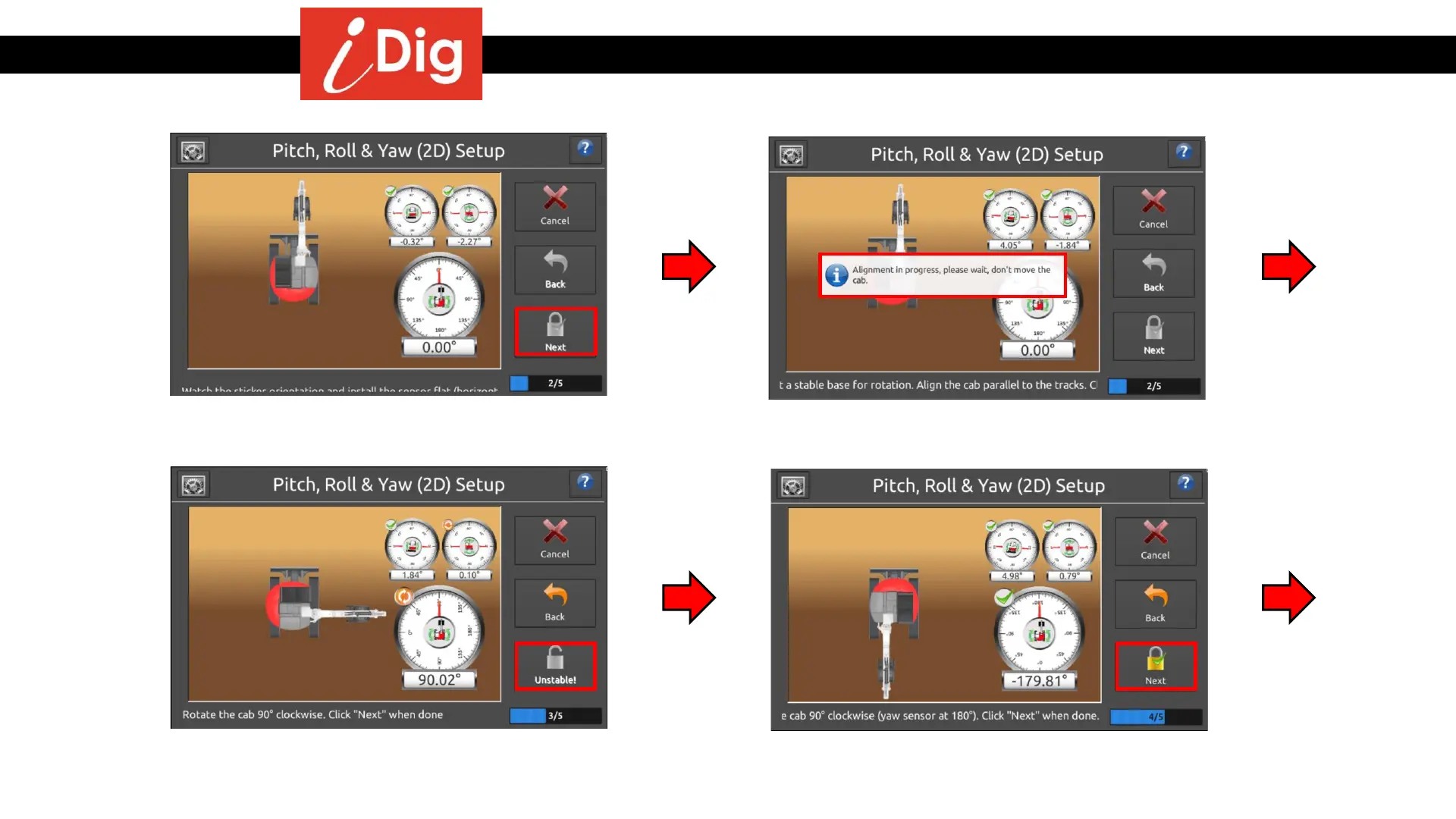
Installation Procedures – 2D Sensor Calibration
• Align the machine forward and parallel to
the tracks. Press “Next”.
• Wait for the system to complete the
alignment process before moving.
• Rotate the cab 90° so that the cab is
perpendicular to the tracks. Ignore the
angle bubble vial, Press “Next” when ready.
• Rotate the cab 90° so that cab is parallel
with the tracks. Ignore the angle bubble
vial, Press “Next”.
37



 To Next Page