Installation Procedures – 2D Sensor Calibration
The 2D Sensor is sensitive to vibration and it’s recommended that you have the machine operating at medium to
high RPM during the following alignment process. Higher RPM reduces the vibration and leads to a more accurate
calibration.
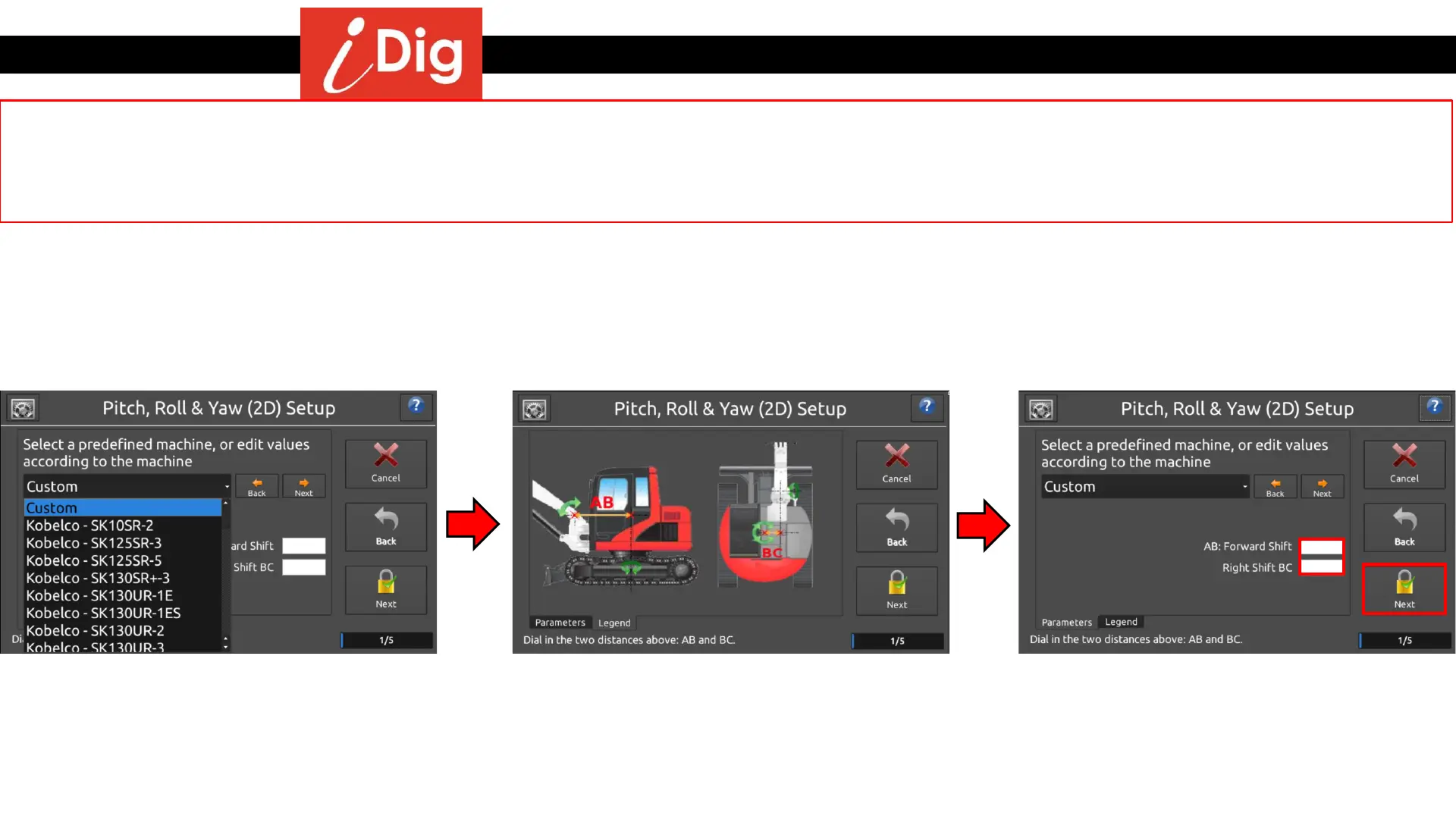
• Select your machine from the drop down
menu.
• If your machine isn’t listed, measure the
distances for AB (center of main boom pin
to center of machine rotation) and BC
(center of boom to center of rotation) and
input the values.
• When the AB and BC values have been
entered, press “Next”.
• Start the 2D Sensor calibration process by pressing the Gearbox on the main screen:
• System Settings >
• 2D Sensor >
• Calibrate
36
OR



 To Next Page