Changing the Elevation – Working without a rotating laser
96
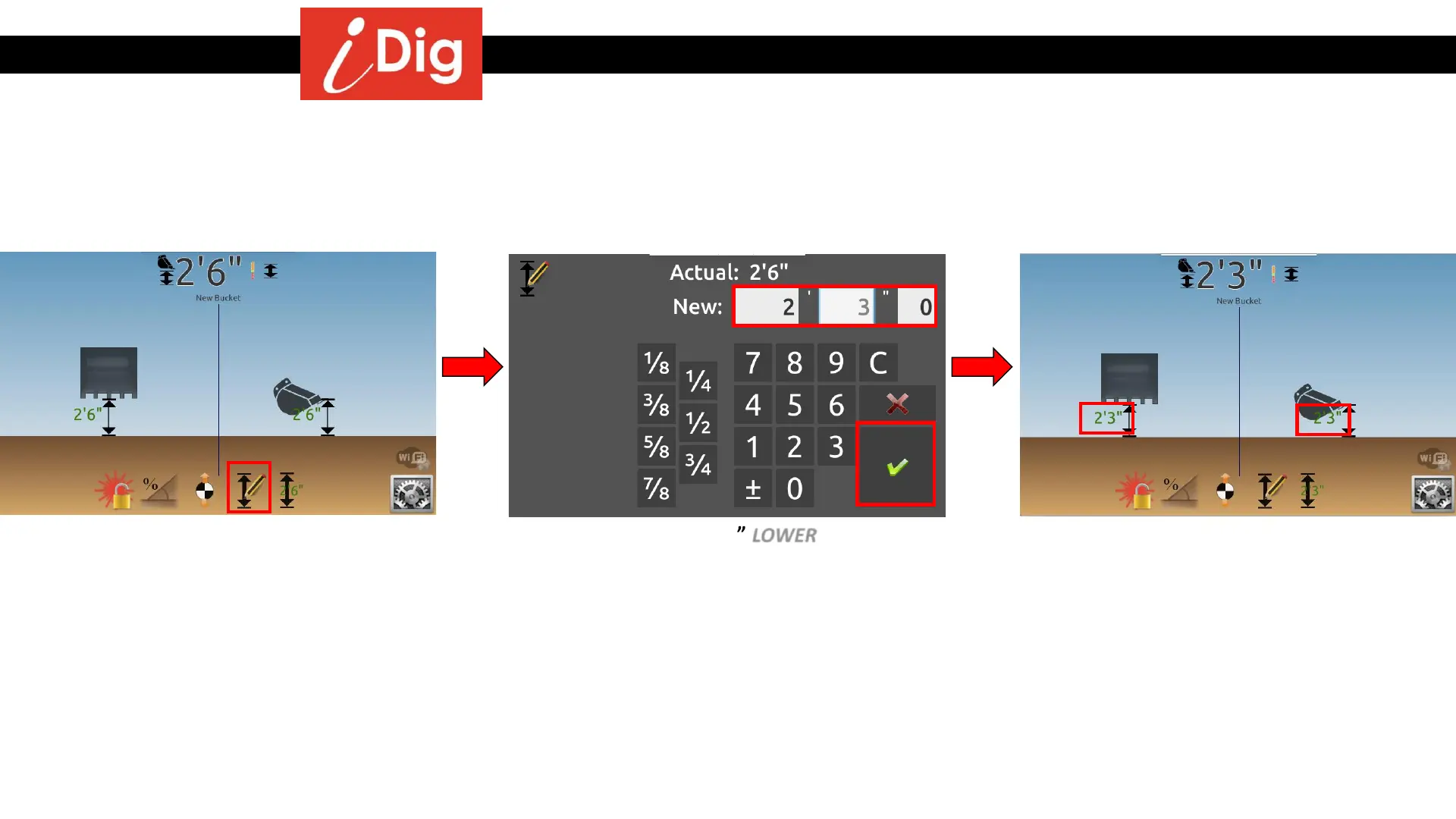
• Place the bucket on a known elevation,
here 2’6”, then click on the “Elevation
Setting” button.
• Enter a new height 3” LOWER than the
current height (2’6” > 2’3”).
• Click on the green check mark to validate.
• The bucket is still on the original reference
point but the digging depth has been
RAISED 3”.
Method 1 – Changing the elevation by directly changing the digging depth



 To Next Page