Changing the Elevation – Working without a rotating laser
97
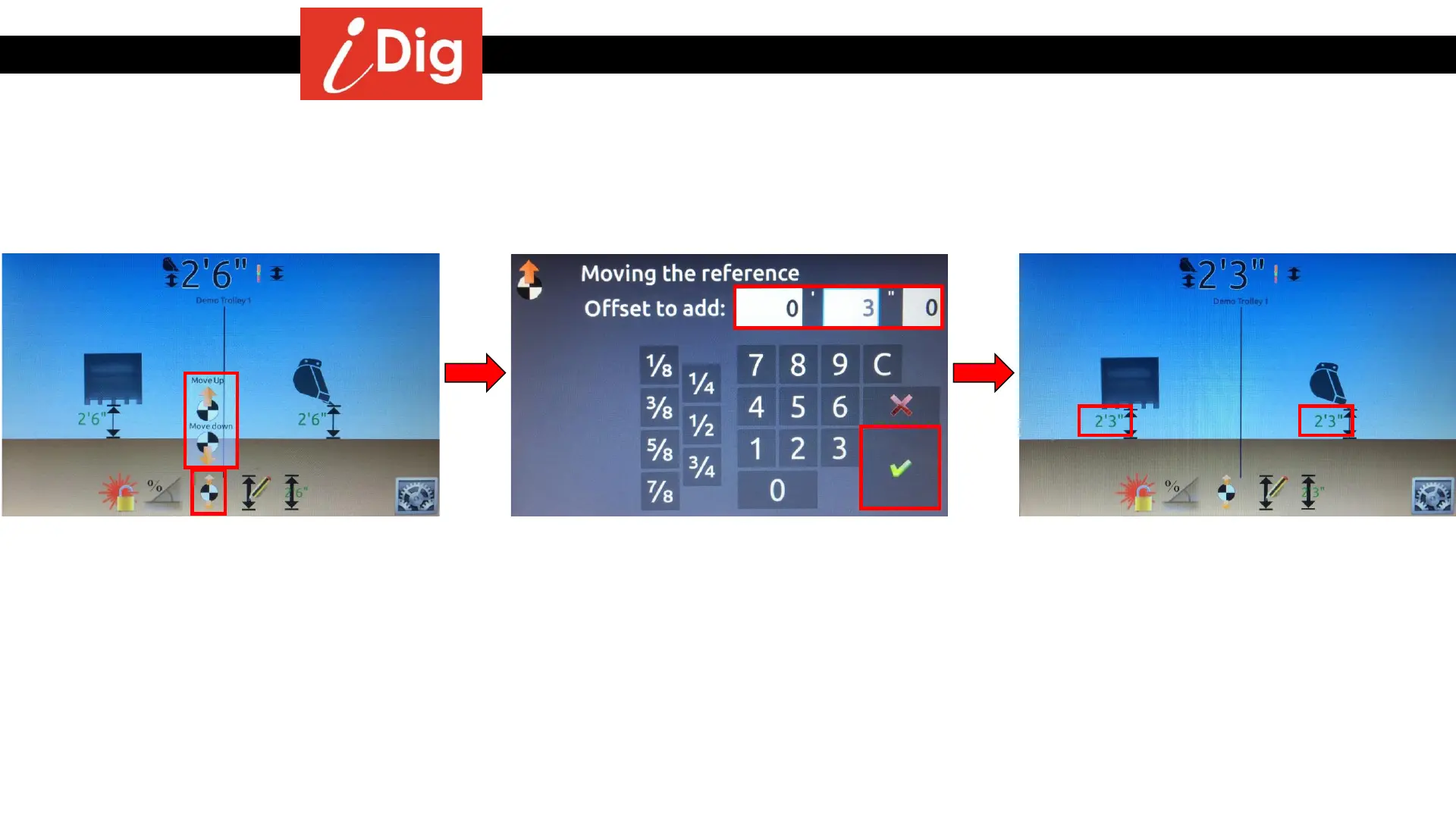
Method 2 – Changing the elevation by entering an offset
• Click on the “Offset” button.
• Click on either the “Move Up” or “Move
Down” button.
• Enter the offset, in this case 3”.
• Click on the green check mark to validate.
• The digging depth has been RAISED by 3”.



 To Next Page