40. ESC { n
[Name] Turns on/off upside-down printing mode
[Format] ASCII ESC { n
Hex 1B 7B n
Decimal 27 123 n
[Range] 0
n
255
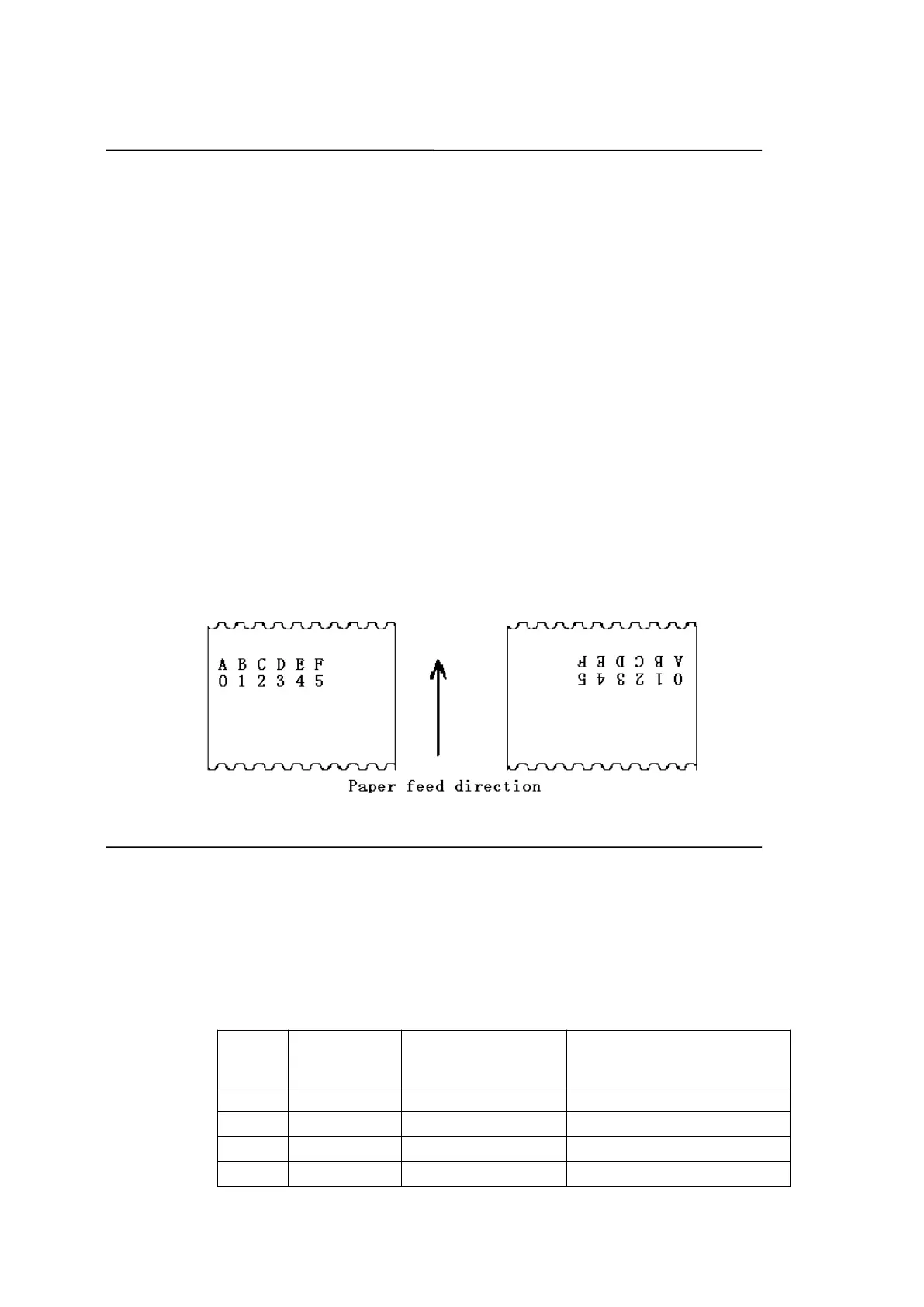
[Description] Turns upside-down printing mode on or off.
When the LSB of n is 0, upside-down printing mode is turned off.
When the LSB of n is 1, upside-down printing mode is turned on.
[Details]
Only the lowest bit of n is valid.
This command is enabled only when processed at the beginning of a line in
standard mode.
When this command is input in page mode, the printer performs only internal
flag operations.
This command does not affect printing in page mode.
In upside-down printing mode, the printer rotates the line to be printed by 180
and then prints it.
[Default] n = 0
[Example]
41. FS p n m
[Name] Print NV bit image
[Format] ASCII FS p n m
Hex 1C 70 n m
Decimal 28 112 n m
[Range] 1
n
255
0
m
3 , 48
m
51
[Description] Prints a NV bit image n using the mode specified by m.
m Mode Vertical Dot Density
Horizontal Dot Density
0, 48 Normal 200 dpi 200 dpi
1, 49 Double-width 200 dpi 100 dpi
2, 50 Double-height 100 dpi 200 dpi
3, 51 Quadruple 100 dpi 100 dpi


 To Next Page