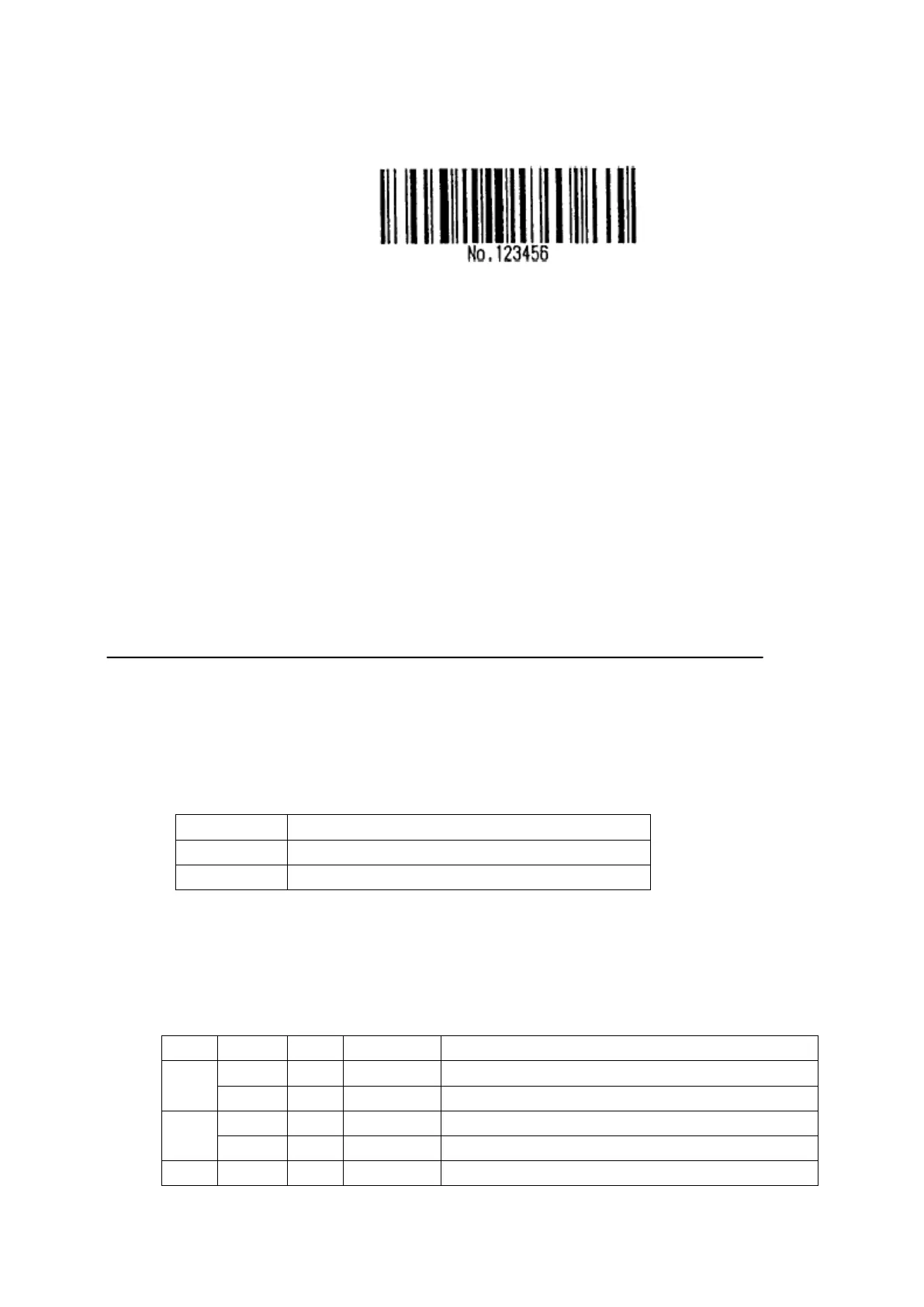
Print “No.”by CODE B,and then print next numbers by CODE C
GS k 73 10 123 66 78 111 46 123 67 12 34 56
• If it is not character option before barcode data, printer will stop excuting this
command, and excute following as simple data.
• ““{”+character” is not appointed string, printer will stop excuting command, and
excute following as simple data.
• If the data printer received is not barcode data, printer will stop excuting this
command, and excute following as simple data.
•
When printer prints an HRI character, without printing SHIFT characters and character
type data.
• HRI characters for function won’t be printed out.
• HRI of controlling character(<00>H to <1F>H and <7F>H)won’t be printed out.
<Addition> Must be with spacing betweenleft and right side,gap is different with different barcode.
[Reference] GS H, GS f, GS h, GS w
61、GS r n
[Name] Transmit status
[Format] ASCII GS r n
Hex 1D 72 n
Decimal 29 114 n
[Range] n = 1, 2, 49, 50
[Description] Transmits the status specified by n as follows:
n Function
1, 49 Transmits paper sensor status
2, 50 Transmits drawer kick-out connector status
[Details] This command is only available for serial interface
This command is executed when the data in the receive buffer is operated. Therefore,there
may be a time lag between receiving this command and transmitting the status,depending on
the receive buffer status.
The status types to be transmitted are shown below:
Paper sensor status (n = 1, 49):
Bit 0/1 Hex Decimal Status for ASB
0,1 0 00 0 Paper roll near-end sensor: paper adequate.
1 03 3 Paper roll near-end sensor: paper near end.
2,3 0 00 0 Paper roll end sensor: paper adequate.
1 0C 12 Paper roll near-end sensor: paper near end.
4 0 00 0 Not used. Fixed to 0.


 To Next Page