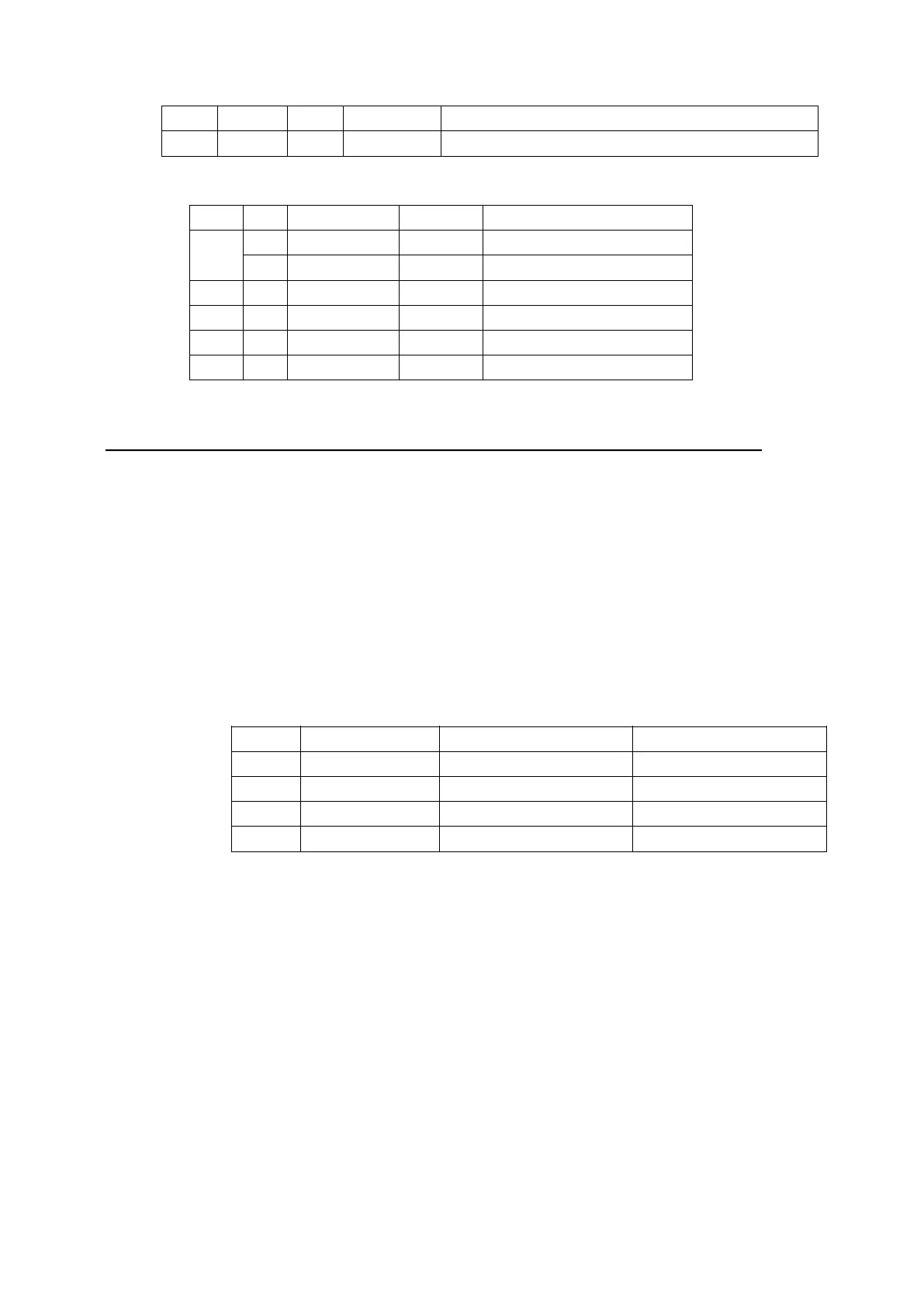
5,6 - - - Undefined.
7 0 00 0 Not used. Fixed to 0.
Cash drawer ( n = 2, 50):
Bit 0/1 Hex Decimal Status
0 0 00 0
Drawer kick-out
1 01 1
Drawer doesn’t kick-out
1-3 --- --- undefined
4 0 00 0 Not used. Fixed to 0
5,6
--- --- undefined
7 0 00 0 Not used. Fixed to 0
[Reference] DLE EOT,GS a
62. GS v 0 m xL xH yL yH d1...dk
[Name] Print raster bit image
[Format] ASCII GS v 0 m xL xH yL yH d1...dk
Hex 1D 76 30 m xL xH yL yH d1...dk
Decimal 29 118 48 m xL xH yL yH d1...dk
[Range] 0 m 3, 48 m 51
0 xL 255
0 xH 255
0 yL 255
0 d 255
k = ( xL + xH 256) ( yL + yH 256) ( k 0)
[Description] Selects Raster bit-image mode. selects the mode by “m” value, as follows:
m Mode Vertical Dot Density Horizontal Dot ensity
0, 48 Normal 200 DPI 200 DPI
1, 49 Double-width 200 DPI 100 DPI
2, 50 Double-height 100 DPI 200 DPI
3, 51 Quadruple 100 DPI 100 DPI
xL, xH, select the number of data bits ( xL+ xH256) in the horizontal direction for the
bit image.
yL, yH, select the number of data bits ( yL+ yH256) in the vertical direction for the bit
image.
[Details] In standard mode, this command is effective only when there is no data in the
print buffer.
This command is invalid for character size, emphasized,double-strike, upside-down,
underline, white/black reverse printing, etc.
Image beyond print area won’t be printed out.
The ESC a (Select justification) setting is also effective on raster bit images.
When this command is received during macro definition, the printer cancel macro
definition, and begins performing this command. This command is not one part of
macro definition.


 To Next Page