[Format] ASCII FS ! n
Hex 1C 21 n
Decimal 28 33 n
[Range] 0 ≤ n ≤ 255
[Description] Sets the print mode for Kanji characters, using n as follows:
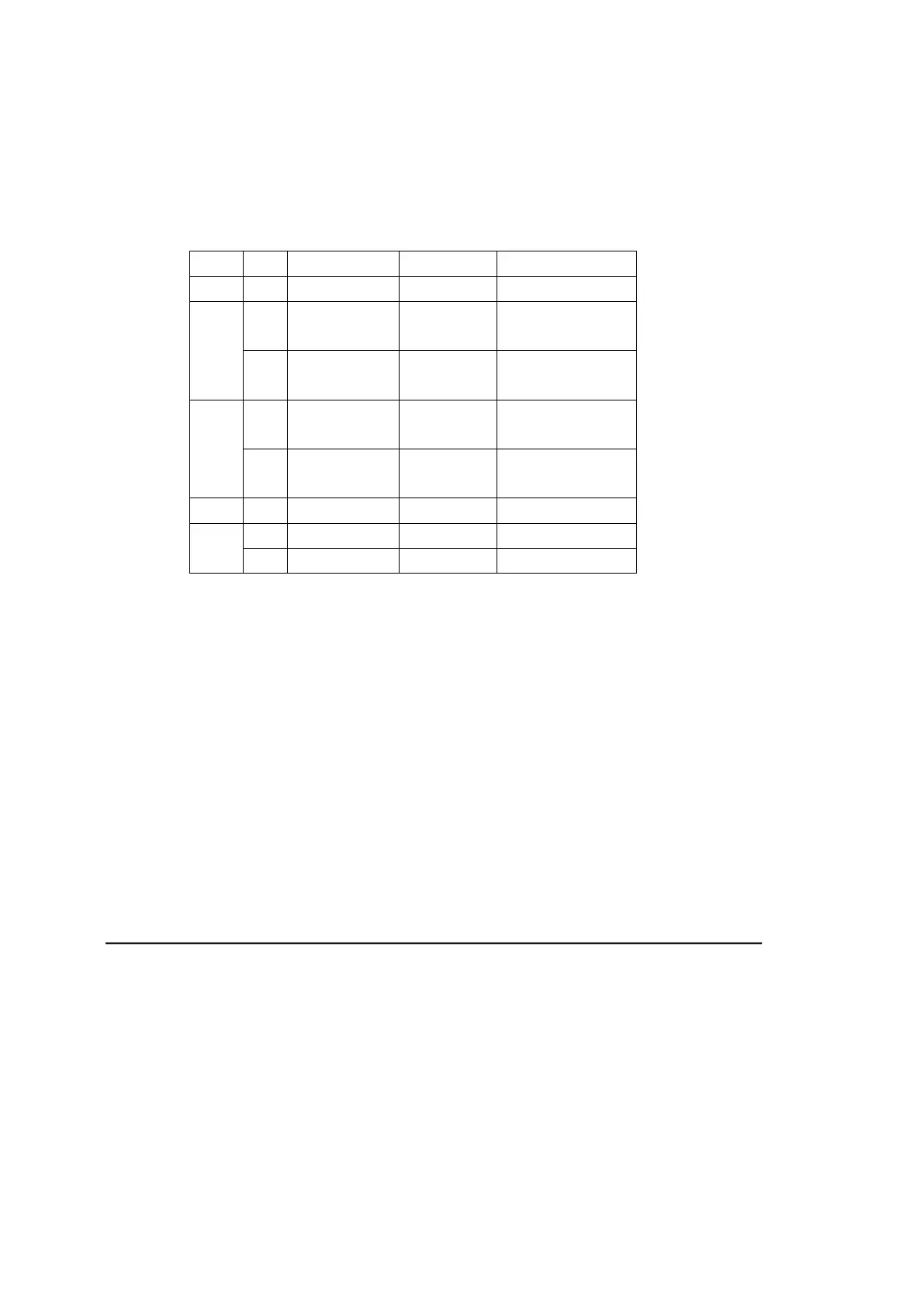
Bit 0/1 Hex Decimal Function
0, 1 --- --- Undefined
2
0 00 0
Double-width
mode is OFF.
1 04 4
Double-width
mode is ON.
3 0 00 0
Double-height
mode is OFF.
1 08 8
Double-height
mode is ON.
4-6 -- -- Undefined
7
0 00 0 Underline OFF
1 80 128 Underline ON
[Details] • When both double-width and double-height modes are set (including right- and
left-side character spacing), quadruple-size characters are printed.
• The printer can underline all characters (including right- and left-side character
spacing), but cannot underline the space set by HT and 90° clockwise-rotated
• The thickness of the underline is that specified by FS , regardless of the
• When some of the characters in a line are double or more height, all the
characters on the line are aligned at the baseline.
• It is possible to emphasize the Kanji character using FS W or GS !, the setting
of the last received command is effective.
• It is possible to turn under line mode on or off using FS , and the setting of the
last received command is effective.
[Default] n = 0
[Reference] FS -, FS W, GS !
65. FS &
[Name] Select Kanji character mode
[Format] ASCII FS &
Hex 1C 26
Decimal 28 38
[Description] Selects Kanji character mode.
[Reference] FS .


 To Next Page