Part 1 - Remote Setup
18
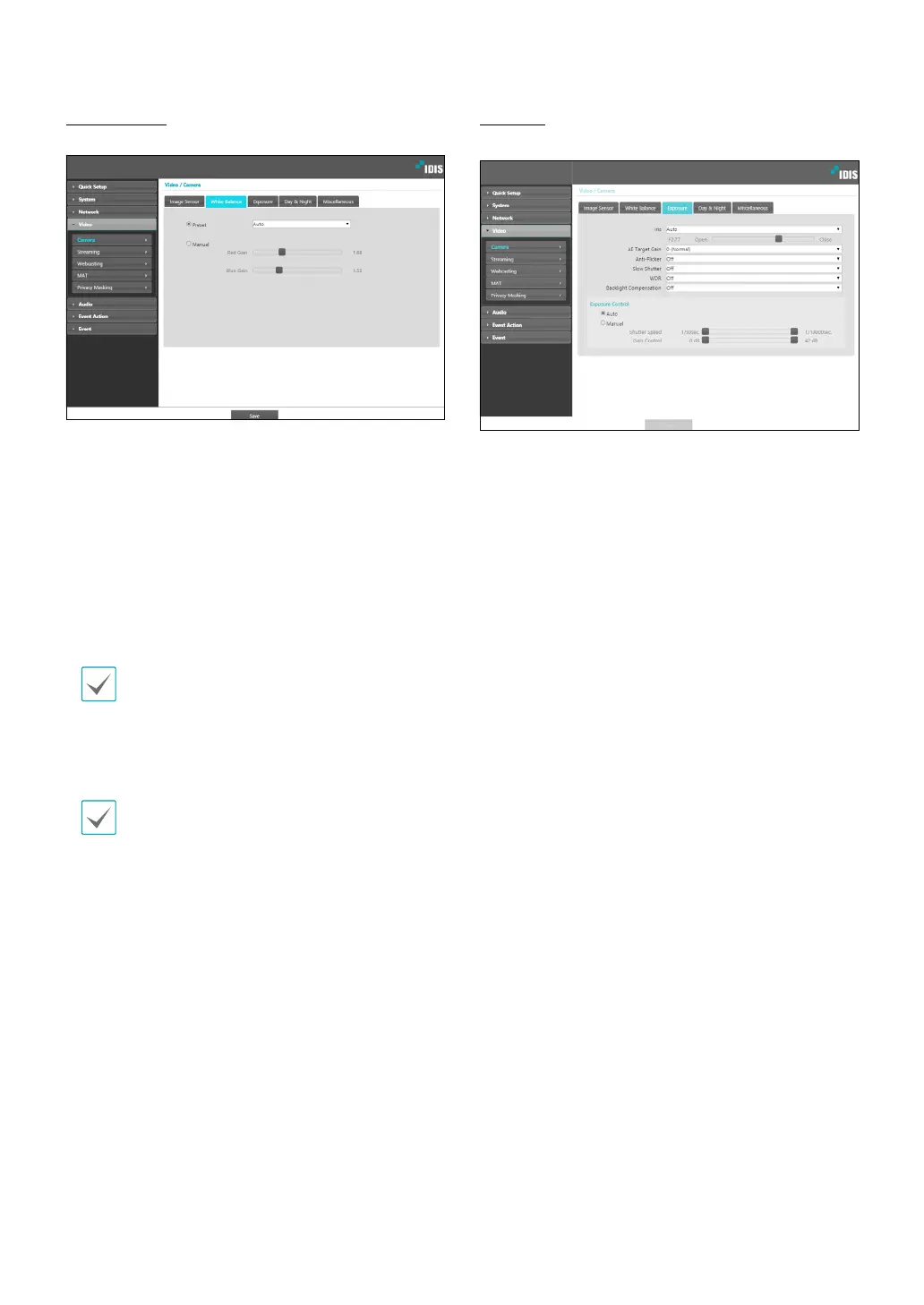
White Balance
Congure White Balance settings.
• Preset: Use precongured white balance settings.
- Auto: Allow the system to adjust the white
balance automatically. The system will assess the
lighting conditions and adjust the white balance
automatically.
- Hold: Hold the current white balance.
- INCANDESCENT - FLUORESCENT COLD: Select
a lighting type to apply the appropriate white
balance.
If the Preset is Hold and the WDR mode is changed,
a reset is required.
• Manual: Adjust the white balance manually. Adjust
Red and Blue gain values. Greater the value, greater
the intensity of the corresponding color.
If the white balance does not work properly under the
following specic conditions, select Manual or Hold.
- When the surrounding environment of the object is
out of the color temperature correction range
- When the surrounding environment of the object is
dark
- The camera is pointed directly at the uorescent lamp
or installed in a place where the lighting change is
severe.
Exposure
Congure Exposure settings.
• Iris: Adjust the openness of the lens IRIS.
- Auto: The system will assess the lighting conditions
and adjust the openness of the IRIS automatically.
- Manual: Use the slider to select the desired
openness of the IRIS. Select the most suitable value
for the lighting conditions in the area where the
camera is located.
• AE Target Gain: Specify exposure compensation’s
target gain. Exposure is compensated automatically
based on the specied target gain. Higher the gain,
brighter the images.When using WDR, ickering can
be present in poor environments even if Anti-Flicker is
turned on.
• Slow Shutter: Activate Slow Shutter. The electronic
shutter’s speed will decrease to the specied level
under low-lighting conditions to allow more light in
and therefore produce brighter images.WDR: Disables
or enables the WDR(Wide Dynamic Range). When the
very dark and very bright areas exist simultaneously
on the screen, WDR allows you to recognize the both
areas.
• Backlight Compensation: Enable/disable the
Backlight Compensation feature. If WDR used,
Backlight Compensation OFF does not work.
- ON: When images are too bright overall due to
backlight, objects are exposed brighter under
backlight circumstances.



 To Next Page