Part 1 - Remote Setup
19
- HSBLC (High Suppress Backlight Compensation):
When a certain area of images is too bright
due to backlight under low lighting conditions
and it causes the other area to be too dark,
this function provides the other area of images
brightly and clearly by blocking the backlight in
the certain area. Dark parking lot entrances and
gas station entrances at night, for example (HSBLC
compensates for the bright light coming from
incoming vehicle headlights and makes it possible
to see the license plates).
• Exposure Control: Adjust Shutter Speed and gain.
This option is available only when Anti-Flicker and
Slow Shutter are both set to O.
- Auto: The system will assess the lighting
conditions and adjust the shutter speed and gain
automatically.
- Manual: Use the slider to select the desired shutter
speed and gain. Select the most suitable minimum
and maximum shutter speeds and gains for the
lighting conditions in the area where the camera is
located.
With certain features, selecting Auto automatically
loads settings suitable for the camera's installation
environment.
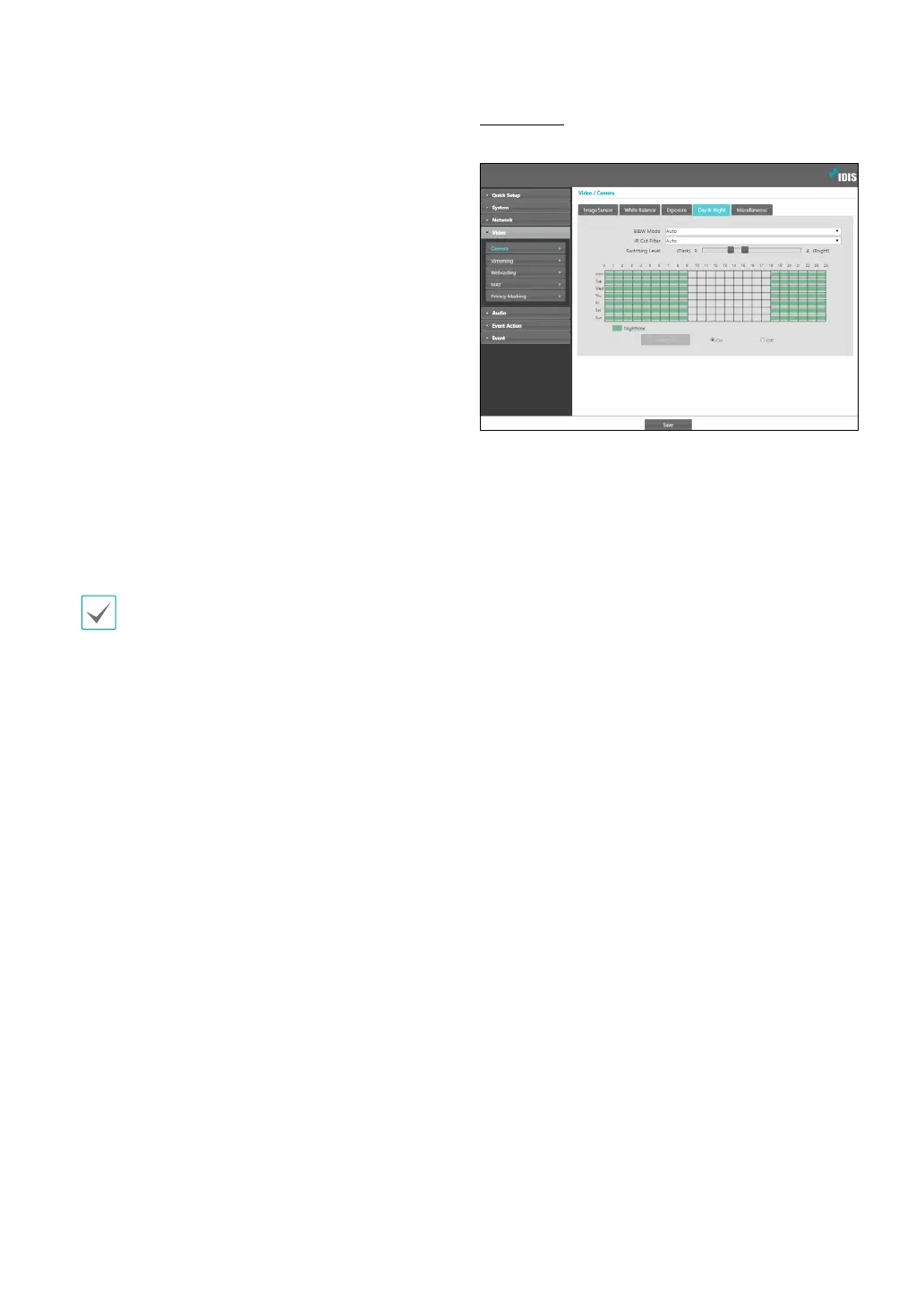
Day & Night
Congure Day & Night settings.
• B&W Mode: Display the images in greyscale for
greater clarity in low-lighting conditions.
- On/O: Enable/disable B&W Mode.
- Auto: Allow the system to enable/disable B&W
Mode automatically.
- Schedule: Set up a B&W Mode schedule. B&W
Mode is enabled on days and times designated as
Nighttime and disabled at all other times. Select
On or O at the bottom of the schedule table and
then click or drag on the dates and times to select/
unselect as Nighttime. Select On or O and then
click Select All/Clear All to select/unselect all dates
and times as Nighttime.
• IR Cut Filter: IR Cut Filter blocks out the infrared
spectrum. You can ensure clear images at all times by
blocking out the infrared spectrum in high-lighting
conditions and allowing the infrared spectrum to pass
through in low-lighting conditions.
- Nighttime Mode/Daytime Mode: Disables or
enables the IR cut lter.
- Auto: Allow the system to enable/disable IR Cut
Filter automatically.
- Schedule: Sets up the IR cut lter schedule. The
IR cut lter is disabled during the date and time
scheduled as Nighttime and enabled during the
rest. Set up or release Nighttime by selecting On or
O in the bottom and clicking or dragging the date
and time area in the table. Selecting On or O and
clicking the Select All/Clear All button sets up or
releases Nighttime for all dates and time.



 To Next Page