IDS X-Series Training v2.7
Selecting Keypad Tone and Volumes
The keypad includes a buzzer that is used for audible signalling and verification of certain functions. There
are 3 different keypad tones that can be set at 3 different volumes, as well as a subtle click tone.
NOTE: All zones programmed as Buzz or Chime zones will sound with a loud tone regardless of the
keypad volume set.
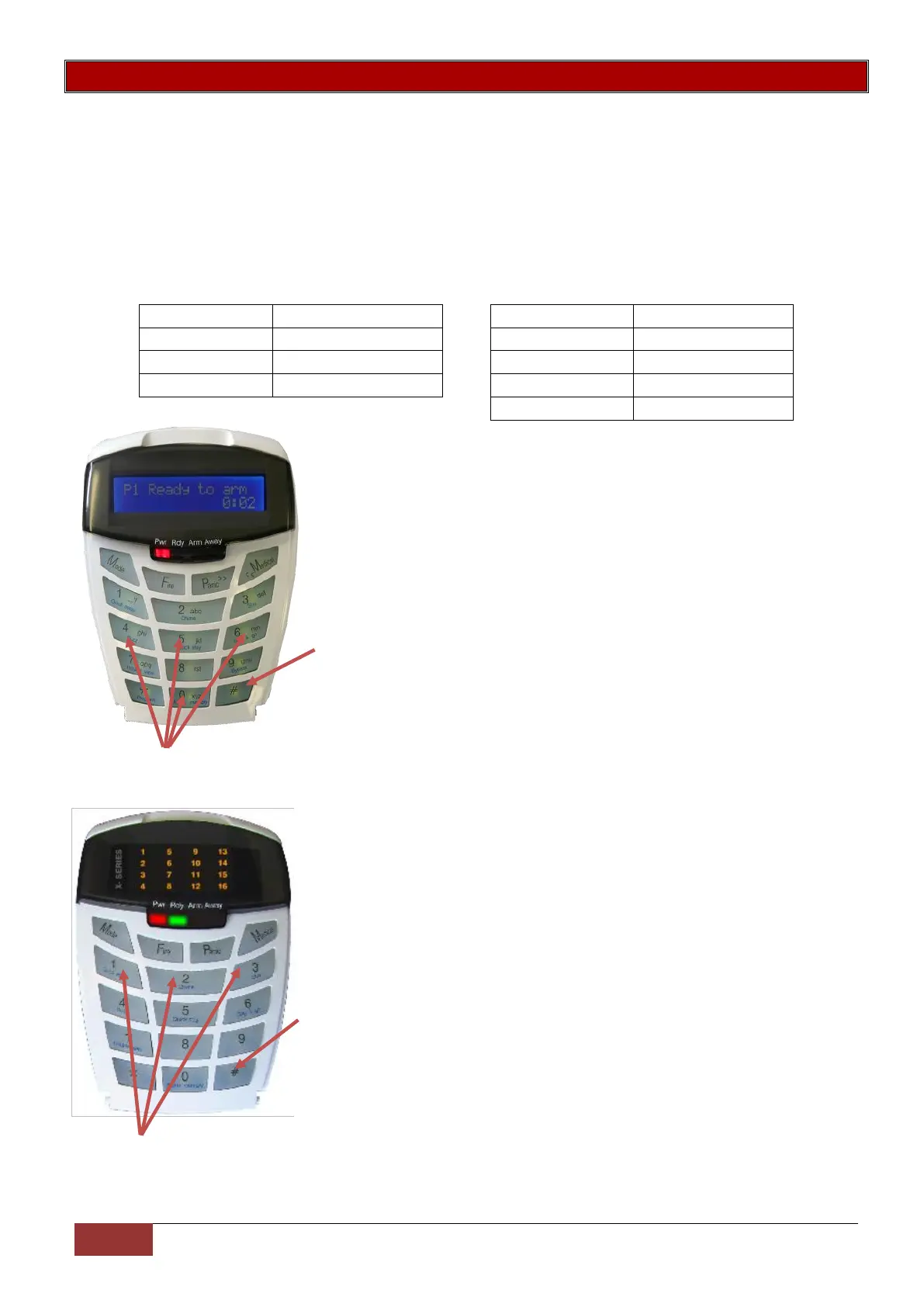
To change the volume press the # key and the relevant number key simultaneously for 1 second. The
keypad will respond with a beep at the new tone setting.
This is keypad specific and only applies to the keypad that this operation is performed on.
To select a keypad Tone press and hold the # Key.
Then press either 4, 5 or 6 Key to select the different key press tones. To select the 'click' tone press and
hold the #Key and the 0 key.
To select a keypad Tone Volume and hold the # Key.
Then press either 1, 2 or 3 Key to select the different key tone Volumes.


 To Next Page
 Loading...