p.75F8 SETUP MENU
8.3 All ID Clear
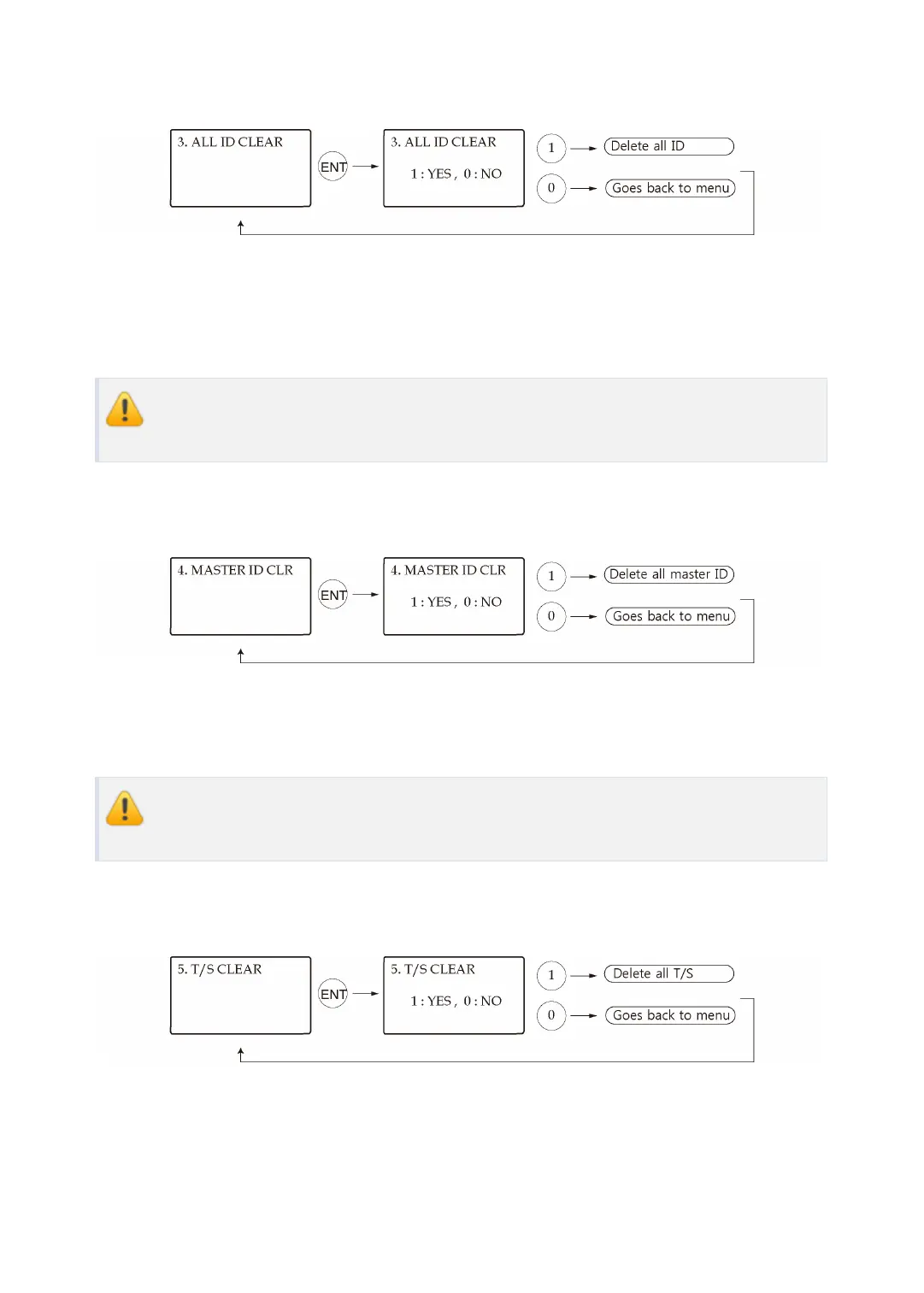
When you want to delete all the stored User IDs, you can do so in this menu item. Press <EN
T> key first, then press <1> key to clear all the registered User IDs or <0> key to cancel the op
eration.
Before clearing all the User IDs, make sure that the registered User ID is no longer
used or necessary; otherwise you may lose all the registered User IDs.
8.4 Master ID Clear
To delete all Master IDs, press <ENT> key first, then press the <1> key to clear all of the Mast
er IDs or <0> key to cancel the operation.
Before clearing all Master IDs, make sure that registered Master IDs are no longer u
sed; otherwise, you may lose all registered Master IDs.
8.5 Time Schedule Clear
When you want to delete all the Time Schedules (01~10), Holiday schedules(01~10), Holida
y code, Reader#1 Mode Time Schedule code and Reader#2 Mode Time Schedule code, you
can clear them from the memory here. Press <ENT> key first and press the <1> key to clear al



 To Next Page