21
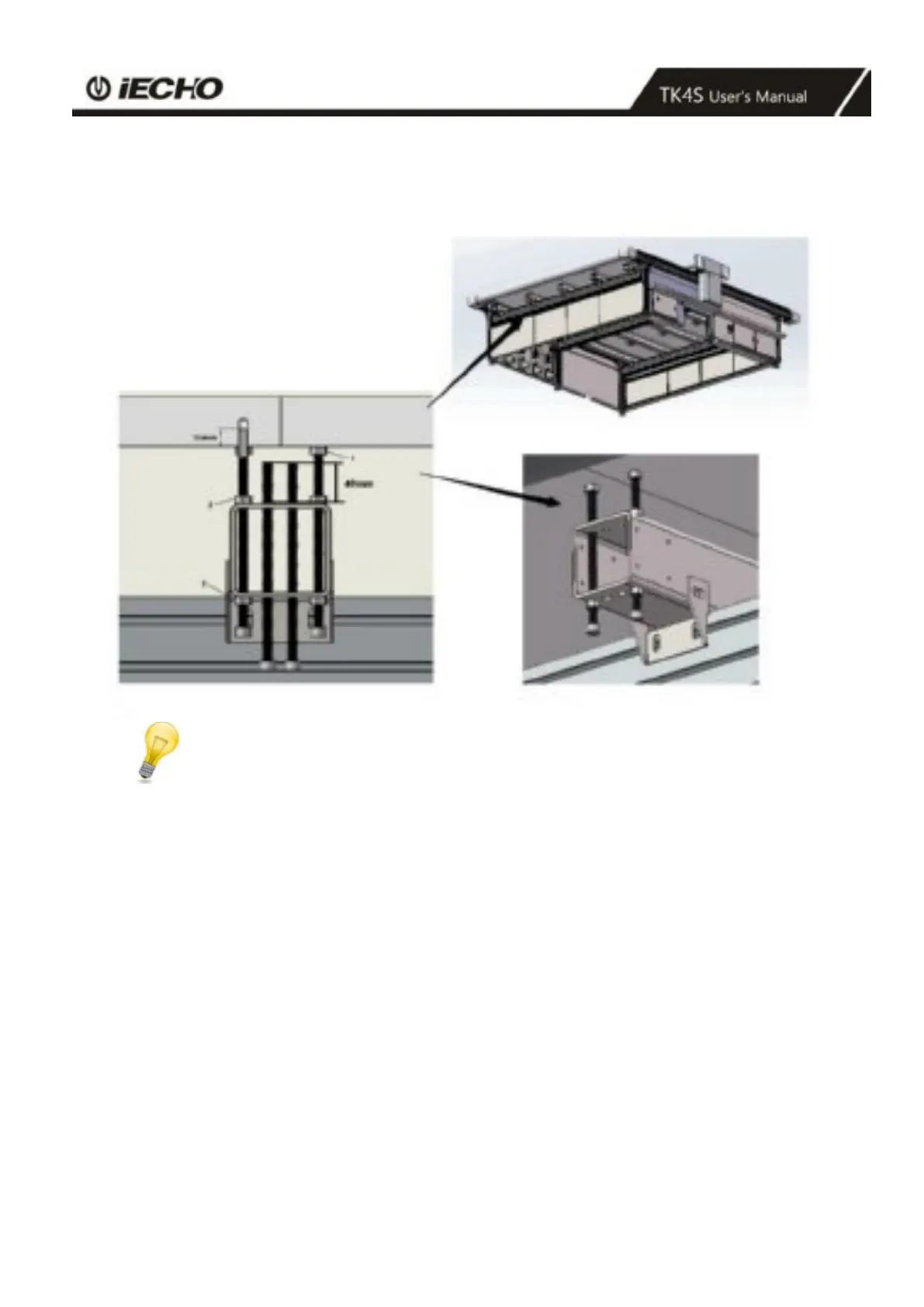
3.5.2 Adjusting the vacuum plate height.
Adjusting steps : 1 - 2 - 3
Note:
An assistant must read the dial gauge and provide information about the current height.
After adjusting the vacuum plate, remove the mounting bolts for stand table.
• Use the module carriage to move from fastening point to fastening point and measure
the deviation.
• Tighten the screw (1) under the table.
• Loosen the screw (2).
• Adjust the screw (2) (3) until the table surface height matches the calculated height (front right)
(0.0) position.
• Tighten the screw (2) (3)
• Repeat this adjustment procedure at all positions.
• Check the alignment by taking measurements for all vacuum plates and readjust as necessary.
• Remove the dial gauge and its holder from the head carriage.



 To Next Page