59
6.5. PRT tool
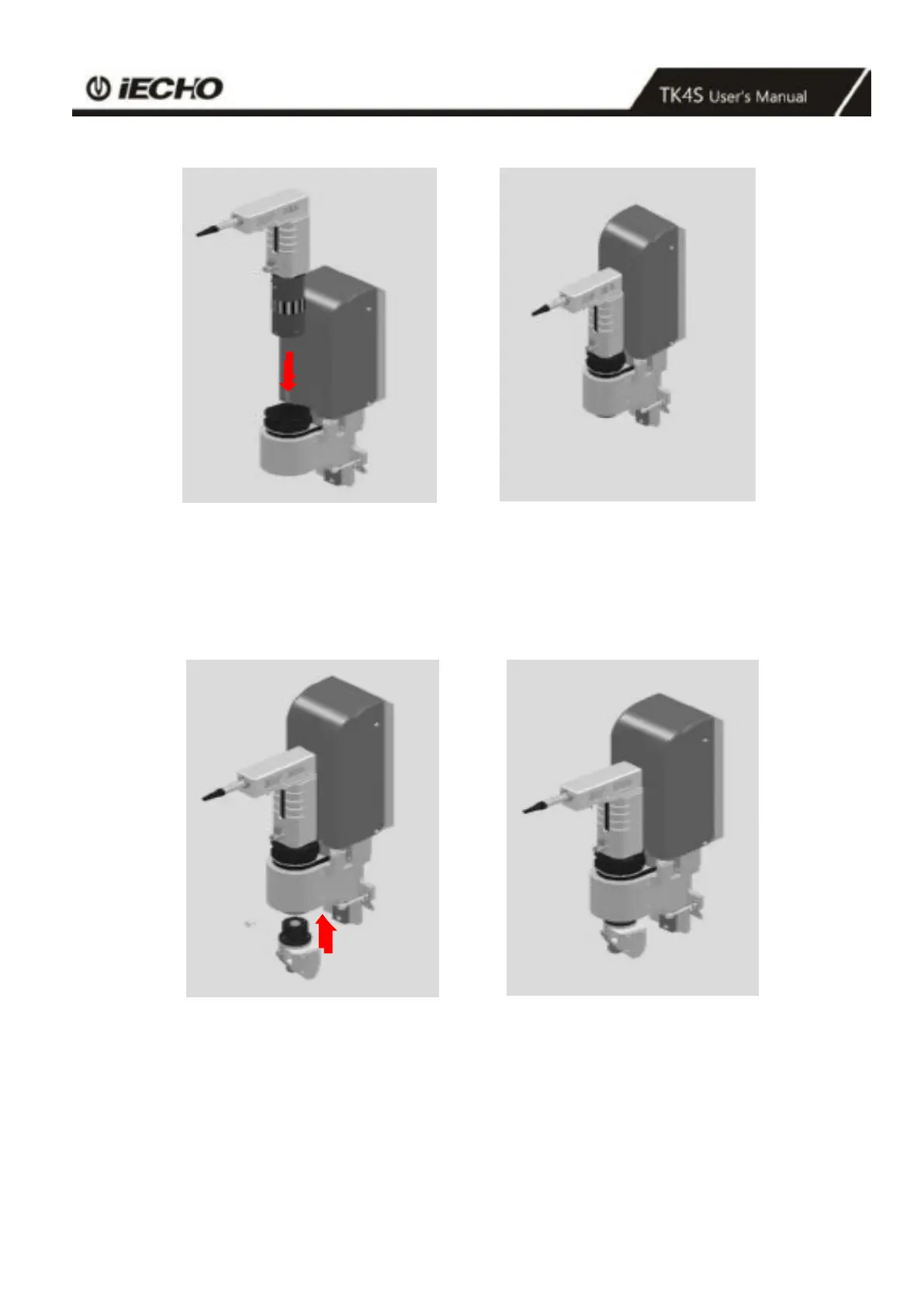
Picture 31 Picture 32
Insert the PRT tool holder into the cutting head (Pic 31), make the red dot of PRT tool holder aligned with the red dot
on cutting head, then insert it into the hole on the head.
Confirm the PRT tool holder into the cutting head in place, then tighten the screw on the head with clockwise (pic 32).
Picture 33 Picture 34
Put the head part of PRT on the bottom of oblique knife mount, make them fit(picture33).
Use inner hexagon wrench tighten.
Tool installation is complete (Pic 34)



 To Next Page