IER 560 COMBO PRINTER
User Guide
Page 40
N0C902A Rev. 2
Sept. 14, 2010
Ce document est la propriété d’IER et ne doit pas être reproduit ou communiqué sans autorisation écrite.
This document is the property of IER and may not be reproduced or communicated
without prior written authorization
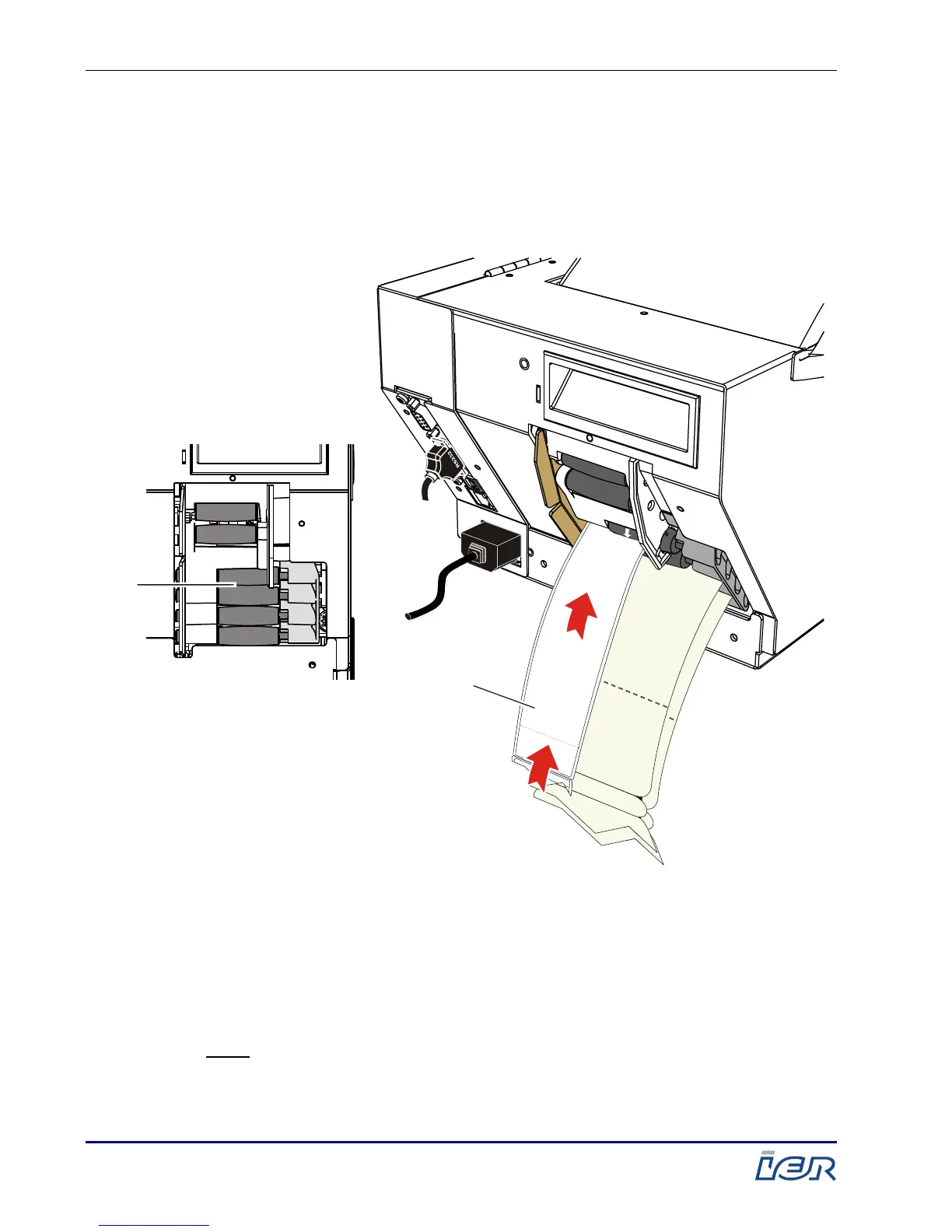
3.2.2. LOADING OF BLANK BAG TAG MEDIA INTO THE PRINTER
Load the leading document of the stock 3 (1) roll or
fanfold media into the mid-lower channel (ML channel).
1 – Leading document of stock 3 roll media
Figure 3.7
Loading of Stock 3 Media into the Mid-Upper Channel (MU Channel)
Note: Upon its insertion into the channel, the media is pulled in
and automatically positioned in the printer, according to the
program parameters and the type of separation mark
present on the media.



 To Next Page