89
ifm Programming Manual ecomatmobile BasicController (CR0403) Runtime System V03.02 2015-04-01
ifm function elements ifm function elements for the device CR0403
>
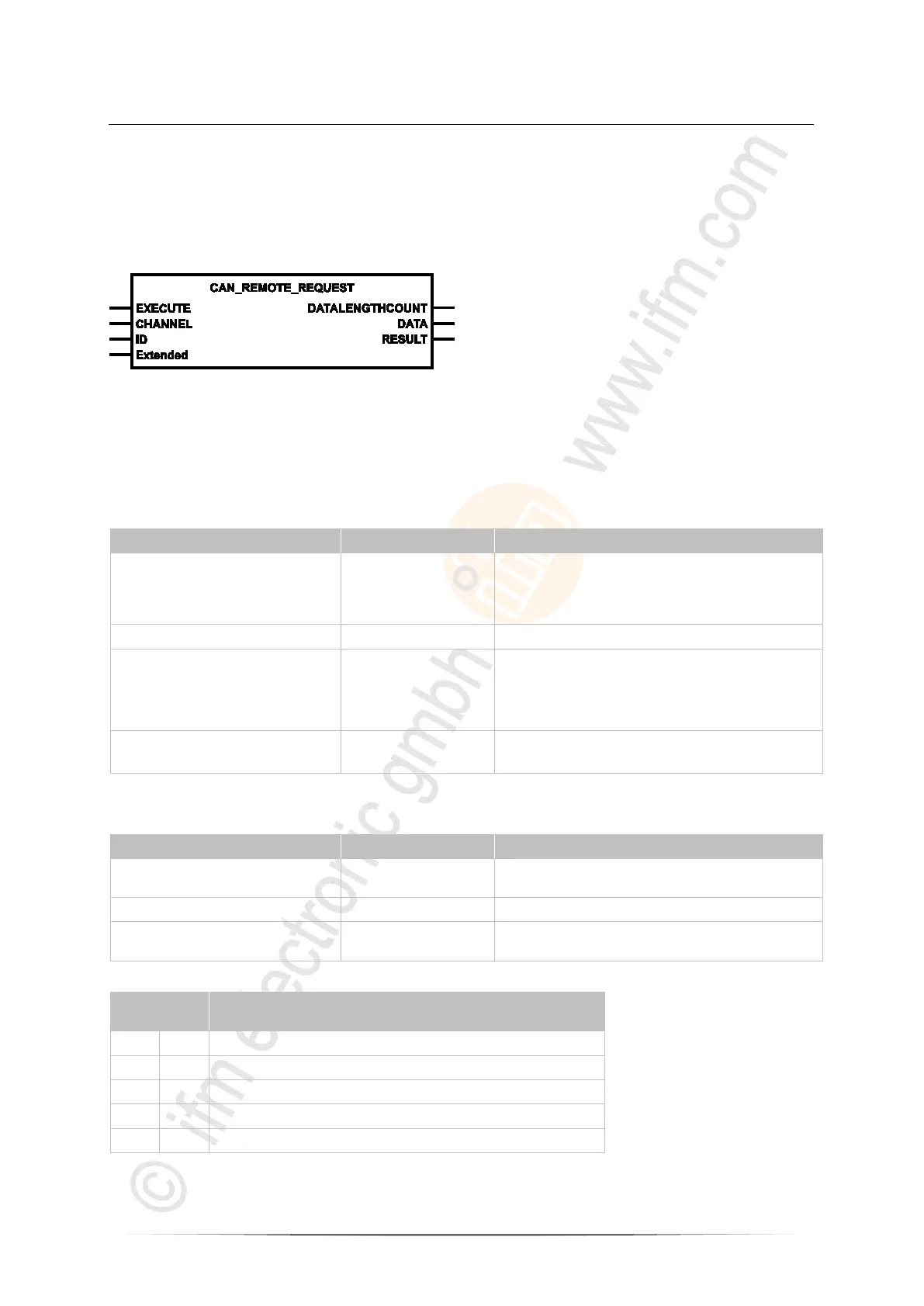
CAN_REMOTE_REQUEST
7625
Unit type = function block (FB)
Unit is contained in the library ifm_RawCAN_NT_Vxxyyzz.LIB
Symbol in CODESYS:
>
Description
7627
In order to request a remote message, an according requirement is dispatched via
CAN_REMOTE_REQUEST and the response of the other device is sent back as result.
>
Parameters of the inputs
7628
EXECUTE BOOL := FALSE FALSE TRUE (edge):
execute function element once
otherwise: function element is not active
A function element already started is processed.
CHANNEL BYTE CAN interface (1...n) depending on the device
ID DWORD Number of the data object identifier:
normal frame (2
11
IDs):
0...2 047 = 0x0000 0000...0x0000 07FF
Extended Frame (2
29
IDs):
0...536 870 911 = 0x0000 0000...0x1FFF FFFF
Extended
(optional use of the parameter)
BOOL := FALSE TRUE: Extended Frame (ID = 0...2
29
-1)
FALSE: Normal Frame (ID = 0...2
11
-1)
>
Parameters of the outputs
7629
DATALENGTHCOUNT BYTE = Data Length Count
number of the data bytes received
DATA ARRAY [0..7] OF BYTE received data, (1...8 bytes)
RESULT BYTE feedback of the function block
(possible messages → following table)
Possible results for RESULT:
Value
dec | hex
Description
0 00 FB is inactive
1 01 function block execution completed without error
5 05 FB is being processed – still receiving
9 09 CAN is not active
242 F2 Error: setting is not possible



 To Next Page