25
UK
9 Parameter setting
During parameter setting the device remains in the operating mode�
It continues its monitoring functions with the existing parameters until the
parameter setting has been completed�
9.1 Parameter setting in general
Each parameter setting consists of 6 steps:
Step Button
1 Change from operating mode to parameter setting mode� [
●
]
2 Select the requested parameter [SP1], [rP1] etc� [▼] or [▲]
3 Change to the programming mode of the parameter� [
●
]
4 Select or change the parameter value� [▼] or [▼] > 2 s
5 Acknowledge the set parameter value� [
●
]
6 Return to the operating mode� [esc]
9.2 Programming example [ou1] ─ output function for OUT1
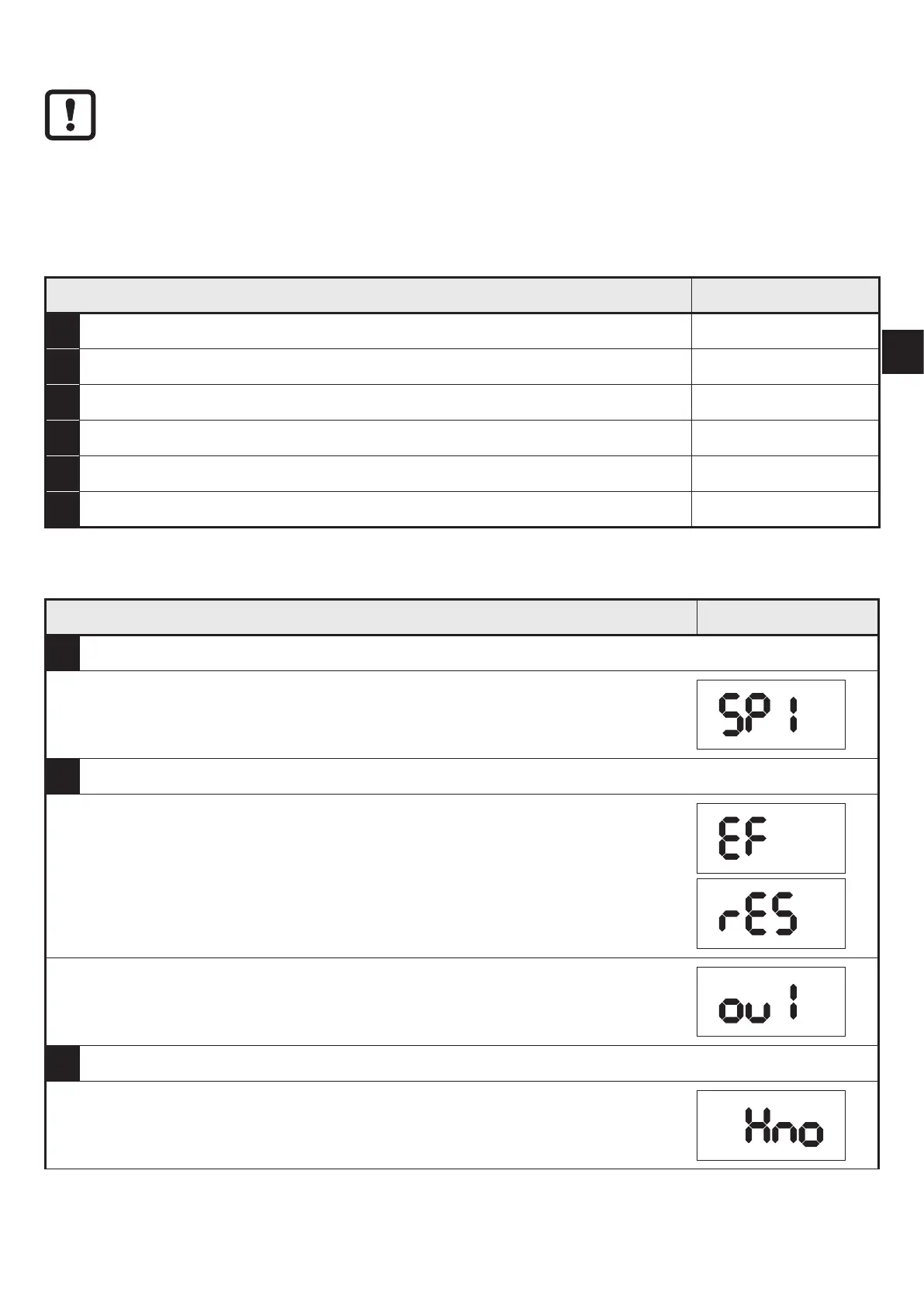
Step Display
1 Change from operating mode to parameter setting mode�
► Press [●] to get to the menu.
> The first parameter is displayed�
2 Select the requested parameter, here [ou1]�
► Press [▼] until [EF] is displayed.
► Press [●] to get to the extended functions menu.
> The first parameter of the extended functions is displayed�
► Press [▼] until the requested parameter [ou1] is displayed.
3 Change to the programming mode of the parameter�
► Press [●] to change to the programming mode.
> The currently set parameter value is displayed�


 To Next Page