MAINTENANCE
IC50 ENG 4-10
CHECK THE FIXED BOLT TORQUE
Tighten the bolts and nuts as shown in the table below.
If loose bolts and nuts are found in daily check, tighten them. If lacking bolts and/or nuts are
found, be sure to replace new parts with lacking parts.
When a new machine is used, check the bolts and nuts when first 50 hours have past. Tighten
loose bolts and nuts.
Special torque specifications
The bolts and nuts shown in the table below bear large
forces. Tighten them at the torques shown in the table.
When these bolts and nuts are replaced, apply the locktite
to the threads and tighten them at the specified torques.
Traveling-rated
Tightening torque
No. Special tightening Thread size
Wrench size
(mm)
(N⋅m)
(kgf-m)
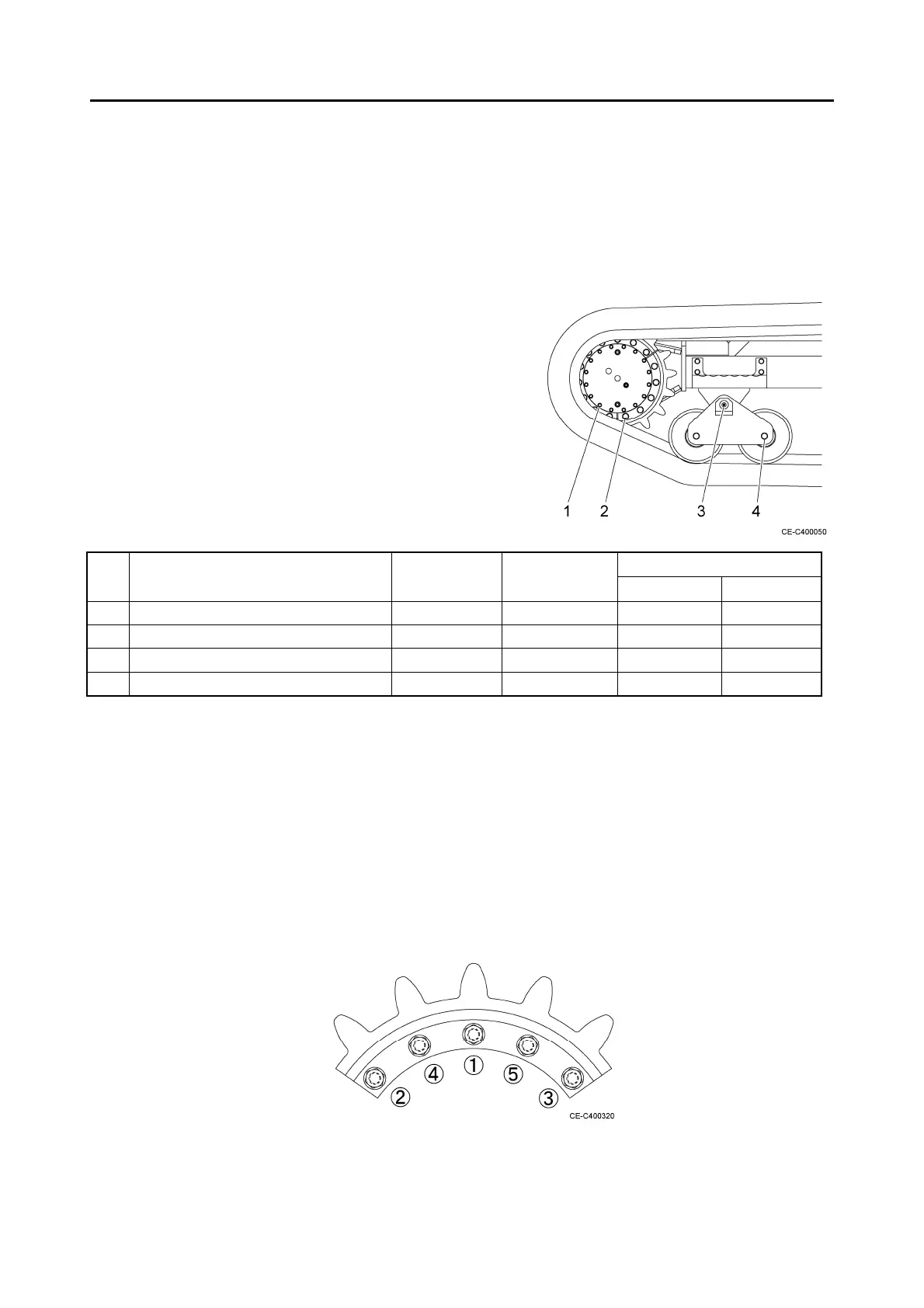
1 Travel reduction gear M16 24 241 24.6
2 Drive sprocket M16 24 241 24.6
3 Oscillating link M30 46 980 100.0
4 Lower roller M20 30 476 48.5
Precautions for installing the travel reduction gear and drive sprocket
1. Apply screw locking agent to the threads of bolts No. 1 and No. 2.
2. Observe the following procedures when attaching the drive sprocket.
(1) Tighten all of five bolts with the locktite applied at a torque of 98 to 156.9 N⋅m first.
(2) Then, tighten the five bolts in the order shown on the right at the specified torque of 241
N⋅m.
Tighten the bolts quickly since screw locking agent is applied to them.



 To Next Page