MAINTENANCE
IC50 ENG 4-29
Clean and change the air cleaner element
CAUTION
• Be sure to stop the engine before cleaning or
changing the air cleaner. If it is cleaned or
changed while the engine is running, dust is
sucked in, causing engine damages.
• Put on goggle when cleaning the element with
compressed air. Otherwise, dust may be put in
the eyes, resulting in injury.
Cleaning the element
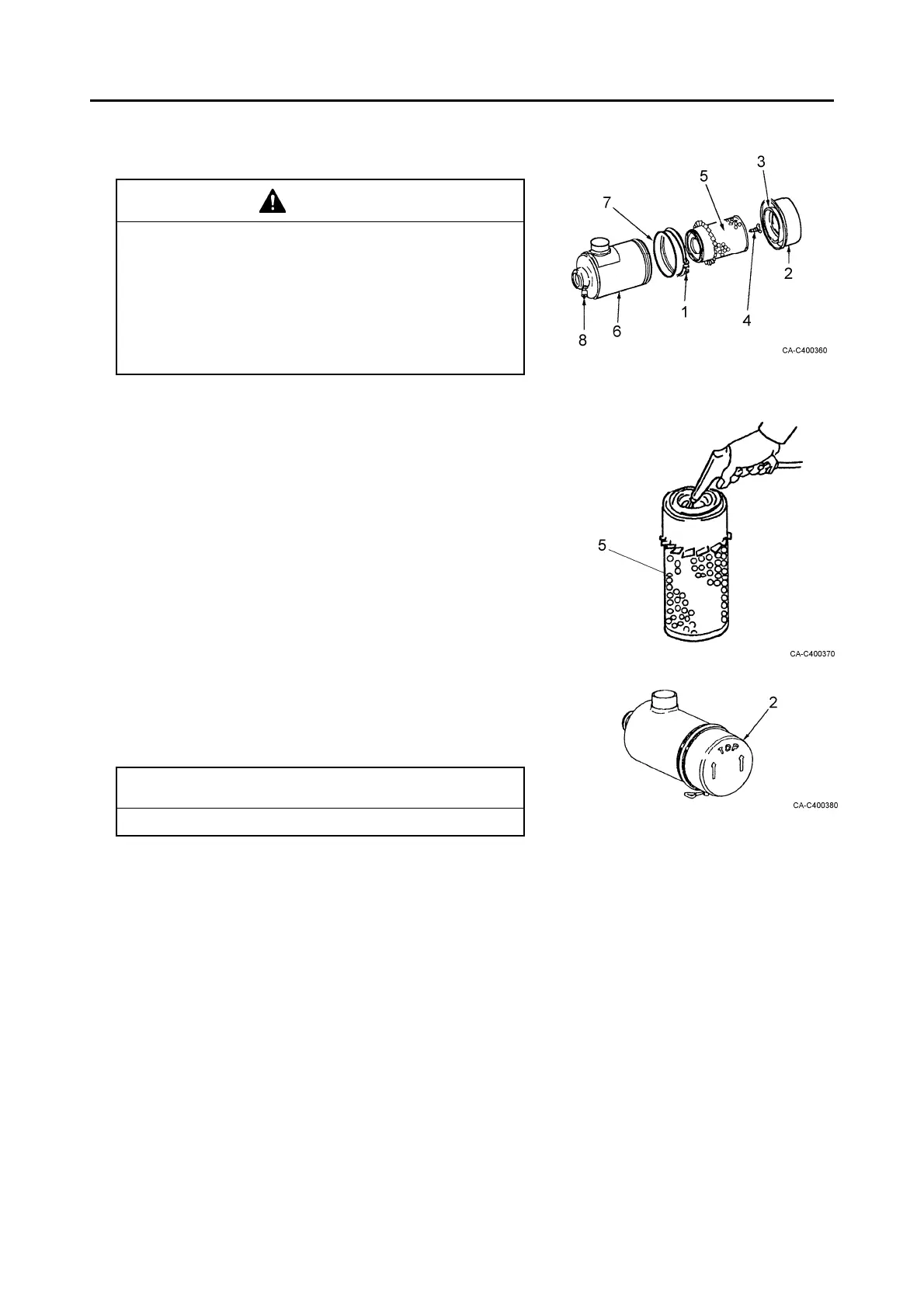
1. Remove the clamp (1). Remove the dust cup (2).
2. Take out the baffle (3) from the dust cup and clean it.
3. Remove the wing bolt (4) and remove the element (5).
4. Clean the inside of the air cleaner body (6).
5. Blow dry compressed air at a pressure of 0.3 to 0.5
MPa (3 to 5 kgf/cm
2
) onto the element from inside
along the pleats. Move the air flow up and down.
Then, blow compressed air from outside. Again, blow
it from inside.
6. Light the inside of the element with a lamp after
cleaning. Replace it if small holes or thin parts are
found.
NOTICE
Do not tap, hit or drop the element.
7. Attach the cleaned element and fix it with the wing bolt.
8. Attach the dust cup to the body with the TOP mark with
arrows upside. Insert the O ring (7) and fix it with the
clamp.
9. Push the button of the dust indicator to reset the red
signal.
Replacing the element
Replace the element with a new element in the same
procedures as shown above.



 To Next Page