UNO Synth PRO X
3 – Front Panel Interface
25
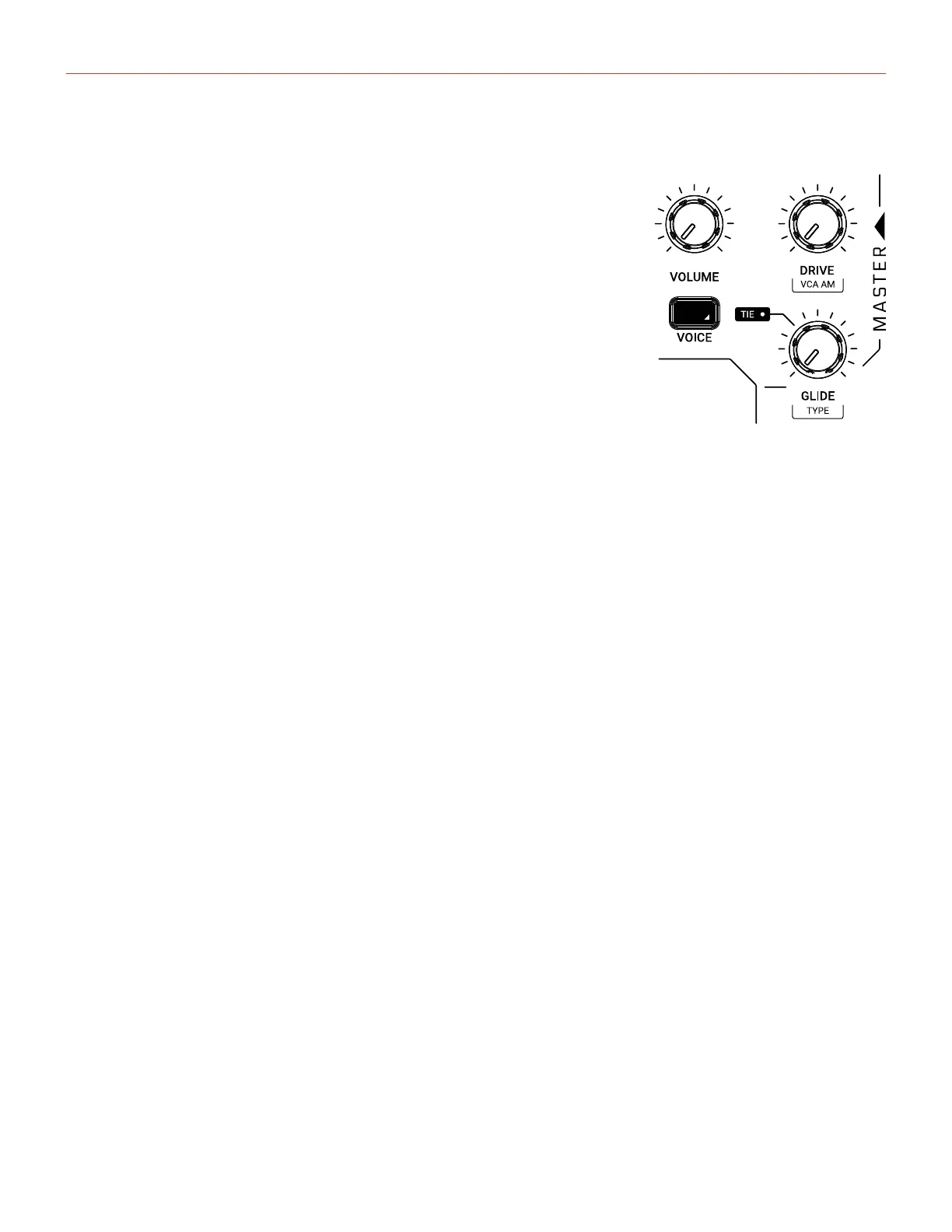
3.9 – Master
VOLUME
Adjusts the main out and phones volume of the instruments.
DRIVE
Adjusts the amount of signal going to the drive circuit, which is built
around 2 diodes positioned after the filter stage. The range is 0 to 127.
VCA AM
Adjusts the amount of modulation the VCA will receive from the AMP ENV.
At 100% the VCA is fully modulated from the ENV. At 0% the VCA isn’t
modulated by the AMP ENV and remains fully open.
Please note: When the VCA remains fully open for a long period of time,
the synth auto-calibration will stop and the synth will be prone to tuning drift.
GLIDE
Adjusts the amount of portamento glide between 0% and 100%.
TYPE
Selects between Constant Speed or Constant Time.
VOICE
Selects between the 3 voice modes of the synth:
LEGATO: When LEGATO mode is enabled, and detached notes are played, each Attack will still be
re-triggered. But when overlapping notes are played, the pitches will change without new Attacks, for
Legato response. This is the standard and default mode of the synthesizer.
MONO: The MONO mode is selected by pressing the “VOICE” button until the display shows “MONO.”
PARAPHONIC: In this mode the 3 Oscillators will play up to 3 different notes (or pitches) played on the
keyboard. This is possible as the 3 oscillators’ pitch can be controlled separately in a one voice synth
architecture.
Please note that each oscillator can still have different settings so, if you want a “poly” sound, remember to
set the oscillators accordingly.



 To Next Page