31
MAC INSTALLATION AND CONNECTION (CONTINUED)
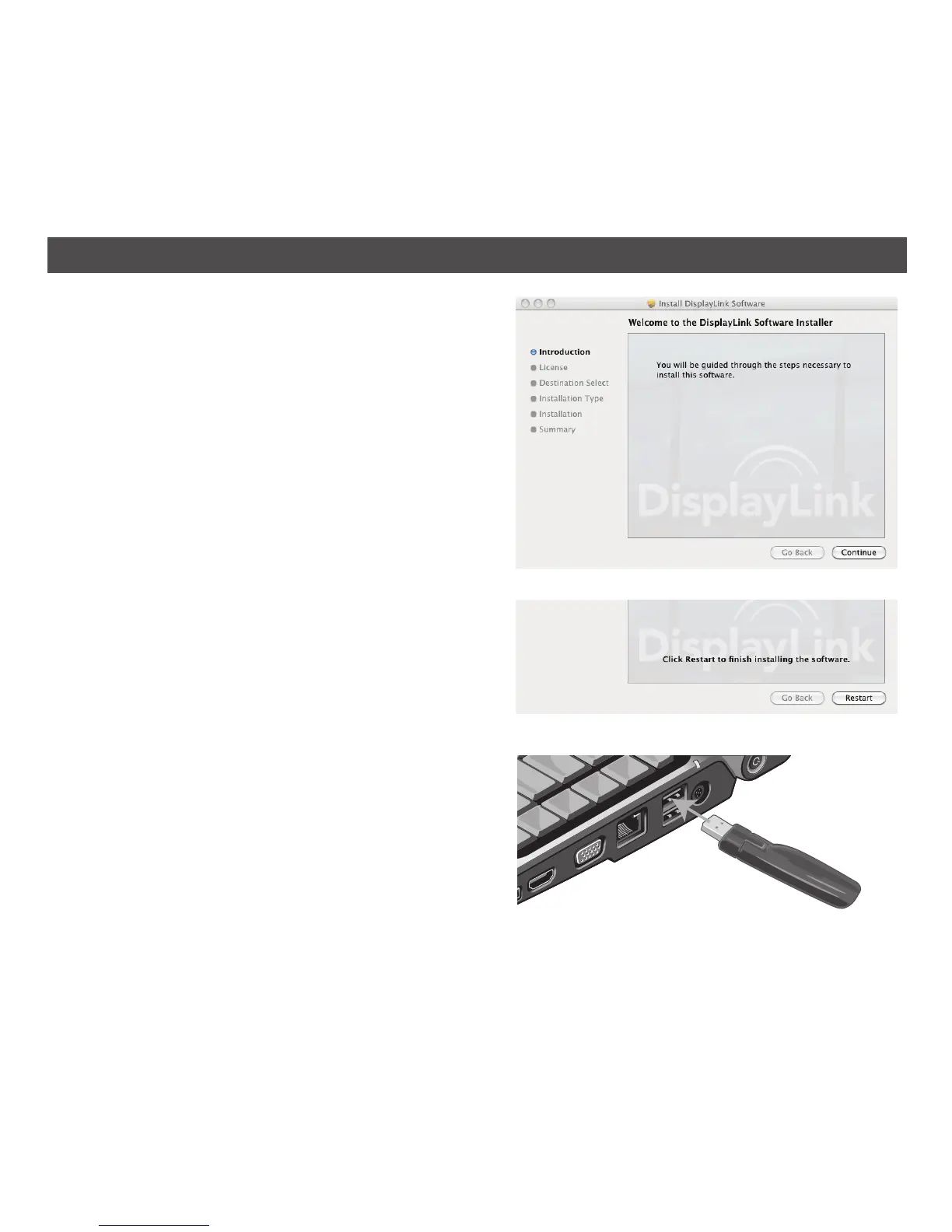
4. The Welcome to the DisplayLink Software
Installer window will appear. Click Continue and
follow the on-screen instructions to complete
the installation.
5. After installing the software, click Restart to
restart your computer.
6. After the computer fully restarts, connect
the Link USB transmitter to the computer’s
powered USB jack. Some USB jacks are not
powered, like some keyboard USBs.


 To Next Page