32
MAC INSTALLATION AND CONNECTION (CONTINUED)
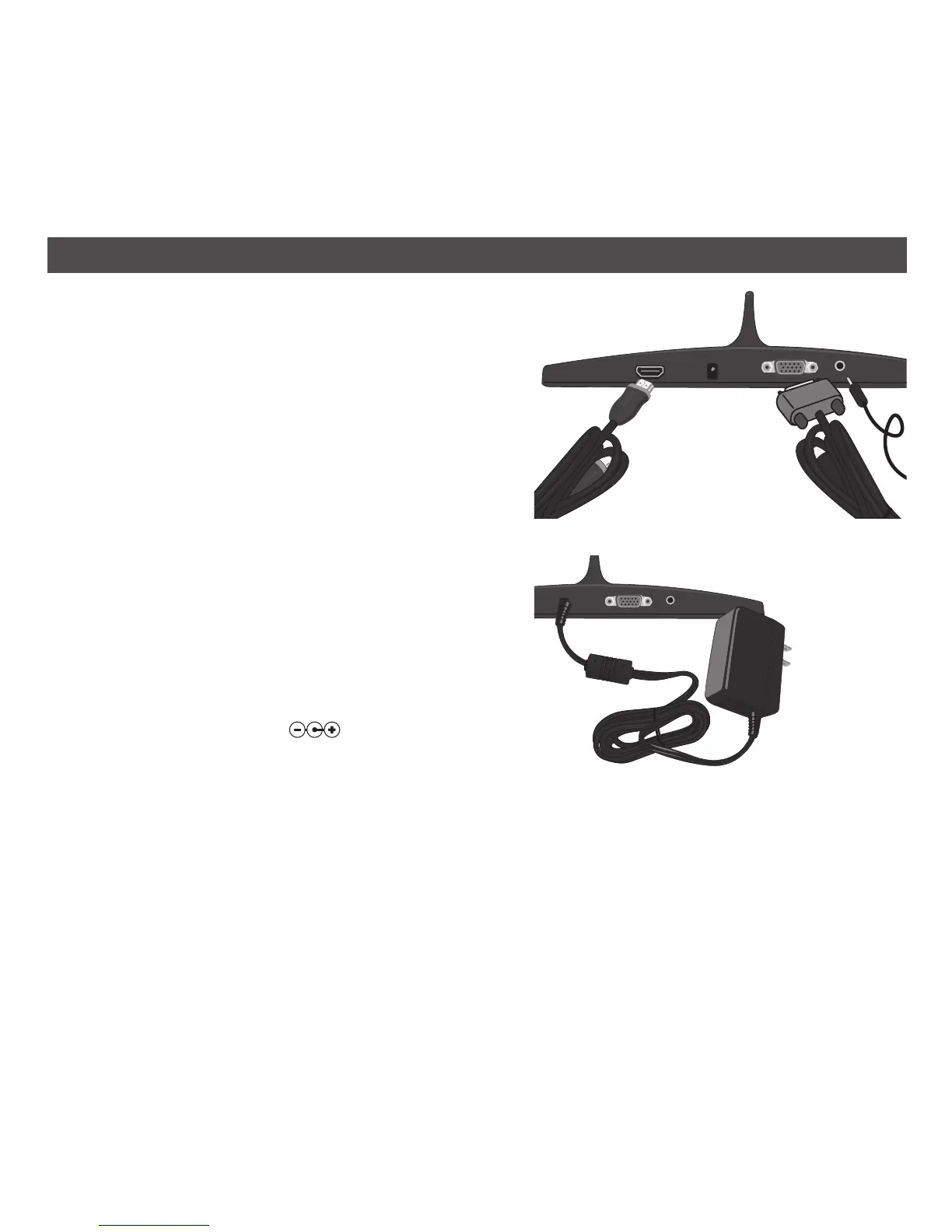
7. Connect the HMDI cable from the HDMI jack on
the Link receiver to the TV, monitor or projector
or connect the VGA and audio cable from the Link
receiver to the TV. Make sure your HDTV is set to
the video output you connected your unit to.
NOTE: The HDMI outputs the sound and video,
so an external audio cable is not needed. If using
VGA, you must connect the VGA cable and a
separate audio cable.
8. Insert the small end of the AC adapter into the DC
jack (located on the rear of the unit). Connect the
other end to a wall outlet having 120V AC, 60 Hz.
NOTES:
• Remove both the DC plug and the AC-IN plug to
disconnect the AC adapter when not in use.
• Only use the supplied AC adapter which has the
following specs: DC 5V
9. After Connecting to AC, the monitors will blink
several times and then the new display will appear
as an extended monitor.
OR
TO
AC JACK


 To Next Page