59
INSTALLER
USERMAINTENANCE TECHNICIAN
TECHNICAL DATA
3.11 QUICK CALIBRATION
is function allows you to calibrate the boiler automatically
without requiring or giving the possibility to alter the parameters.
Typically “fast calibration” is used aer having set the type of ue
in menu “F”, which once altered causes anomaly “72”.
Before carrying out the fast calibration, ensure that all
the requirements indicated in the relevant paragraphs
have been met (Par. 1.25 - 1.26).
No active requests for central heating or D.H.W. produc-
tion must be present and the boiler must not be in
“Stand-by” mode.
In the event of anomaly “72” (Par. 2.5) the boiler cancels any re”-
quests by itself.
e energy produced is dissipated via the heating circuit; alterna-
tively, the energy can be released from the DHW circuit by open-
ing any hot water tap.
In this case the only active temperature control is the
ow probe that limits the maximum temperature
exiting the boiler at 90°C, therefore be careful not to get
burned.
49
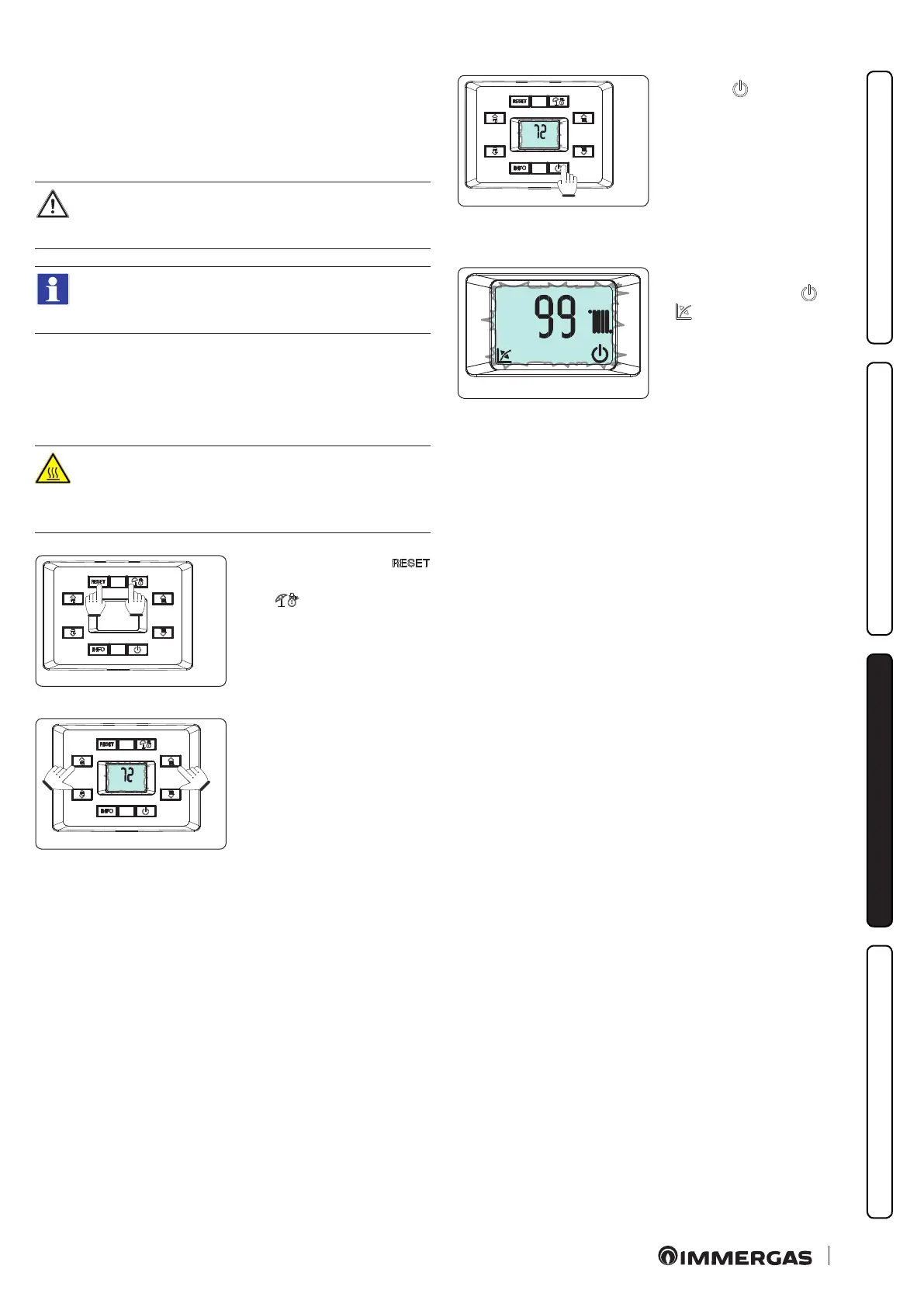
Press and hold buttons “
”,
and “ ” for more than 5 sec-
onds.
50
e display will show two dash-
es “--” ashing. Now enter the
password “72” to activate fast
calibration.
51
Press the “ ” key to activate
calibration.
Once the function is active, the
boiler sequentially carries out
the procedures required to cali-
brate the appliance with the
nominal, intermediate and
minimum heat output values.
52
At this stage the display fea-
tures ashing icons: “ ” and
“ ” and the operating tem-
perature is displayed, alternat-
ed with the current operating
heat output.
e calibration stages (nominal, intermediate and minimum)
progress automatically and you must wait until calibration is
complete.






 To Next Page